> ## Documentation Index
> Fetch the complete documentation index at: https://calcs.com/docs/llms.txt
> Use this file to discover all available pages before exploring further.
# Unbeta Workflow
> Process for releasing beta templates to production through external review
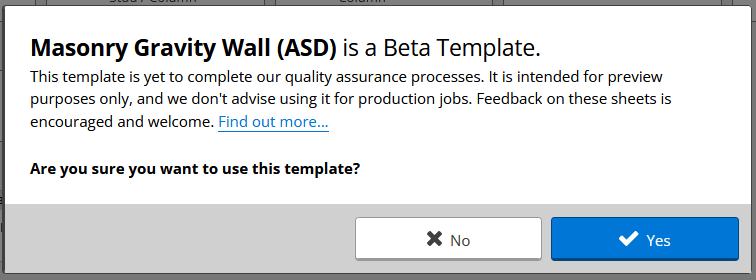
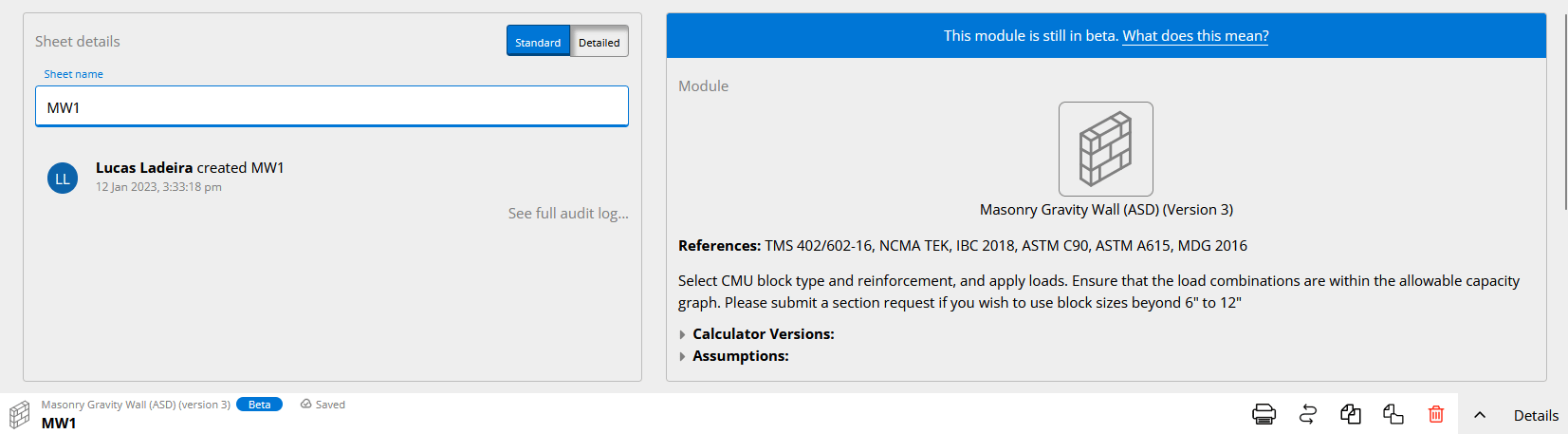
All templates must go through external review before being released to the public; before that, we release them as Beta. The public will see the following after adding a sheet that's still in the Beta phase:
 It is in our interest to have the template released as unbeta as soon as possible and get the external review done.
## 1. Arrange an External Checker
Preferably, you should reach out to an external checker that is already familiar with Calcs.com or has checked templates for us previously.
### Finding a Reviewer
* Check the [Approved Contractors list](https://app.clickup.com/6927027/v/l/6-900300317400-1)
* Check the folder `Team Drive\Engineering\Checking & Reviews` for previous documentation
* Create a ticket on ClickUp for this task
**Look for someone knowledgeable and capable**
External checkers should be engineers who are proficient with the respective standard and preferably who have practical experience with what the template is calculating. A bonus would be someone who can compare our template outputs against results from previous projects or/and their personal spreadsheets.
### Using Upwork
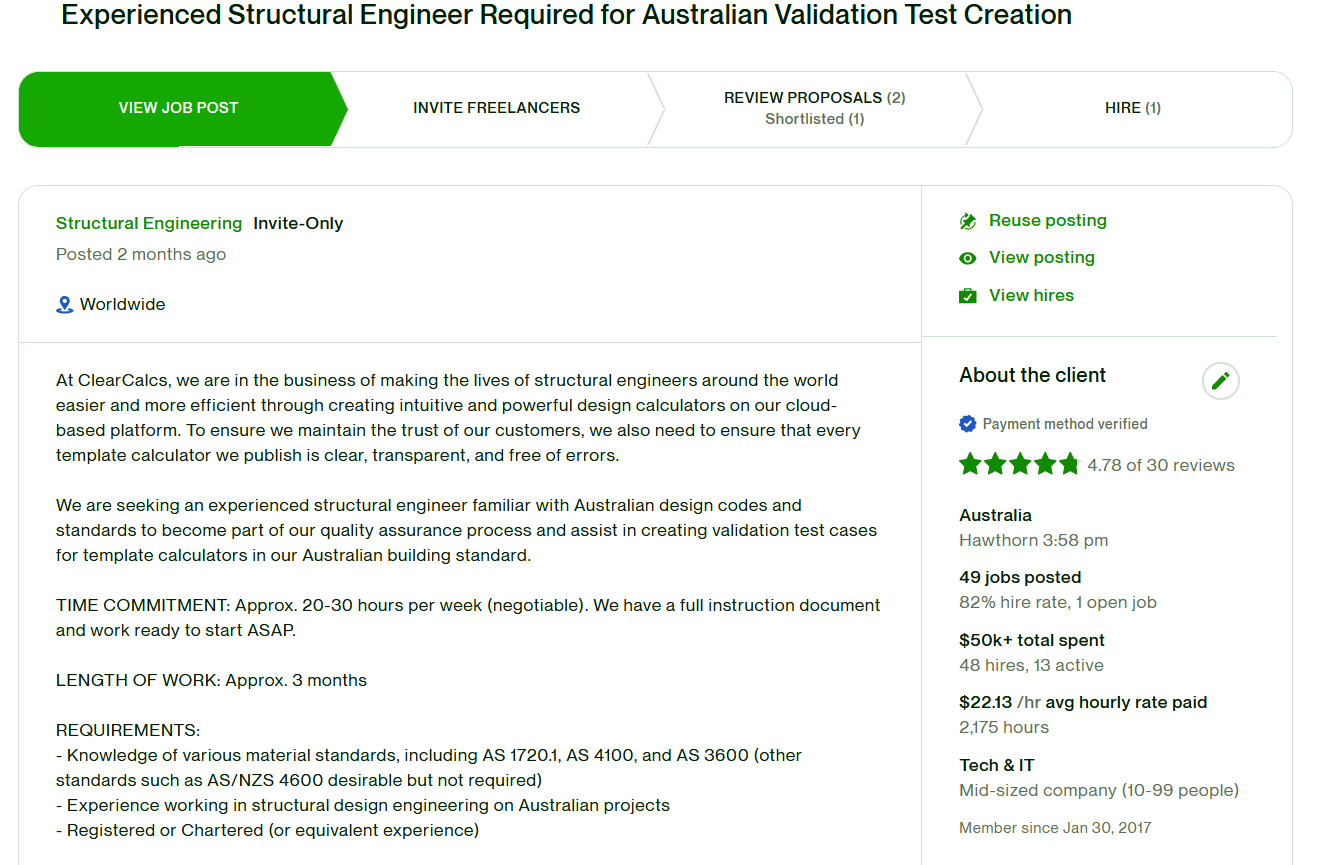
If you don't have anyone in mind, post an ad on [Upwork](http://www.upwork.com). If you don't have access to the Calcs.com account on Upwork, please ask someone to add you. Freelancers will apply and you can select the most suitable person for the job.
It is in our interest to have the template released as unbeta as soon as possible and get the external review done.
## 1. Arrange an External Checker
Preferably, you should reach out to an external checker that is already familiar with Calcs.com or has checked templates for us previously.
### Finding a Reviewer
* Check the [Approved Contractors list](https://app.clickup.com/6927027/v/l/6-900300317400-1)
* Check the folder `Team Drive\Engineering\Checking & Reviews` for previous documentation
* Create a ticket on ClickUp for this task
**Look for someone knowledgeable and capable**
External checkers should be engineers who are proficient with the respective standard and preferably who have practical experience with what the template is calculating. A bonus would be someone who can compare our template outputs against results from previous projects or/and their personal spreadsheets.
### Using Upwork
If you don't have anyone in mind, post an ad on [Upwork](http://www.upwork.com). If you don't have access to the Calcs.com account on Upwork, please ask someone to add you. Freelancers will apply and you can select the most suitable person for the job.
 According to the [Delegation of Authority Matrix](https://docs.google.com/spreadsheets/u/1/d/1sIXucE5B9a3T6gRUs3f9-KMCJYB8P_Id8nbRidsAT4I/edit#gid=0), a team lead is able to approve up to $5k from external contractors' invoices, so seek approval from your team lead before authorising the job - an external review is expected to be less than $5k.
## 2. Send Review Checklist
We have a checklist with items to be checked by the external reviewer; you have to send this document to the external reviewer.
You can find the most recent version of it on `Team Drive\Engineering\Checking & Reviews`. The reviewer will fill out the checklist and send it back to us.
## 3. Address External Reviewer Comments
Once the review is done, we should address the reviewer's comments.
### Process
1. Create one ticket on ClickUp to carry out this task
2. Make sure the reviewer's comments are relevant
3. Feel free to contact them if you need clarification
In some cases, the reviewer may also provide feature suggestions for the calculator or other calculators. Some judgement required, but generally, these can be filed as separate feature requests. The unbeta review should focus on bugs and/or usability issues.
According to the [Delegation of Authority Matrix](https://docs.google.com/spreadsheets/u/1/d/1sIXucE5B9a3T6gRUs3f9-KMCJYB8P_Id8nbRidsAT4I/edit#gid=0), a team lead is able to approve up to $5k from external contractors' invoices, so seek approval from your team lead before authorising the job - an external review is expected to be less than $5k.
## 2. Send Review Checklist
We have a checklist with items to be checked by the external reviewer; you have to send this document to the external reviewer.
You can find the most recent version of it on `Team Drive\Engineering\Checking & Reviews`. The reviewer will fill out the checklist and send it back to us.
## 3. Address External Reviewer Comments
Once the review is done, we should address the reviewer's comments.
### Process
1. Create one ticket on ClickUp to carry out this task
2. Make sure the reviewer's comments are relevant
3. Feel free to contact them if you need clarification
In some cases, the reviewer may also provide feature suggestions for the calculator or other calculators. Some judgement required, but generally, these can be filed as separate feature requests. The unbeta review should focus on bugs and/or usability issues.