> ## Documentation Index
> Fetch the complete documentation index at: https://calcs.com/docs/llms.txt
> Use this file to discover all available pages before exploring further.
# AU Seismic Load Calculator – Basic Guide
> Use this calculator to perform simplified seismic analysis for housing and low-rise structures across Australia in compliance with AS 1170.4:2024.
# Background
The Seismic Load Calculator allows engineers to calculate base shear and distribute lateral seismic forces across multiple stories based on site and building parameters. It supports **Earthquake Design Categories (EDC) I and II**, with a focus on residential and small commercial structures.
This guide walks you through key sections of the calculator and highlights how calculations are performed under the AS 1170.4:2024 standard.
# Key sections of the calculator
The calculator has three main input areas:
1. **Site & Building Parameters**
2. **Lateral Load Distribution**
3. **Summary**
## 1. Site & Building Parameters
This section collects all relevant information to determine seismic category, building importance, and hazard levels.
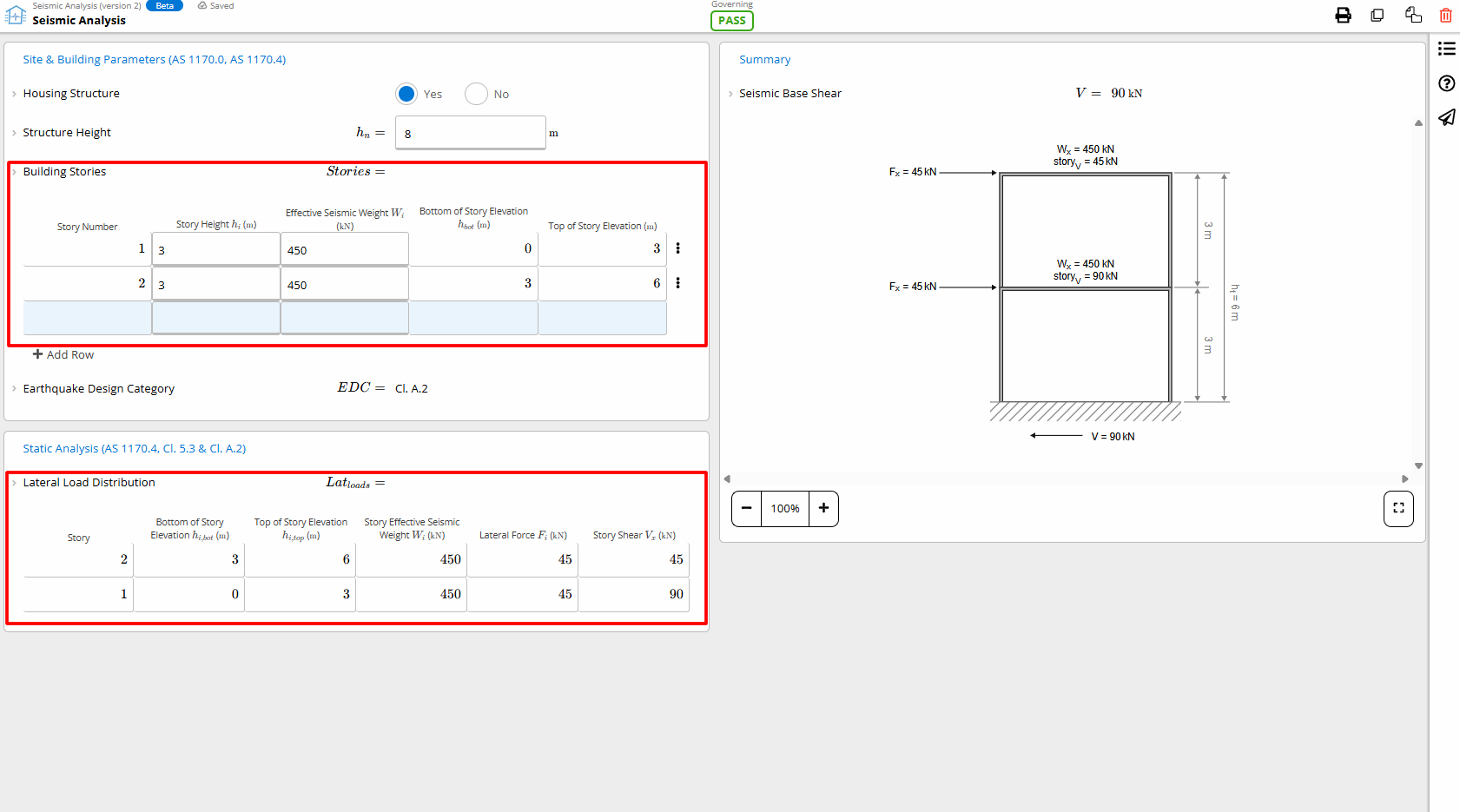 ### Housing vs. Non-Housing
For domestic housing structures under 8.5 m tall, the calculator automatically assigns the appropriate classification and simplifies compliance under **Clause A.2 of AS 1170.4**.
### Building Height and Story Info
Use the **Building Stories** table to enter the number of stories, their individual heights, and seismic weights. This helps determine how lateral loads are distributed through the structure.
### Site Class and Hazard Factors
Specify the **sub-soil class** and **hazard design factor (Z)** according to the building's location. The calculator uses this to determine seismic zone compliance, in combination with probability and importance factors.
## 2. Lateral Load Distribution
Depending on your selected **EDC**, the calculator automatically switches between:
* **Cl. A.2 simplified static method** (for EDC I or housing structures)
* **Cl. 5.4 and Section 6 equivalent static method** (for EDC II)
Enter the building stories and seismic weights, and the calculator distributes base shear across the height of the building according to AS 1170.4 provisions.
### Housing vs. Non-Housing
For domestic housing structures under 8.5 m tall, the calculator automatically assigns the appropriate classification and simplifies compliance under **Clause A.2 of AS 1170.4**.
### Building Height and Story Info
Use the **Building Stories** table to enter the number of stories, their individual heights, and seismic weights. This helps determine how lateral loads are distributed through the structure.
### Site Class and Hazard Factors
Specify the **sub-soil class** and **hazard design factor (Z)** according to the building's location. The calculator uses this to determine seismic zone compliance, in combination with probability and importance factors.
## 2. Lateral Load Distribution
Depending on your selected **EDC**, the calculator automatically switches between:
* **Cl. A.2 simplified static method** (for EDC I or housing structures)
* **Cl. 5.4 and Section 6 equivalent static method** (for EDC II)
Enter the building stories and seismic weights, and the calculator distributes base shear across the height of the building according to AS 1170.4 provisions.
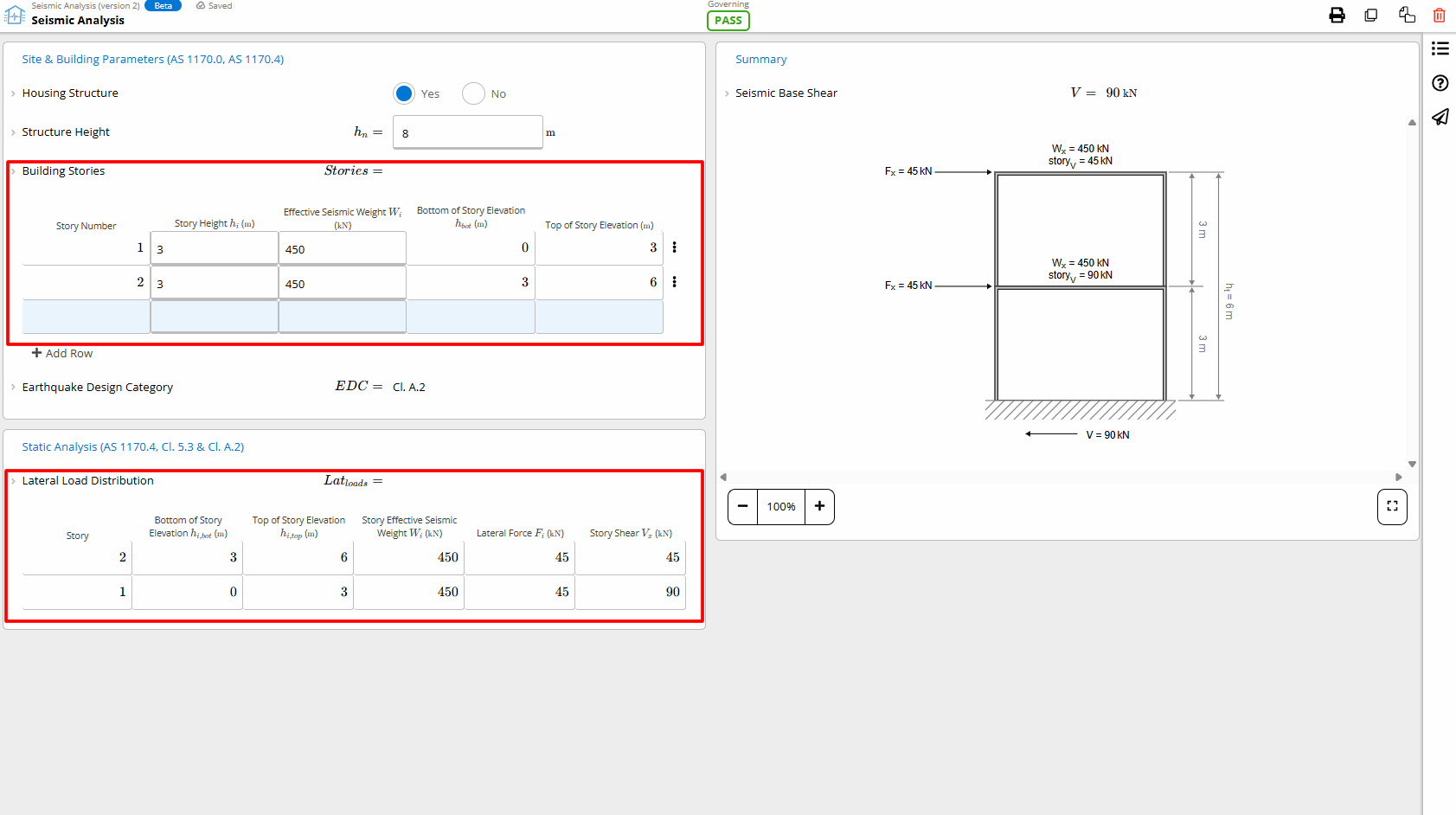 Each storey’s lateral force and resulting shear is displayed in a table. You can also export these forces for diaphragm or wall design workflows.
## 3. Summary
The **Summary** shows total base shear and lateral forces. These values are derived from:
* Building mass and seismic weight
* Hazard factor and probability
* Sub-soil conditions
* Story-by-story lateral load calculations
These forces can then be used in downstream wall, diaphragm, or column designs.
## What’s not supported (yet)
* **EDC III** structures, typically those over 50 metres in height or requiring dynamic analysis
* Structures with **torsional irregularities** or those requiring site-specific ground motion assessments
***
## Try it in your next project
Use the Seismic Load Calculator to simplify AS 1170.4 checks and speed up lateral load modelling across residential and small commercial buildings.
[Try the calculator now →](https://calcs.com/new/sheet/seismicAnalysisAU)
Each storey’s lateral force and resulting shear is displayed in a table. You can also export these forces for diaphragm or wall design workflows.
## 3. Summary
The **Summary** shows total base shear and lateral forces. These values are derived from:
* Building mass and seismic weight
* Hazard factor and probability
* Sub-soil conditions
* Story-by-story lateral load calculations
These forces can then be used in downstream wall, diaphragm, or column designs.
## What’s not supported (yet)
* **EDC III** structures, typically those over 50 metres in height or requiring dynamic analysis
* Structures with **torsional irregularities** or those requiring site-specific ground motion assessments
***
## Try it in your next project
Use the Seismic Load Calculator to simplify AS 1170.4 checks and speed up lateral load modelling across residential and small commercial buildings.
[Try the calculator now →](https://calcs.com/new/sheet/seismicAnalysisAU)