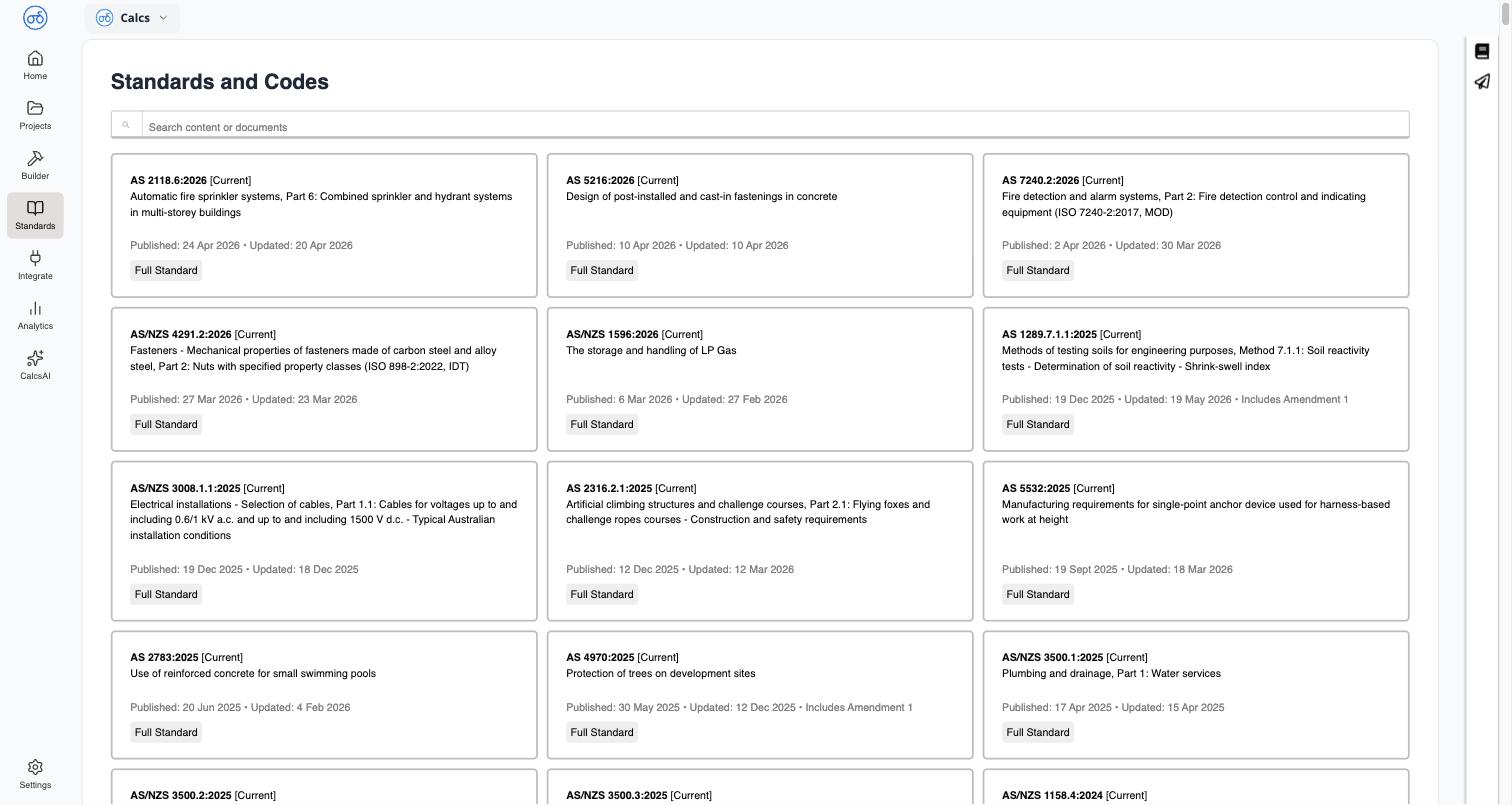
Check Which Standards Are Available
The design standards and codes Calcs.com calculators are built to, by region.
Search Standards and Clauses
How the Standards Library search finds clauses and tables inside every standard you have access to, not just titles.
Browse a Standard
Navigate a standard’s table of contents, read clause text, and find amendments.
View Clauses from Inside a Calculator
Jump from any calculation result straight to the standard clause it’s based on, without leaving your calculation.
Share a Clause Link
Copy a stable link straight to a specific clause, for citing in reports or sending to a colleague.
Download a Standard as PDF
Download the full text of a licensed standard as a PDF to keep for your records or share within your project team.
Apply Ambiguous Clauses in a Standard
Calcs.com carries clauses across as written. How a clause that allows more than one reading applies is the engineer’s call.
Standards Licensing & Copyright
What the reproduction notice means, and what your organization’s license type allows you to do with standards content.
Changes in AS 3600:2018 Amendment 2 (Concrete)
Changes in AS3600:2018 Amendment 2 (Concrete)
What you’ll see
Opening Standards takes you to Standards and Codes, a card grid of every standard your organization has access to. Each card shows:- Designation and title: for example
AS 2118.6:2026, Automatic fire sprinkler systems, Part 6 - Status: a badge such as
[Current] - Published and Updated dates
- Amendment notes, where relevant (for example, “Includes Amendment 1”)
- A document type chip, such as
Full Standard