

Formula Reference
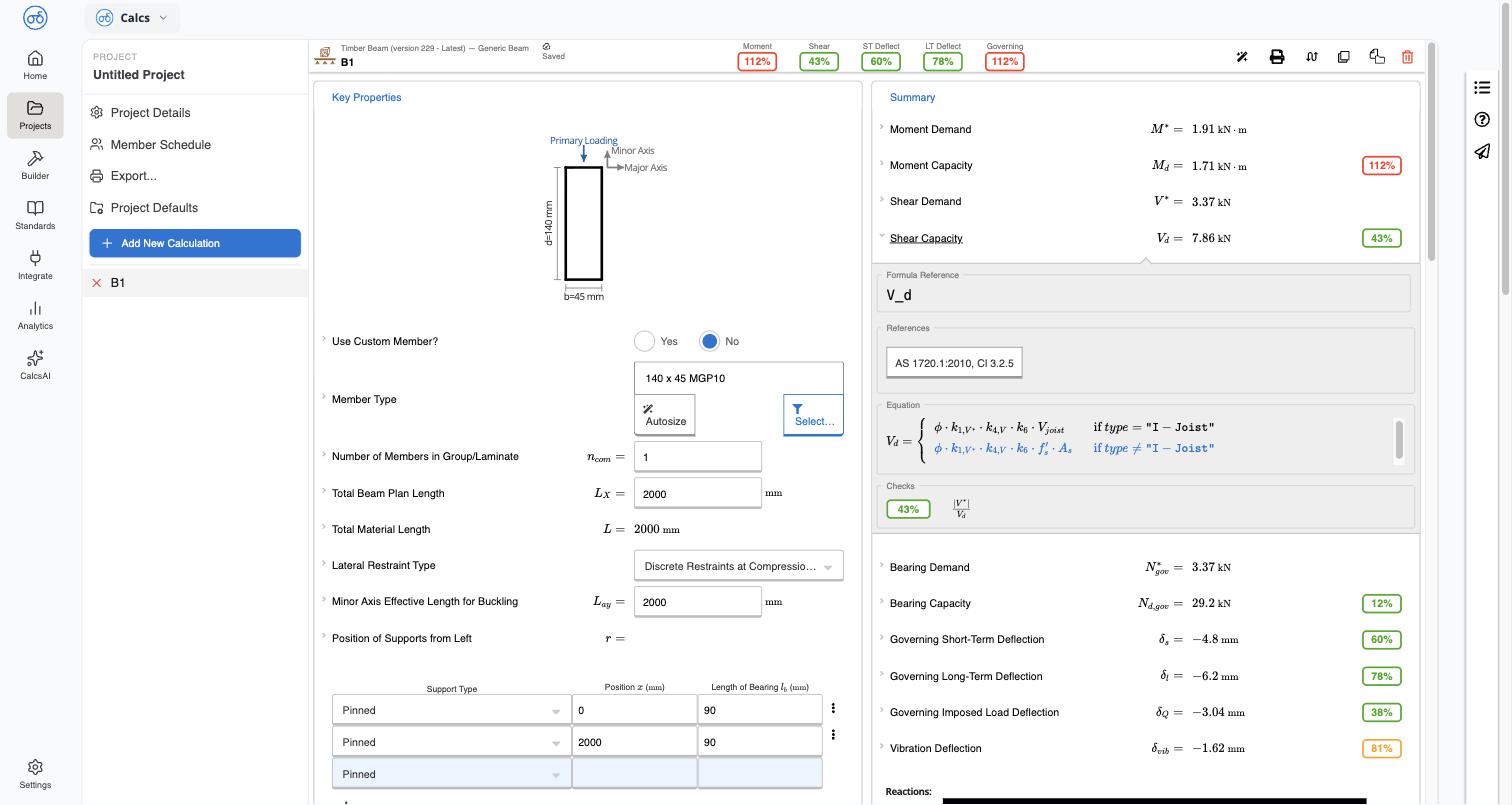
Expand any result row in Summary — for example Moment Capacity — to open its Formula Reference panel. This shows:- The equation variable being calculated (for example
M_d) - A References chip naming the governing clause, for example
AS 1720.1:2010, Cl 3.2.1.1 - The full equation as used in the calculator, including any conditional cases (for example a separate equation for I-joists)
- The Checks result — the utilization ratio and what’s being compared (for example Bending Moment Demand is Greater than Bending Moment Capacity)
Opening the full clause
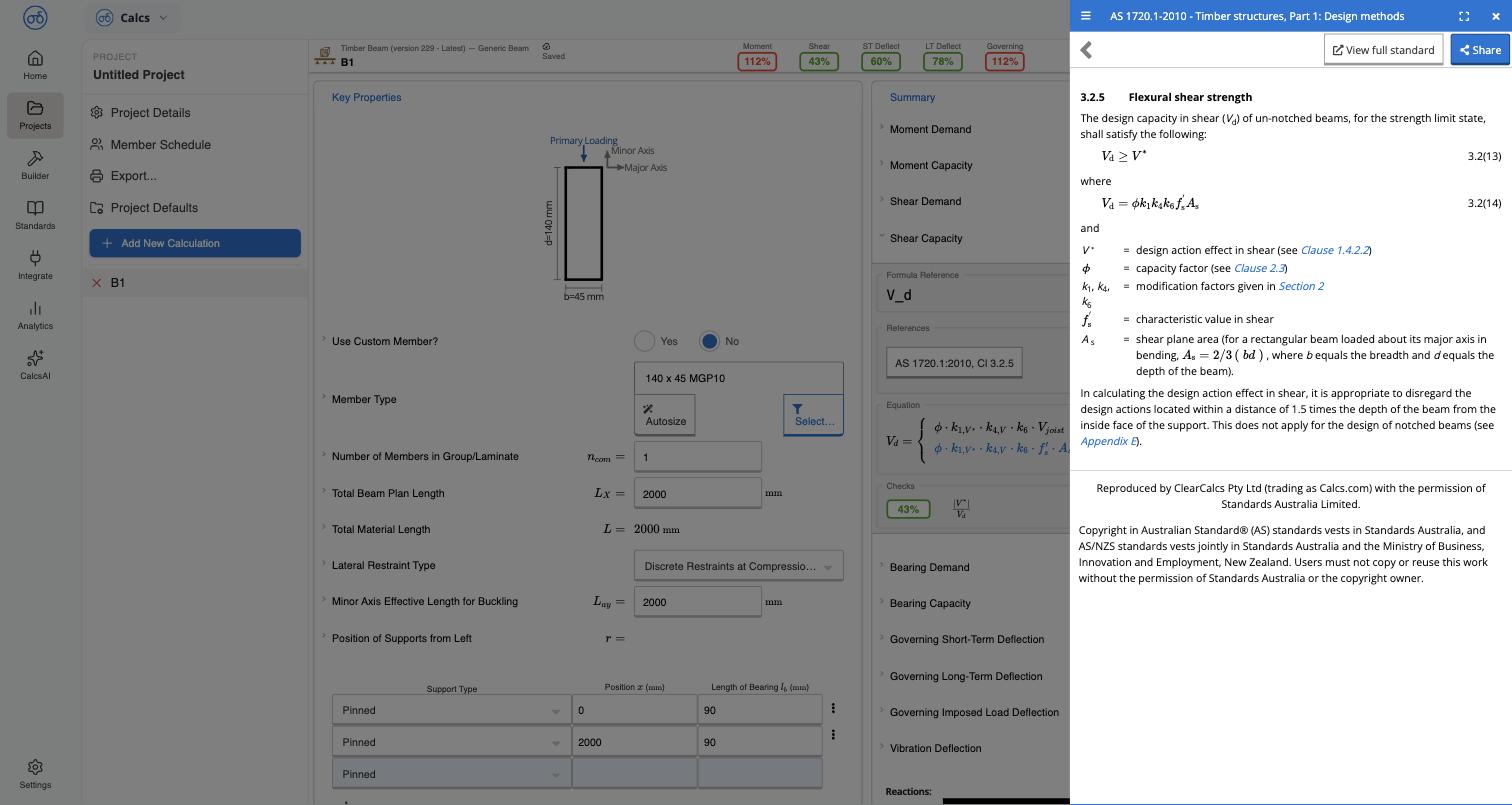
Select the clause chip in References to open a side panel with:- The clause text, exactly as it reads in the standard (for example 3.2.1.1 Design capacity)
- The equation and every defined variable, with cross-references to related clauses where the standard itself references them (for example see Clause 1.4.2.2)
- The standard’s reproduction and copyright notice
Viewing the full standard
Select View full standard in the side panel to open the same clause in the full Standards Library viewer, with its Table of Contents — see Browsing a Standard. This takes you out of the calculator and into the standard itself, useful when you want to read the surrounding clauses or trace a chain of cross-references.Related
Browsing a Standard
Navigate a standard’s table of contents and read a clause
Standards Licensing & Copyright
What the reproduction notice means for what you can do with the content