

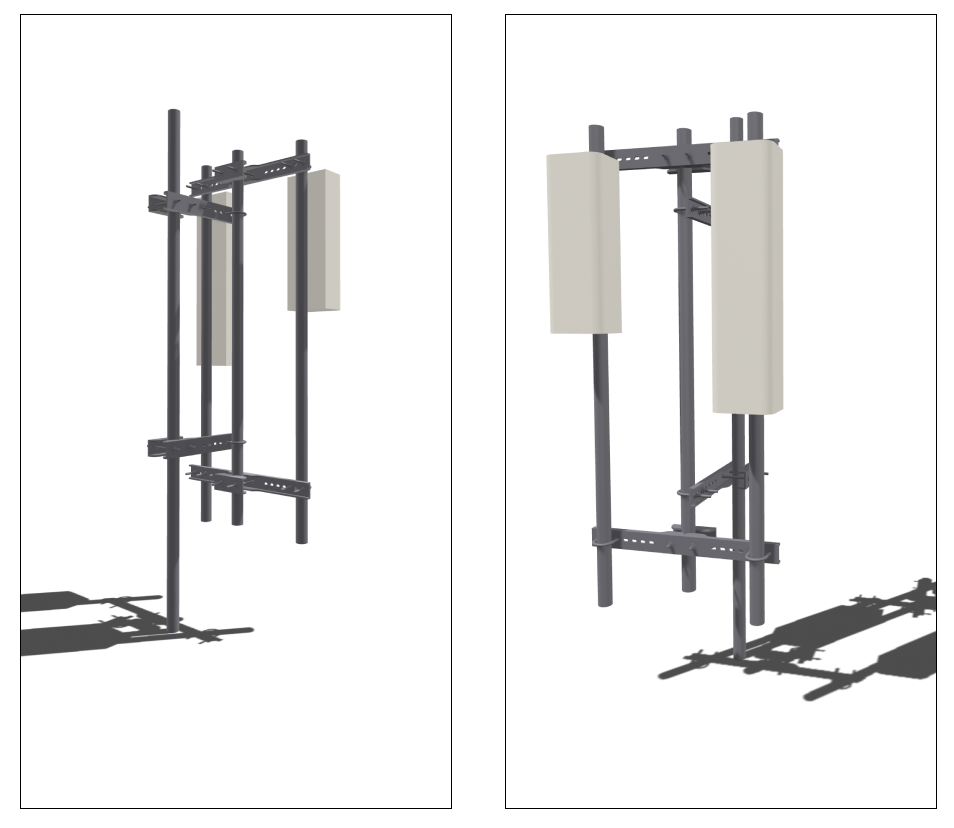
 Figure 11. Example Bracket-on-a-Bracket System
To activate this feature the user has to select a symmetrical bracket in the bracket selector. Once a symmetrical bracket is selected this toggle shown in Figure 12 is prompted to the user asking them whether they would like to design a bracket-on-a-bracket system. As the bracket-on-a-bracket arrangement is selected, another set of bracket properties inputs is visible to the user that will define the properties of the inner bracket.
Figure 11. Example Bracket-on-a-Bracket System
To activate this feature the user has to select a symmetrical bracket in the bracket selector. Once a symmetrical bracket is selected this toggle shown in Figure 12 is prompted to the user asking them whether they would like to design a bracket-on-a-bracket system. As the bracket-on-a-bracket arrangement is selected, another set of bracket properties inputs is visible to the user that will define the properties of the inner bracket.
 Figure 12. Bracket-on-a-Bracket Toggle