

How to upgrade calculations
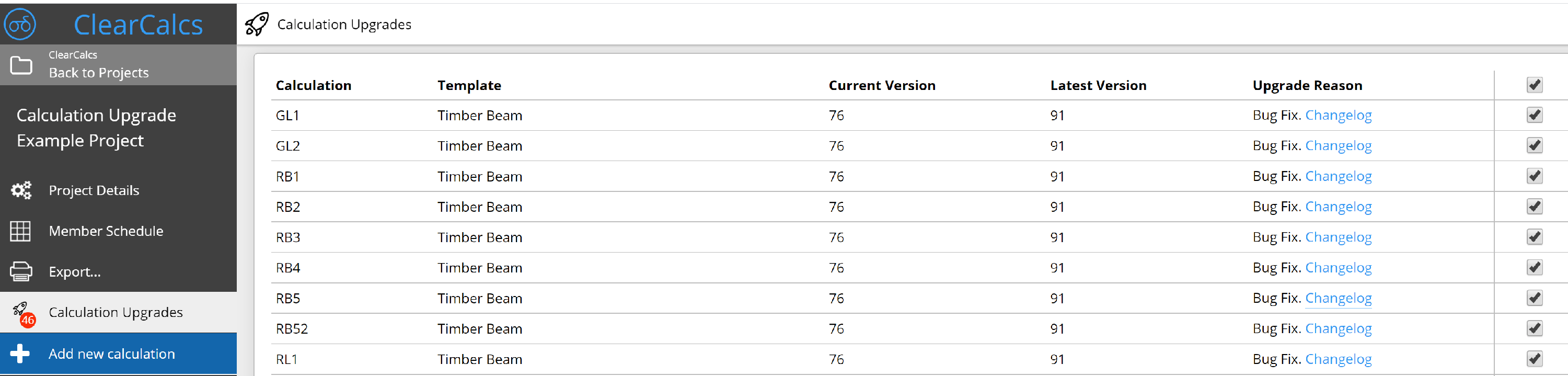
To upgrade your calculations, you will need to open any project containing calculations that are outdated. Calcs.com will automatically detect this, and you will see a gold “Calculation Upgrades” button in the left sidebar of your selected project.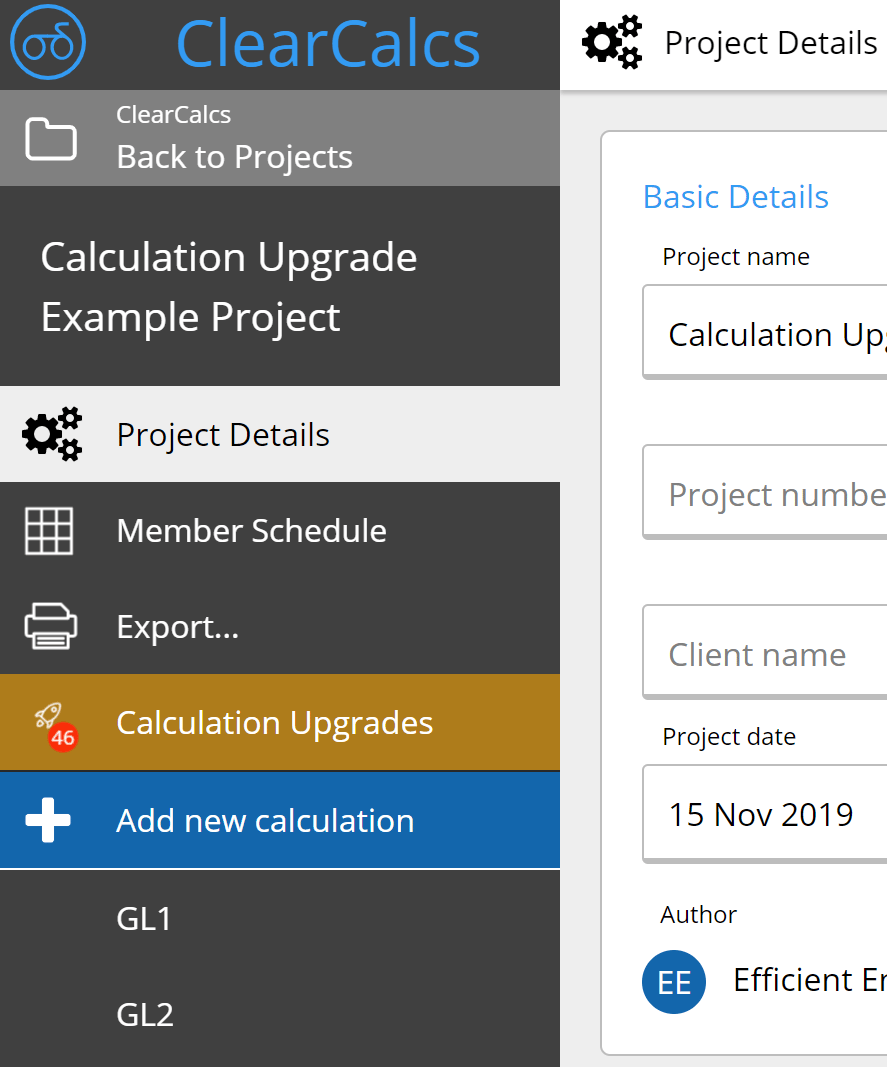

Frequently asked questions
What happens when standards update?
What happens when standards update?
When a standard is updated, Calcs.com updates the affected calculators and notifies users. You do not need to rebuild or re-verify your existing calculation templates. The update happens in the tool.
What happens to our calculations when an engineering standard or code updates?
What happens to our calculations when an engineering standard or code updates?
Affected calculators are updated by the Calcs.com engineering team when standards change. Teams stay current without manual spreadsheet maintenance or revalidation across existing files.
Are Calcs.com calculators updated when codes and standards change?
Are Calcs.com calculators updated when codes and standards change?
Yes. When a standard is revised, affected calculators are reviewed, updated, and re-tested before the change goes live. Engineers who have used a calculator that changes are notified directly in the app. You can review the changelog before accepting the upgrade. You can also roll back after upgrading if needed, and compare pre- and post-upgrade results to check for any material change. Version history records what changed and when.
How does Calcs.com handle updates when a standard is revised?
How does Calcs.com handle updates when a standard is revised?
When a standard is revised, Calcs.com updates the affected calculations and documents the change. Existing calculations retain the version that was current when they were run.