

 | Anywhere you see the chain link icon, you can click to link a load (reaction) from another calculator in your project. |
Linking Wall Loads to Beams / Lintels
Are you designing a beam supporting a masonry wall? Do you need to take into account windows or other openings? This can be accomplished through the Calcs.com linking functionality.
STEPS*:***
- Create a Wall analysis calculation, and apply your loads.

- The reaction arrows marked in blue are the reactions that will be linked to your beam.
- Create a “steel beam” or “wood beam” calculator, and click the link icon under “Line Loads”

- Then select the wall reaction.

- Enter a start and end position. For example, I have a 5m beam below, and the wall is 4m long, so I have centered it to the beam.

Linking Distributed Rafter / Joist Loads
Did you know that rafters or joists may be linked into a bearer as a line load? This would be useful in the case where regularly spaced beams each will have the same reaction. This may be visualised to the diagram of a floor joist below: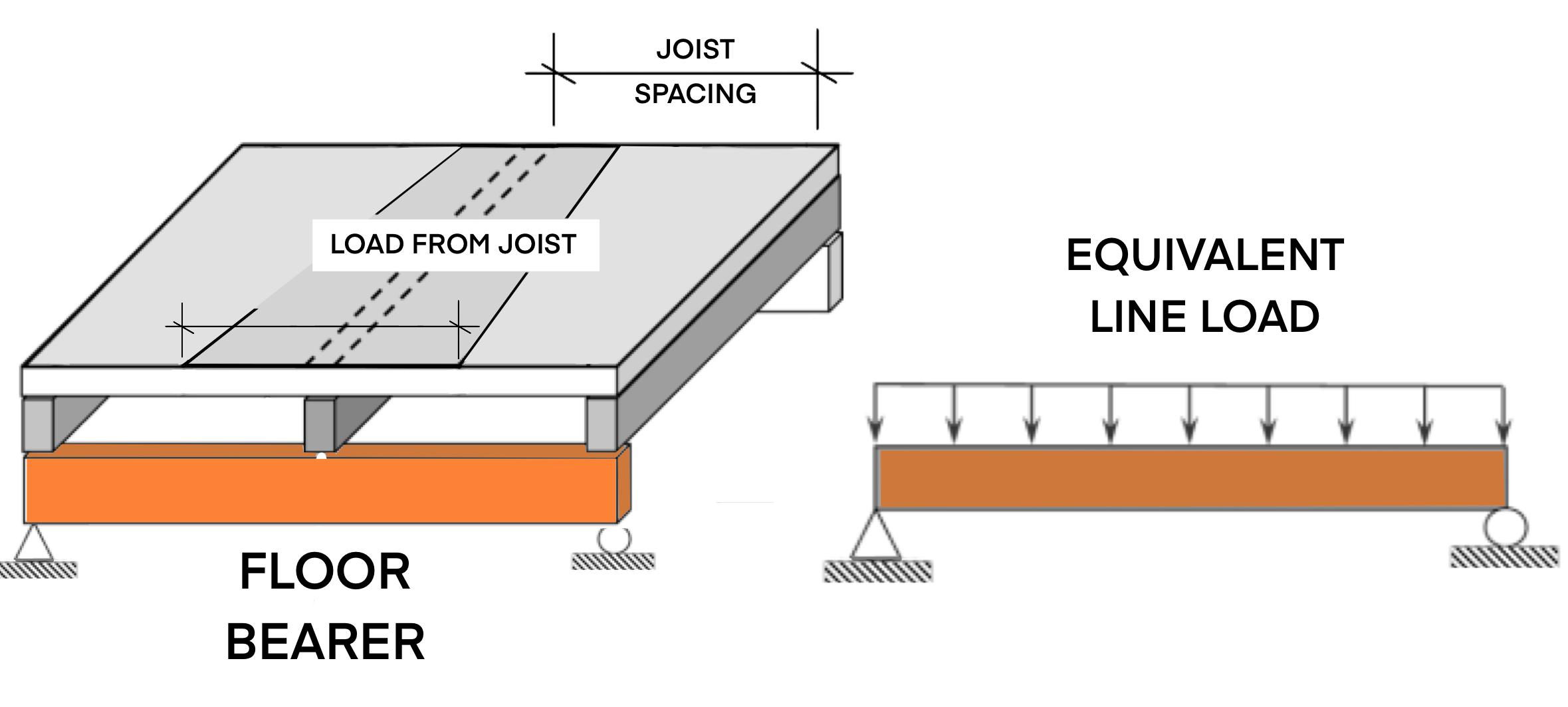
To do this, enter the joist spacing as shown below:
 Then in your header beam, link the Floor Joist as a “Line Load”:
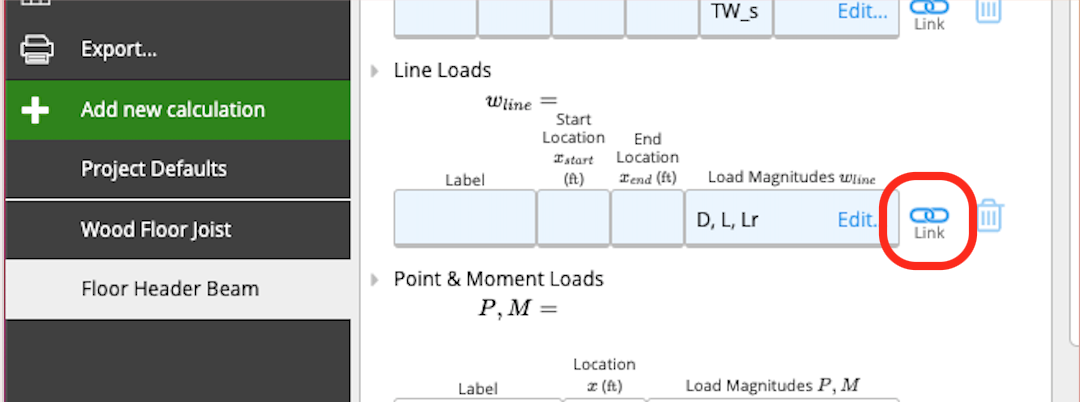
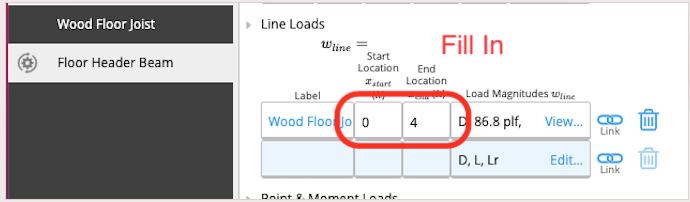 Some things to note:
- If you make changes to a beam which is linked and bearing onto others, make sure to check those sheets to ensure they are still passing (you can see their status in the sidebar or member schedule)
- Calcs.com will automatically detect and stop circular references, but it will not allow you to delete beams that are linked to each other. You will be warned that other sheets are linked to this before you delete, and if you proceed you’ll need to go to those sheets and clear the link/point load.