

Wood Beam Custom Section
If you’re looking to design a wood beam with a custom species, you can do so directly within our wood beam calculators. Simply select “Custom Section” and “Yes” for custom species and you’ll be able to input the properties for your favorite wood species. In order to work check for everything in Calcs.com, you’ll need to determine parameters for bending, shear parallel to grain, compression and modulus of elasticity. Besides that you can outline the width and depth of your beam.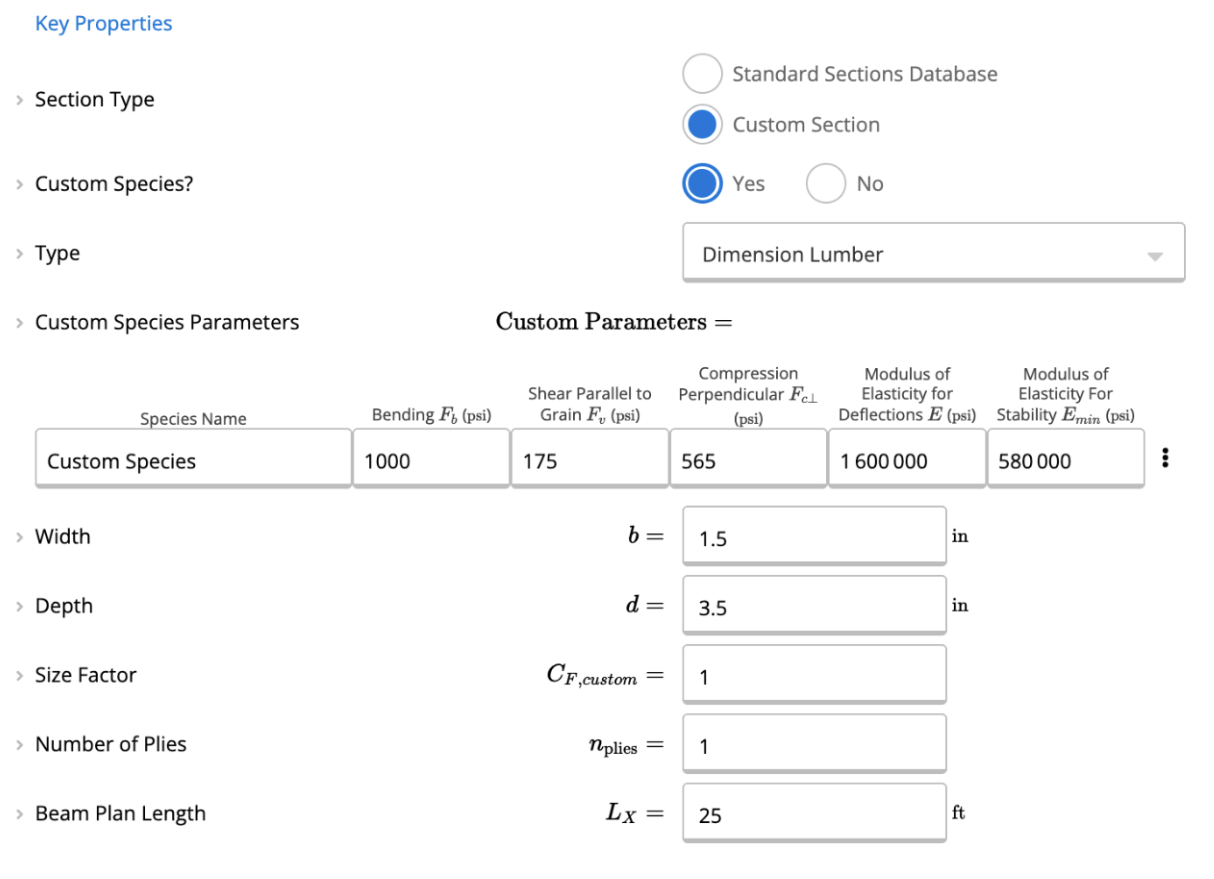
Steel Beam Custom Section
For a steel beam custom section, we’re going to need to create a “Custom Cross Section Properties” calculator. You can input your custom dimension here. For more info on what this calculator does, you can read more here: Use the Custom Cross Section Calculator Once your custom cross section is created, you can go back to a steel beam calculator and link the section, using the chain icon shown below.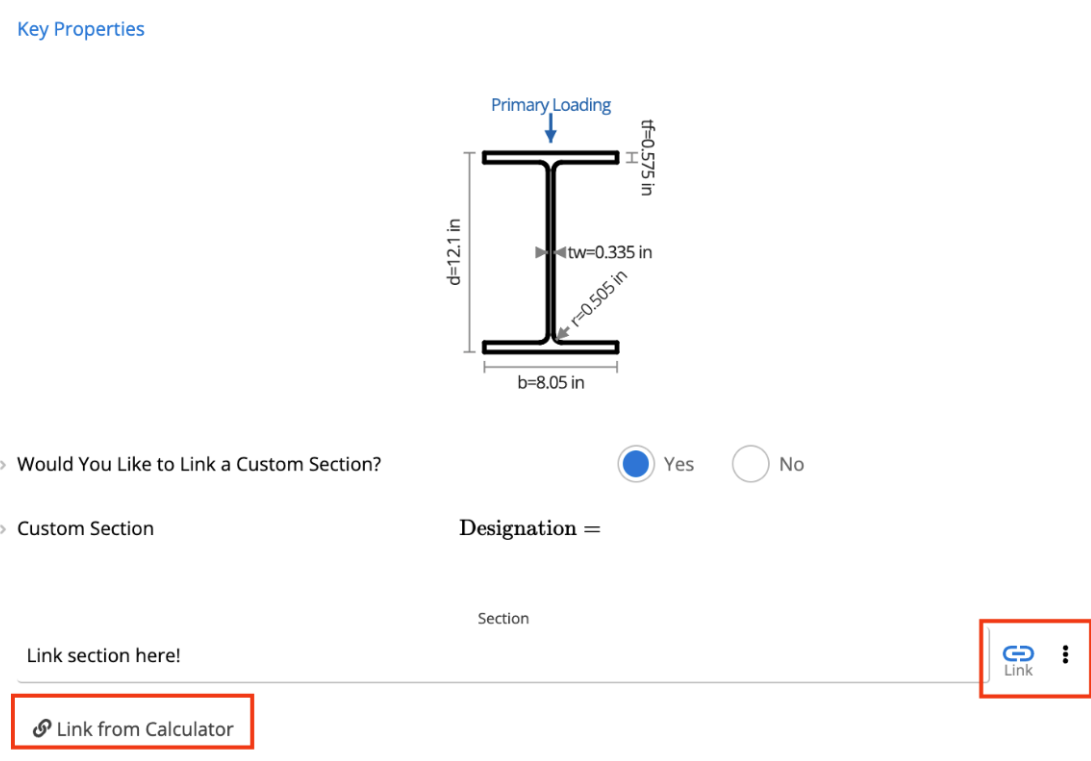
- Images of the sections, clearly showing their appropriate size.
- A document containing the material properties of the sections.
- A span table that can be used to validate the sections.
Frequently asked questions
Which material standards does the database cover?
Which material standards does the database cover?
The material database references AS/NZS 1163, AS 4100, NDS, Eurocode 5, and other material standards relevant to each region. Steel sections follow the manufacturer’s dimensional tables for AU, US, and EU sections.
Does Calcs.com support Carter Holt Harvey Woodproducts products?
Does Calcs.com support Carter Holt Harvey Woodproducts products?
Yes. 70 Carter Holt Harvey Woodproducts sections are built into the section library, so you select them from a dropdown rather than entering properties by hand. They are available in 10 calculators, listed on this page.
Does Calcs.com support Dindas Australia products?
Does Calcs.com support Dindas Australia products?
Yes. 37 Dindas Australia sections are built into the section library, so you select them from a dropdown rather than entering properties by hand. They are available in 8 calculators, listed on this page.
Does Calcs.com support Egger products?
Does Calcs.com support Egger products?
Yes. 39 Egger sections are built into the section library, so you select them from a dropdown rather than entering properties by hand. They are available in 8 calculators, listed on this page.
Does Calcs.com support ITI products?
Does Calcs.com support ITI products?
Yes. 166 ITI sections are built into the section library, so you select them from a dropdown rather than entering properties by hand. They are available in 8 calculators, listed on this page.
Does Calcs.com support Louisiana-Pacific products?
Does Calcs.com support Louisiana-Pacific products?
Yes. 136 Louisiana-Pacific sections are built into the section library, so you select them from a dropdown rather than entering properties by hand. They are available in 8 calculators, listed on this page.
Does Calcs.com support Metsa Wood products?
Does Calcs.com support Metsa Wood products?
Yes. 140 Metsa Wood sections are built into the section library, so you select them from a dropdown rather than entering properties by hand. They are available in 8 calculators, listed on this page.
Does Calcs.com support Meyer Timber products?
Does Calcs.com support Meyer Timber products?
Yes. 21 Meyer Timber sections are built into the section library, so you select them from a dropdown rather than entering properties by hand. They are available in 8 calculators, listed on this page.
Does Calcs.com support Nelson Pine products?
Does Calcs.com support Nelson Pine products?
Yes. 47 Nelson Pine sections are built into the section library, so you select them from a dropdown rather than entering properties by hand. They are available in 10 calculators, listed on this page.
Does Calcs.com support NeXTimber products?
Does Calcs.com support NeXTimber products?
Yes. 104 NeXTimber sections are built into the section library, so you select them from a dropdown rather than entering properties by hand. They are available in 8 calculators, listed on this page.
Does Calcs.com support Tilling Timber products?
Does Calcs.com support Tilling Timber products?
Yes. 128 Tilling Timber sections are built into the section library, so you select them from a dropdown rather than entering properties by hand. They are available in 8 calculators, listed on this page.
Does Calcs.com support Wesbeam products?
Does Calcs.com support Wesbeam products?
Yes. 42 Wesbeam sections are built into the section library, so you select them from a dropdown rather than entering properties by hand. They are available in 8 calculators, listed on this page.