

Where to find it
Open any standard from the Standards Library and look for the Download as PDF button in the top bar, next to Table of Contents. Selecting it downloads the complete standard, not just the section you’re currently viewing.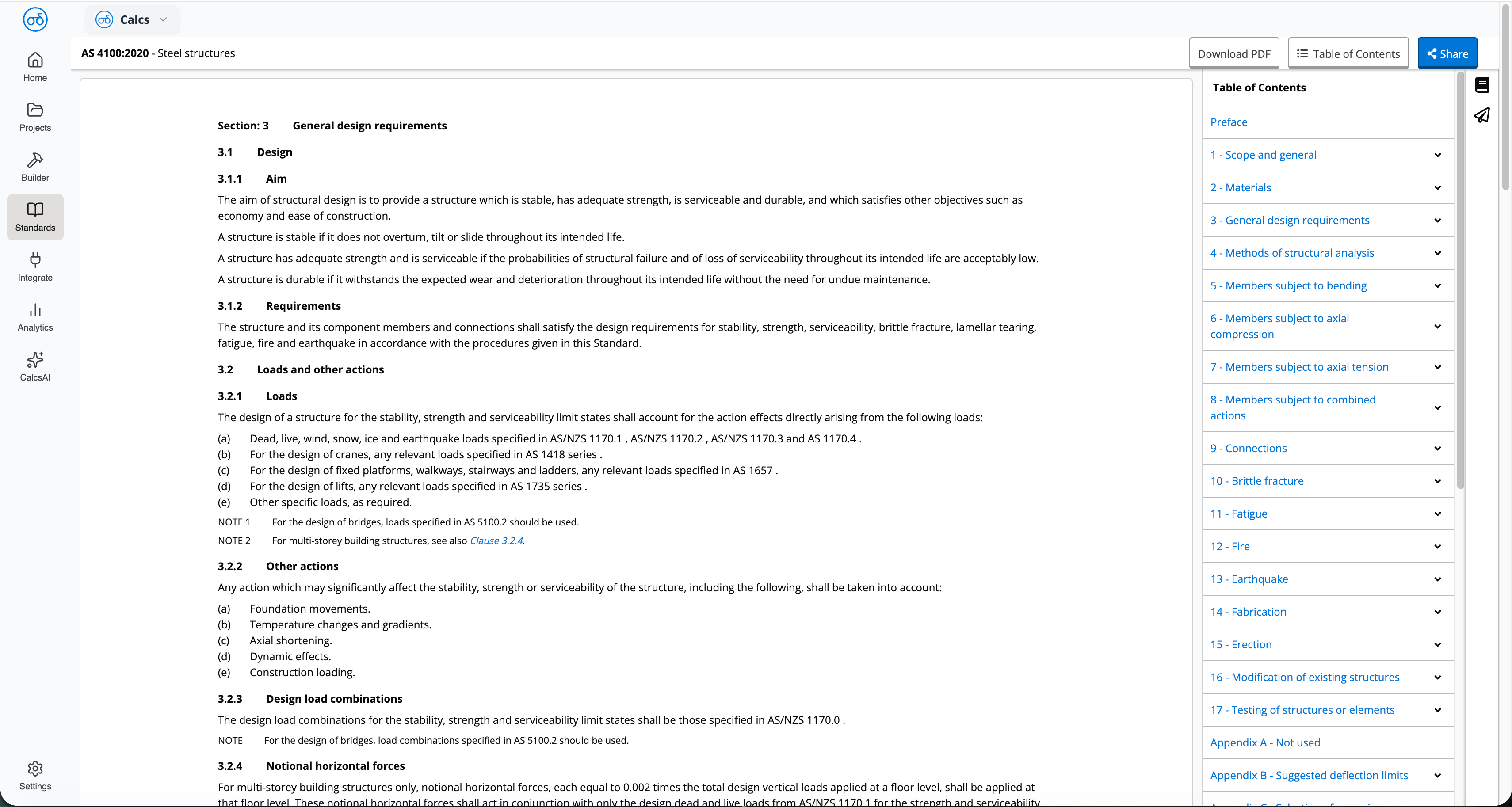
PDF download is currently available for Australian Standards (AS and AS/NZS) only. Support for other standards is planned but not yet available.
What you get
The PDF is watermarked and tied to your organisation’s subscription for that standard, in line with the licensing terms set by the relevant standards body. A few things worth knowing before you download:- Not every standard is downloadable. Access to standards content comes in two license types — one allows viewing and searching only, and the other (a named-user license) allows printing and downloading. If your organisation’s license for a given standard is the view-only type, the download won’t include a usable PDF.
- Downloaded copies are watermarked and device-locked. A PDF you download won’t open if it’s moved to another device or a shared drive.
- Copies need to be removed when a subscription ends, and standards content can’t be shared outside your organisation’s licensed users.
Related
Standards Licensing & Copyright
What your license type means for what you can do with a standard
Browsing a Standard
Navigate a standard’s table of contents and read a clause