Overview of Key Properties
The Concrete Slab Calculator is similar to the existing Concrete Beam Calculator in Calcs.com, but includes several slab-specific differences and enhancements. The concrete slab calculator focuses on unit-width design to ACI 318-19. Unlike beam templates, the slab calculator does not include an input for slab width. All results are calculated per unit width, following standard slab design conventions. What we require instead is inputs for slab thickness and span, and concrete properties similar to the concrete beam.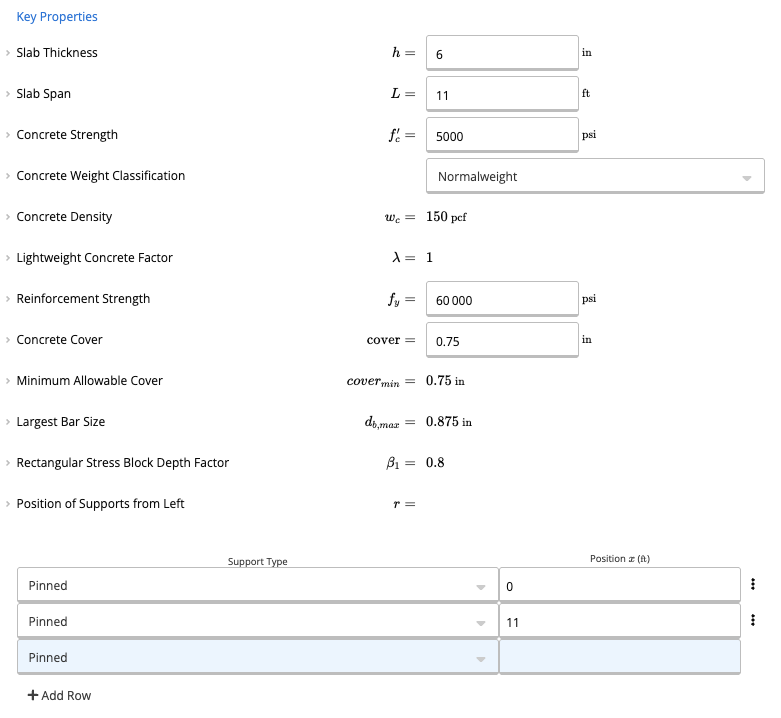
Inputting Reinforcement Details
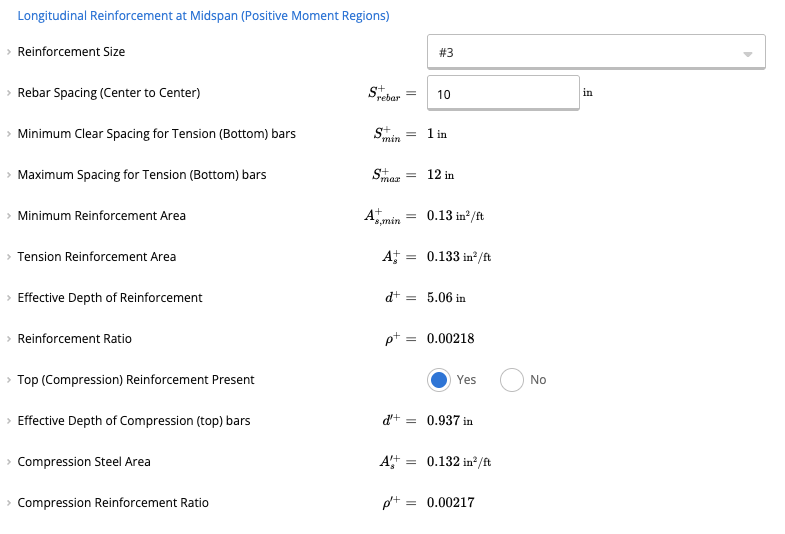
Rebar Size and Spacing
You can enter your preferred reinforcement size and spacing—for example:- Size #3 rebar
- Spacing of 10 inches
- For positive moment regions, you can enable or disable top compression reinforcement.
- For negative moment regions, you can enable or disable bottom compression reinforcement.
Automatic Live Load Patterning (BETA)
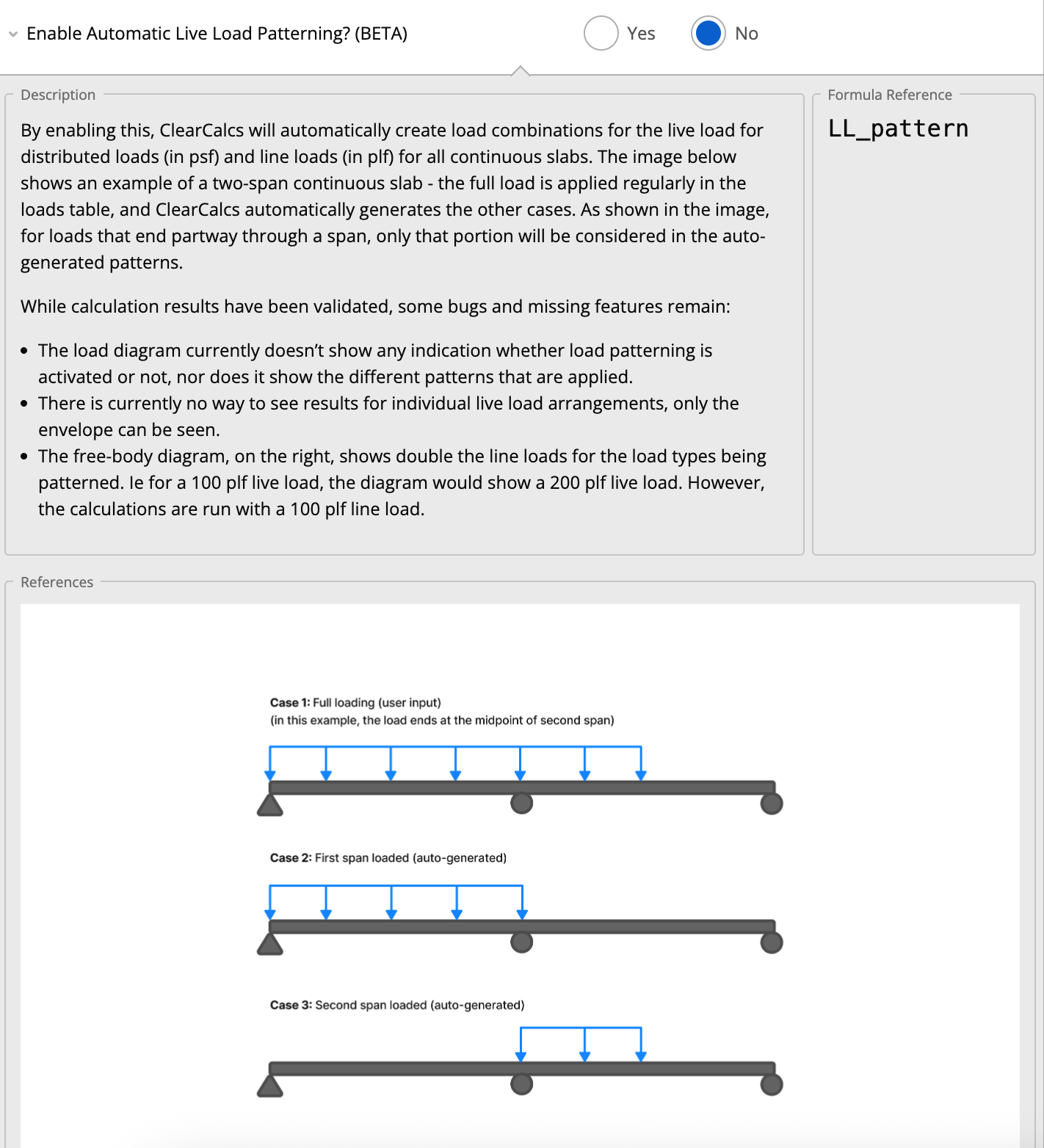
For multi-span continuous slabs, building codes often require “pattern loading” (also known as checkerboard loading) to determine the worst-case moments in each span.Instead of manually creating multiple load cases to turn live loads on and off for specific spans, you can use the Enable Automatic Live Load Patterning feature.
- Located in the Loads section of the calculator.
- When toggled to “Yes”, Calcs.com automatically generates the required load combinations for distributed and line live loads to find the governing positive and negative moments.
Shear Capacity Considerations
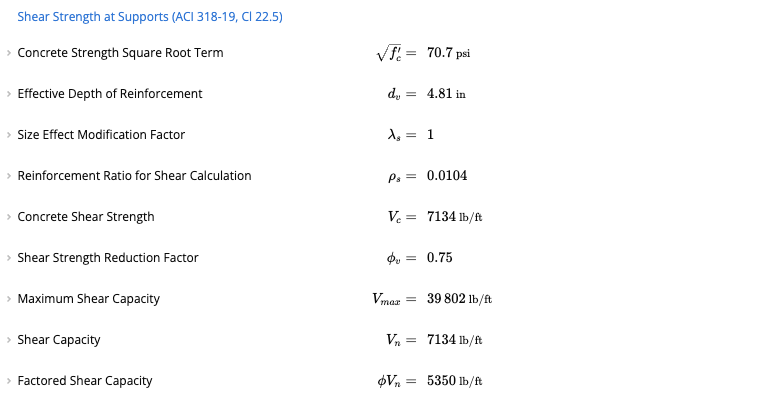
Unlike beams, slabs typically do not include shear reinforcement.Therefore:
- The calculator does not provide an option to add shear reinforcement.
- Shear capacity is evaluated based solely on the concrete’s contribution.
- If the applied shear demand exceeds the concrete capacity, the calculator will let you know the utilization is above passing.
Deflection Checks
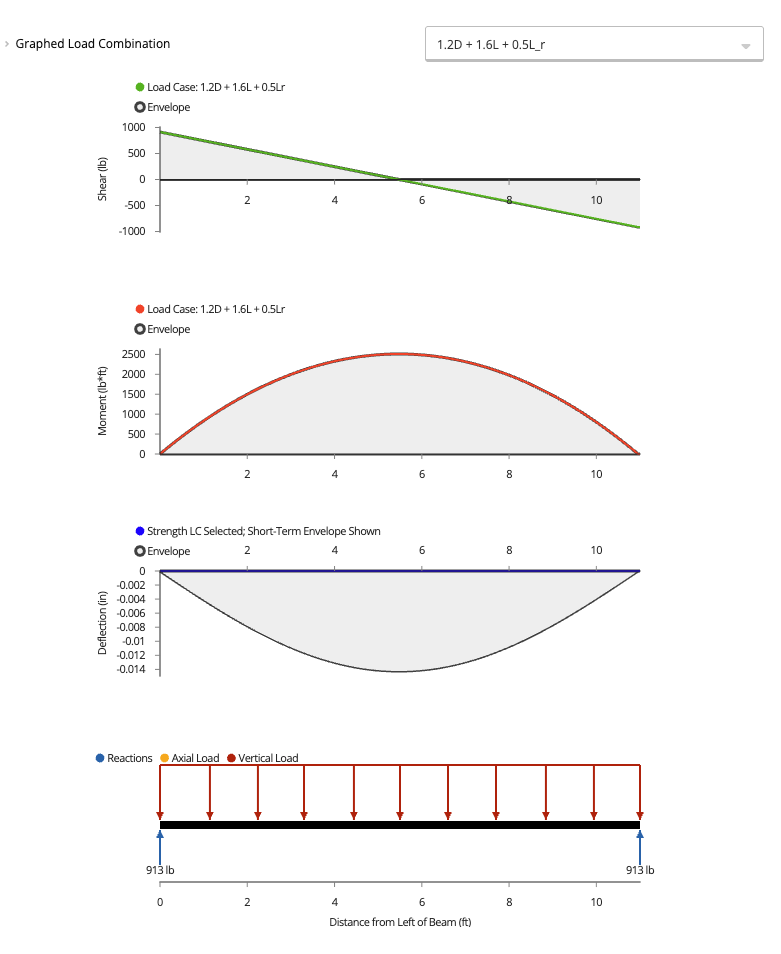
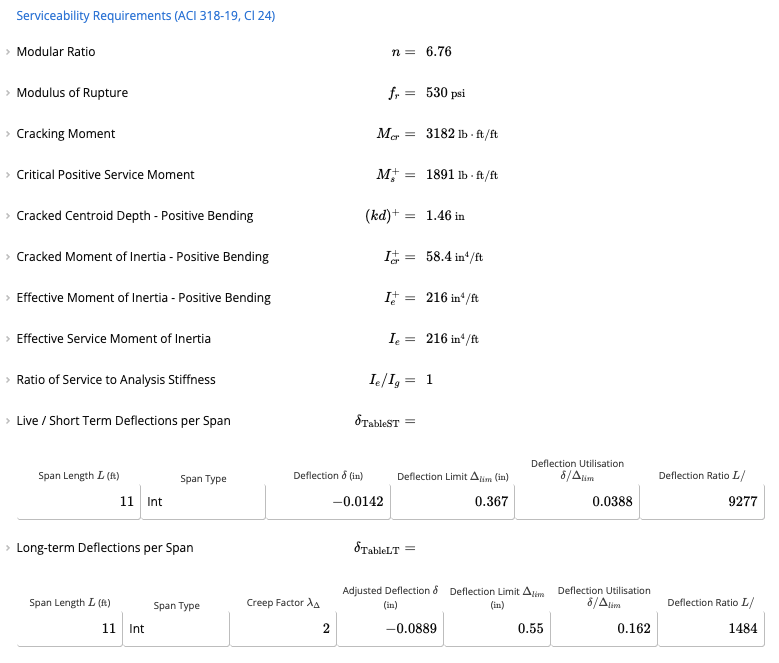
One of the major advantages of the slab calculator is the ability to review detailed deflection calculations. Even if your slab thickness falls outside code-recommended limits, the calculator will:- Perform span-by-span deflection checks
- Flag any areas that exceed allowable values
- Help you verify full compliance with relevant standards
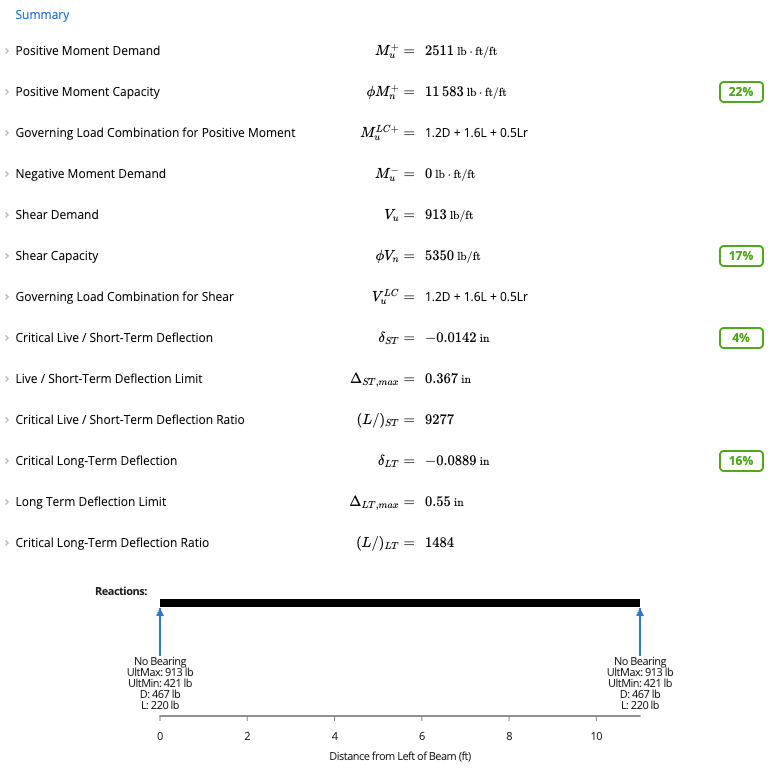
Summary and Outputs
Like most of the other Calcs.com calculators, you will be able to view all of the utilization checks at the top right of the page.