

Choose an HSS section that suits both the design and the project schedule. Every HSS section in the Connections Hub carries a rolling availability indicator, so you can see how easily it can be sourced before you commit to it.
The indicator appears in two places: in the member selector while you are choosing a section, and as a colored dot next to the selected member in the calculator.


In the member selector
Open any HSS section selector and an Availability column sits alongside depth, width, thickness and b/t. A legend above the table explains each indicator, so availability sits in front of you at the same moment as the structural properties.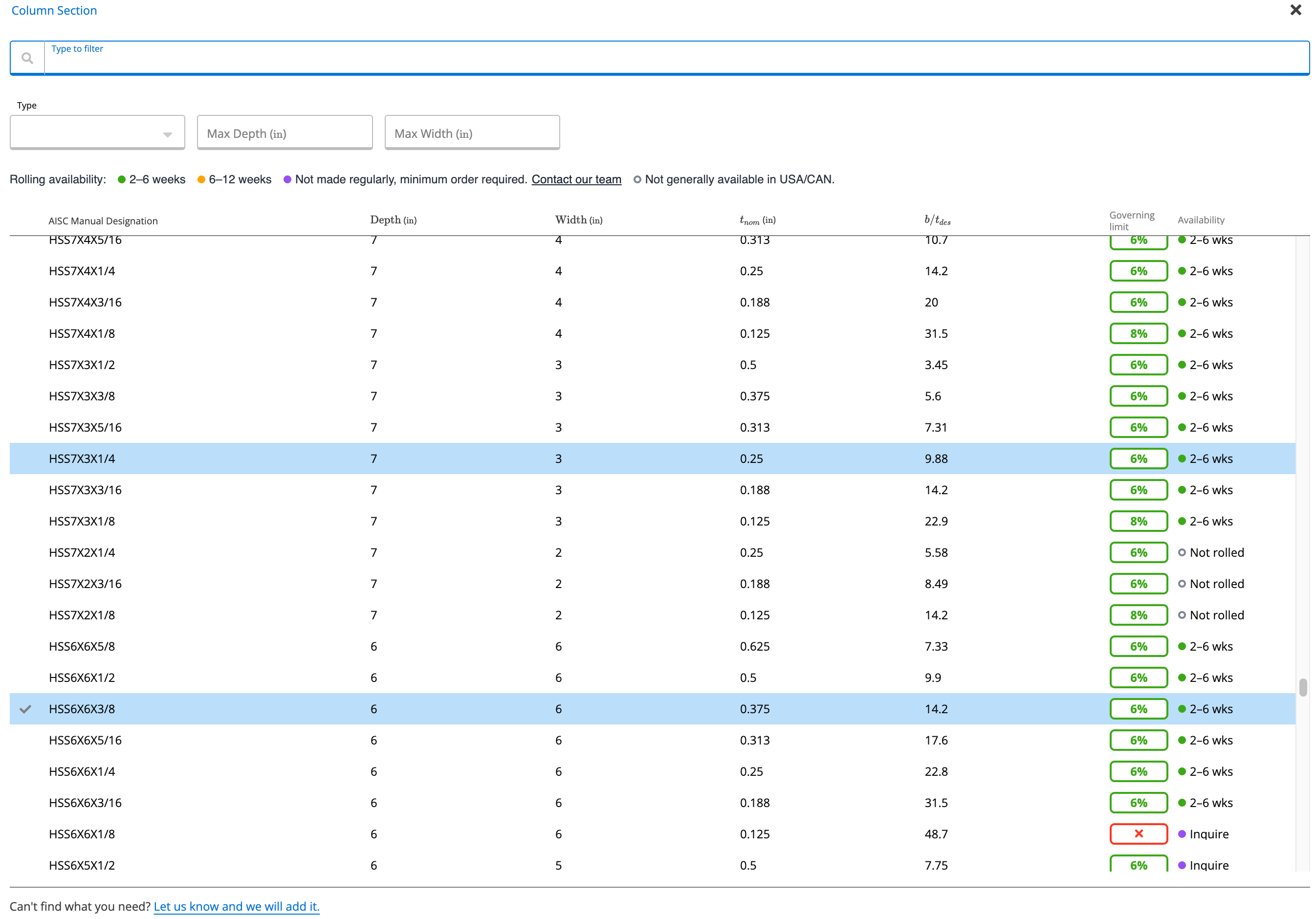
In the calculator
Once a section is selected, a colored dot appears next to the member. Hover over it to read the availability status and what it means, without reopening the selector. The dot stays visible as you work, so the status travels with the design.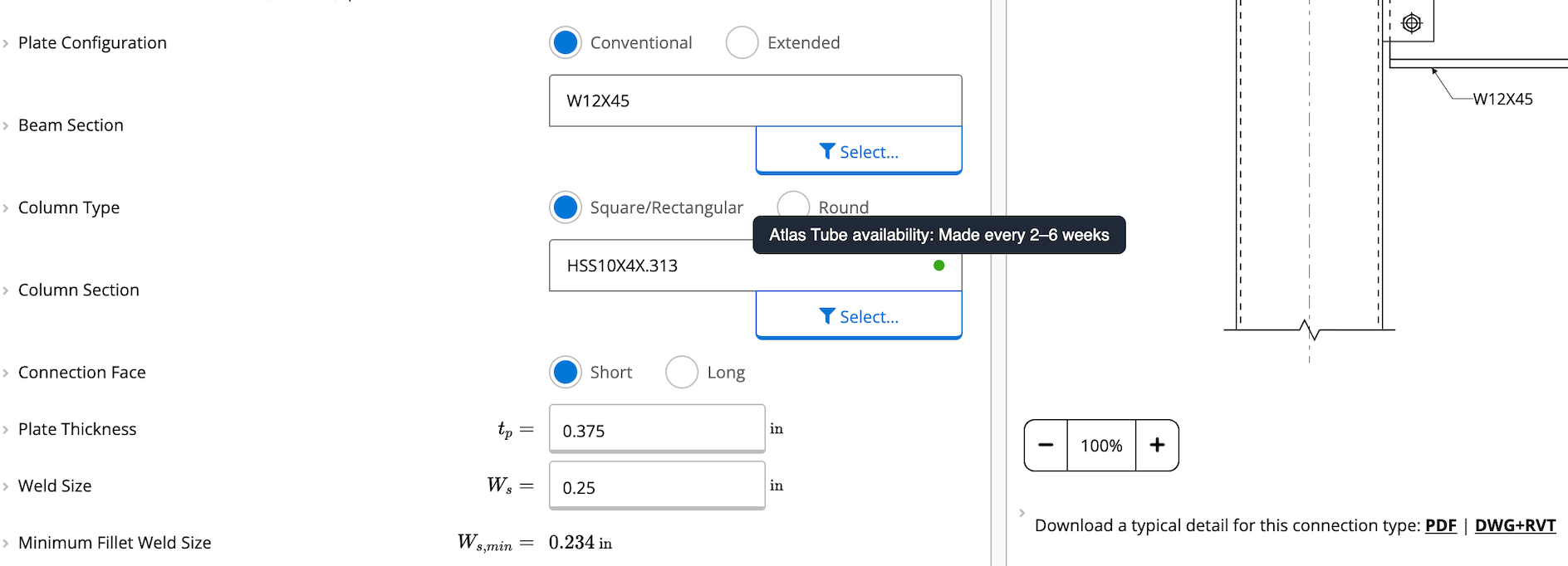
What the indicators mean
The column and the dot use the same set of indicators.Availability reflects general rolling frequency. It is not live inventory and it is not a quote. Use it as a planning guide, not as a commitment on delivery.
Why it helps
HSS rolling schedules vary a lot by size. A section that works structurally can still be months away from delivery, and that usually surfaces late, through the fabricator, once the design is already set. Seeing availability at the point of selection means lead time becomes one of the inputs to the decision rather than a discovery after it. It also gives you a basis for comparing sections on delivery timing early in a project.Things to know
- If you type a section designation straight into the smart lookup field instead of opening the selector, you skip the Availability column. The dot still appears in the calculator, so hover over it to check.
- For any section marked Inquire or Not rolled, use the Contact our team link in the selector legend to reach an Atlas Tube engineer.
- Missing a section you need? Use the Let us know and we will add it link at the bottom of the selector.