

Step 1
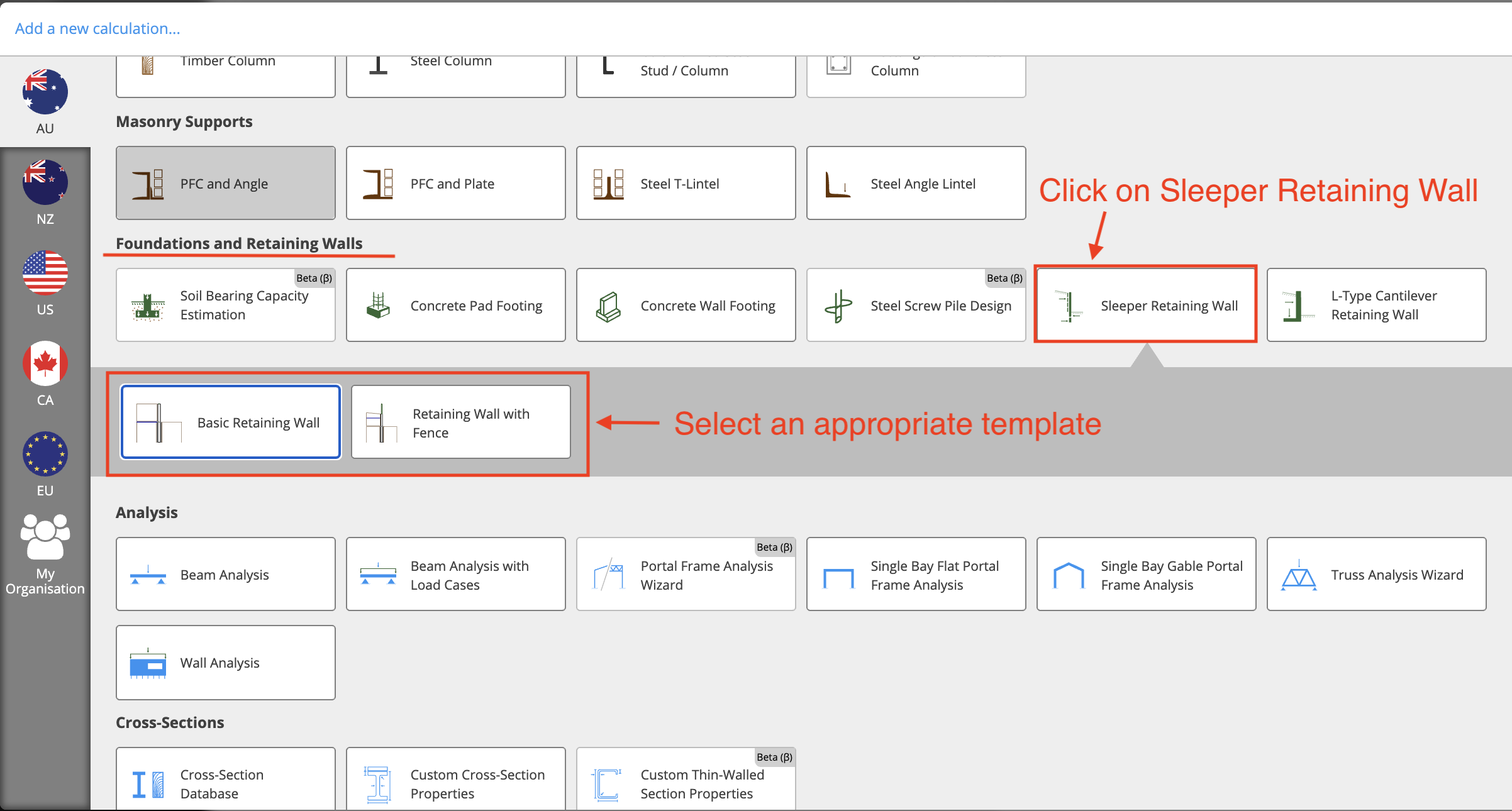
Create a Sleeper Retaining Wall calculation. We are currently in the process of writing a help article for this module; please stay tuned for that!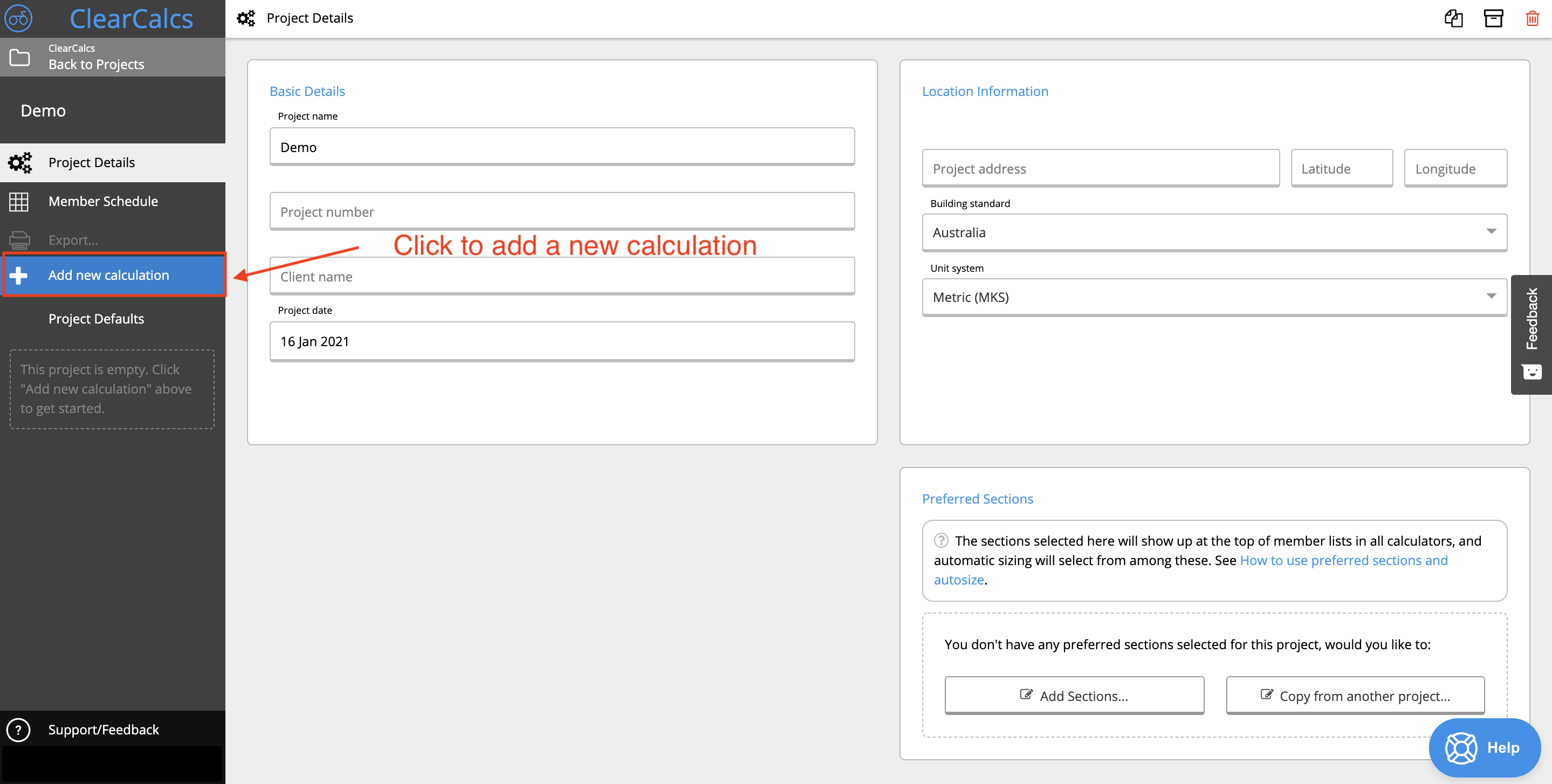
Step 2
Create a beam calculation with the retaining wall sleeper preset. For more information on how to design beams using Calcs.com, please visit our collection of support articles.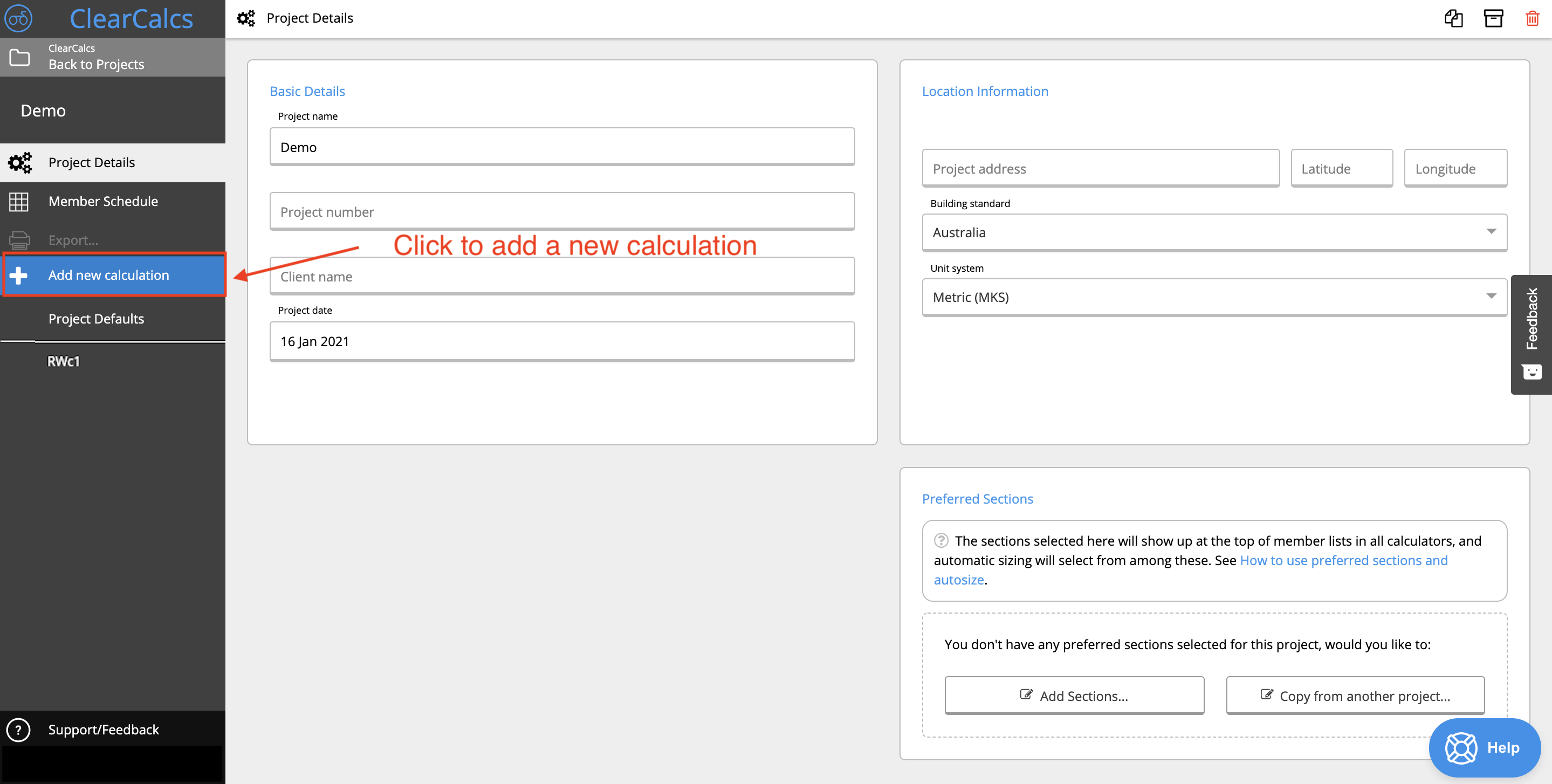 For example, if your sleeper is made of timber, then you’d select the Retaining Wall Sleeper preset under Timber Beam:
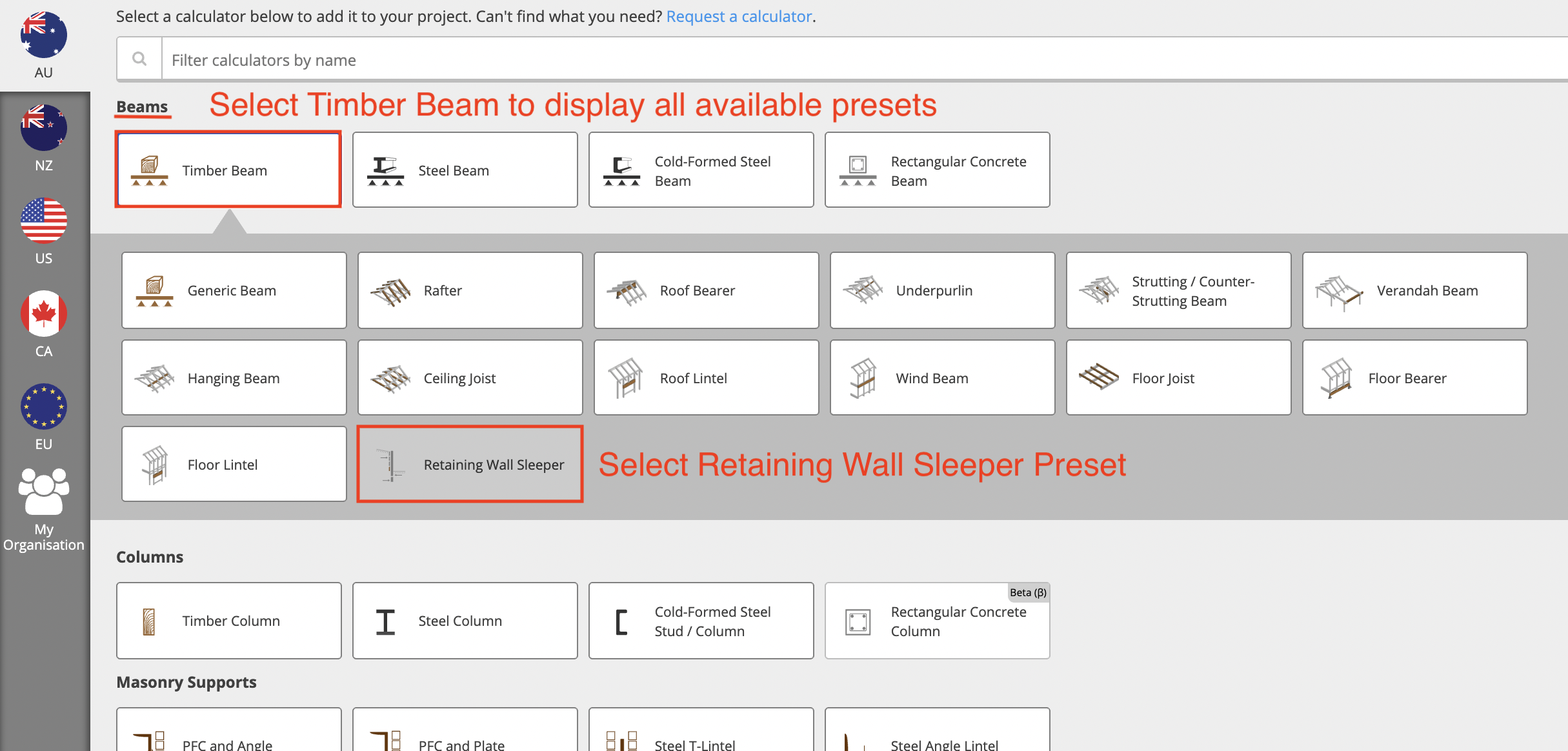 Please note that for demonstration purposes, a timber beam has been used. However, the retaining wall sleeper preset is available for Steel Beam, Cold-Formed Steel Beam, and Rectangular Concrete Beam calculators as well.
Step 3
In the retaining wall sleeper calculator, link the sleeper wall retaining calculation (from Step 1) to the distributed loads table where it says “ADD LOAD LINK HERE.”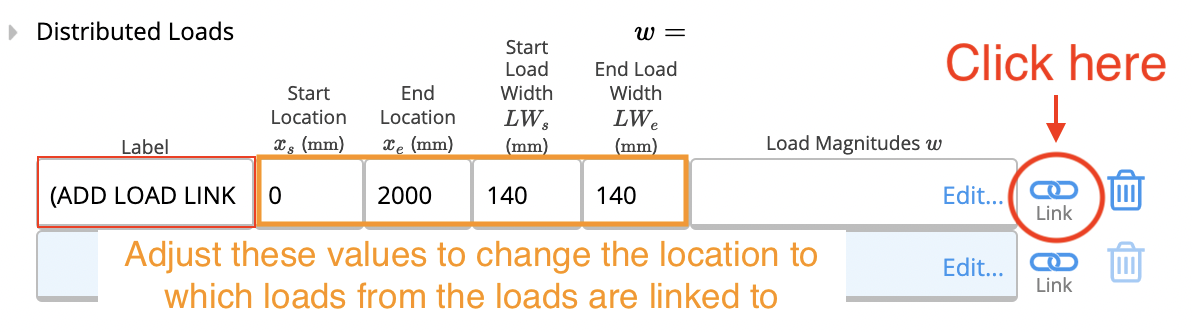
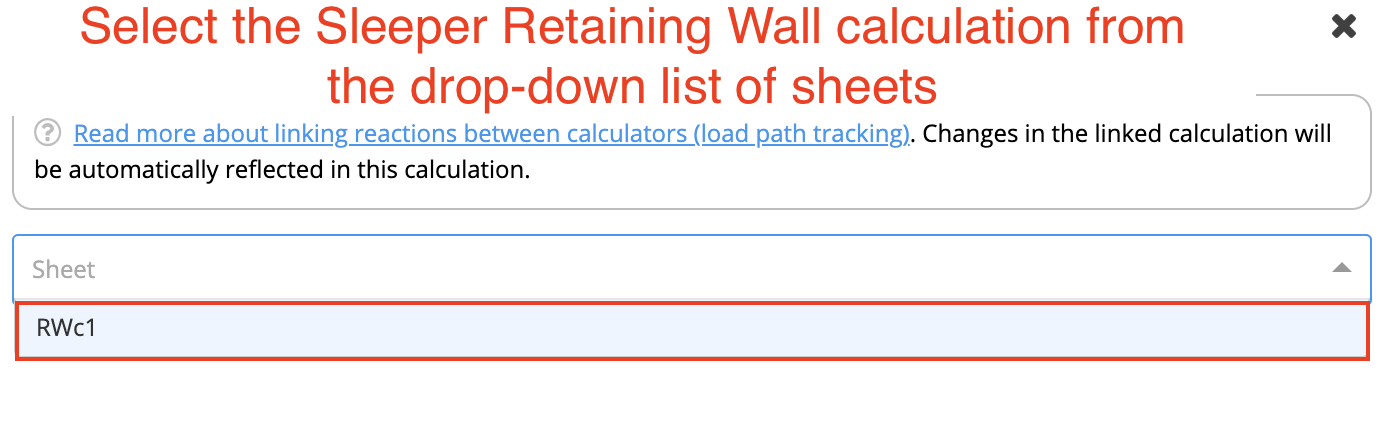
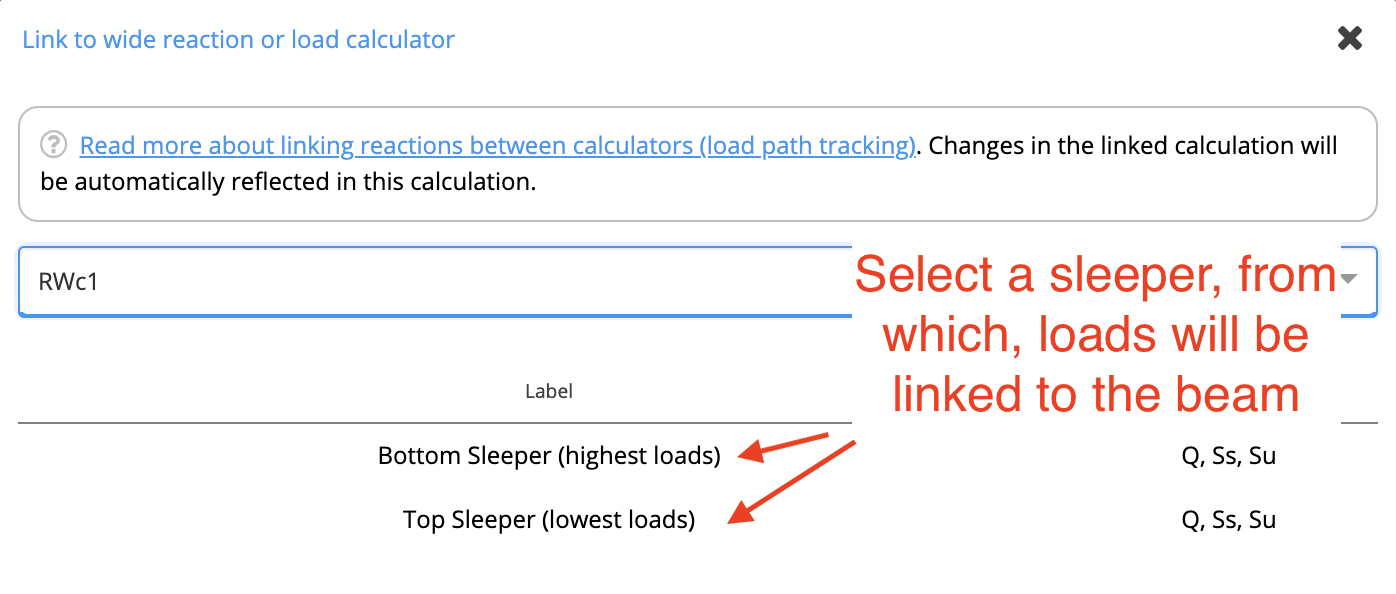 You’re all done! Loads on the sleeper beam will automatically update if the retaining wall is updated.