

United StatesASCE 7-22

Supported proceduresTornado load analysis is supported for Components and Cladding (C&C) and MWFRS (Directional Procedure) per Chapter 27. ASCE 7-22 prohibits using Chapter 28 (Envelope Procedure) for tornado loads, so the Envelope Procedure is not supported.
Video tutorial
1. Determining Applicability
ASCE 7-22 requires tornado load design primarily for Risk Category III and IV structures located in tornado-prone regions. The calculator automates the complex checks required to determine if these loads apply to your specific project. The calculator automatically pulls these parameters from your Project Defaults. However, if you need to modify them for this specific calculation only, you can do so in the Override Project Defaults section.1
Risk Category
Ensure the Building Risk Category is set to III or IV. Tornado loads are generally not required for Risk Category I or II structures.
2
Tornado-Prone Region
Select Yes for “Tornado-Prone Region”. You can verify this using ASCE 7-22 Figure 32.1-1 or by checking the ASCE Hazard Tool.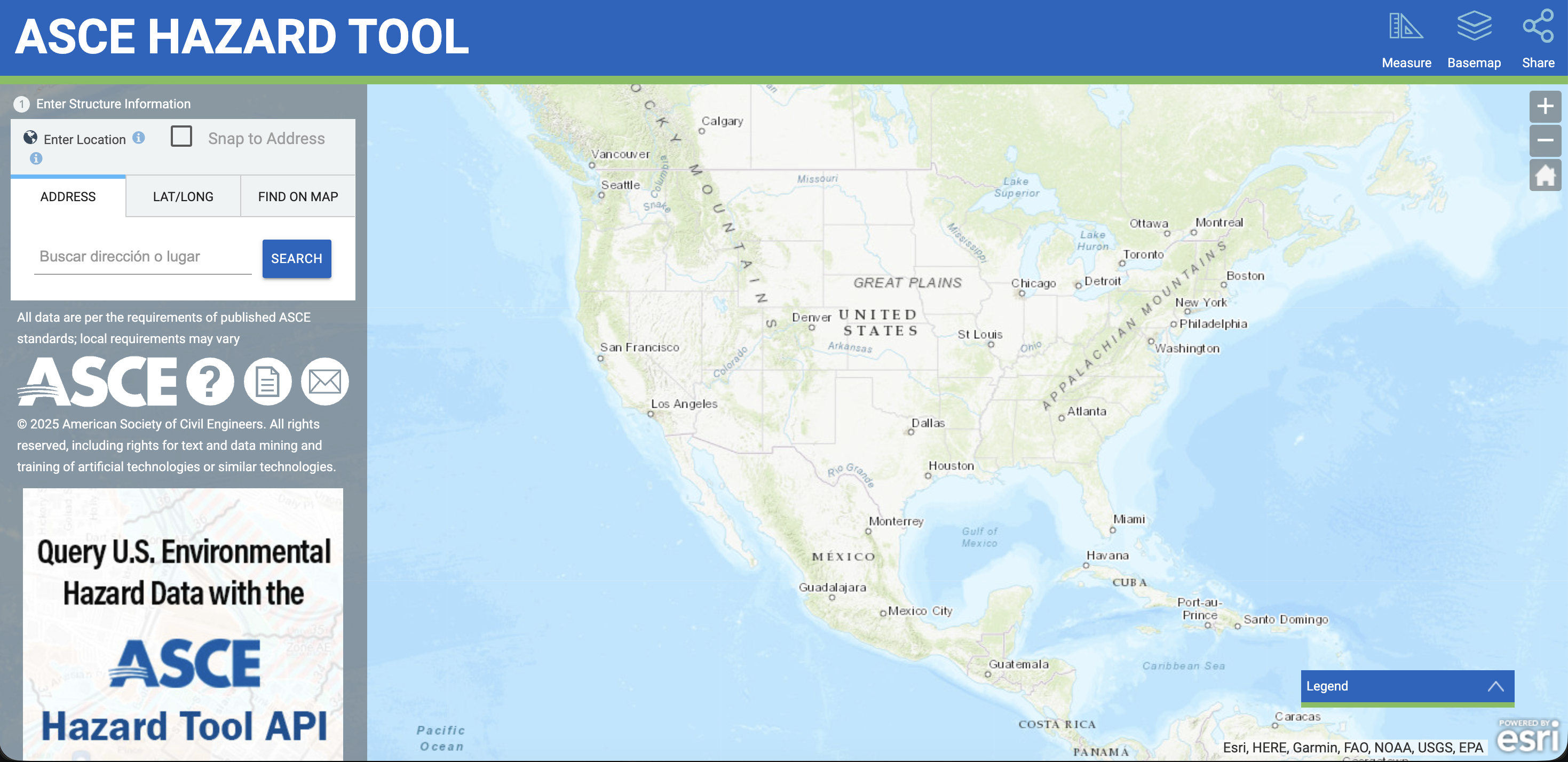
3
Tornado Speed
Input the Tornado Speed (). This is distinct from the Basic Wind Speed () and must be sourced specifically for tornado hazards.
2. Tornado Loads Required Check
Once the site parameters are input (either via Project Defaults or Overrides), the calculator performs the validation checks outlined in ASCE 7-22, Cl 32.5.2. The calculator compares the Tornado Speed () against the Basic Wind Speed () and the Exposure Category to answer the Tornado Loads Required output.- No: Standard wind loads govern, and no further tornado analysis is needed.
- Yes: You must proceed to calculate the specific tornado pressures.
3. Calculation Type Selection
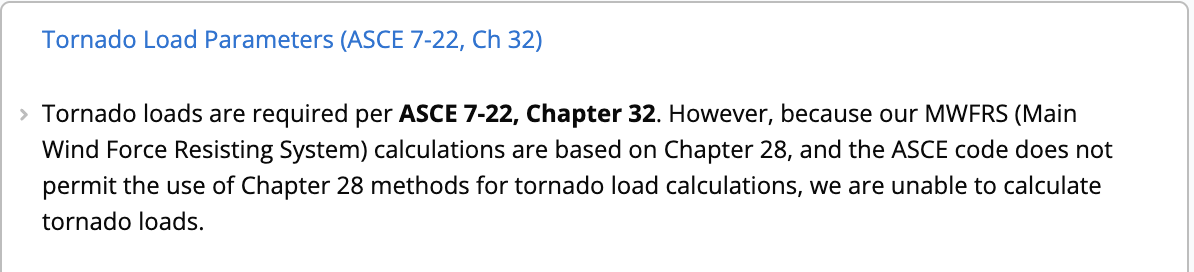
If you select MWFRS (Envelope Procedure) while Tornado Loads are required, the calculator will display a note indicating that tornado loads cannot be calculated using the Chapter 28 Envelope Procedure. Use MWFRS (Directional Procedure) or Components and Cladding instead.
4. Worked Example: Community School (Risk Category III)
In this example, we will determine the tornado C&C pressures for a Risk Category III structure (e.g., a school with capacity > 250) located in Moore, Oklahoma.Procedure
1
Obtain Site Data via ASCE Hazard Tool
Navigate to the ASCE Hazard Tool to retrieve the precise wind parameters.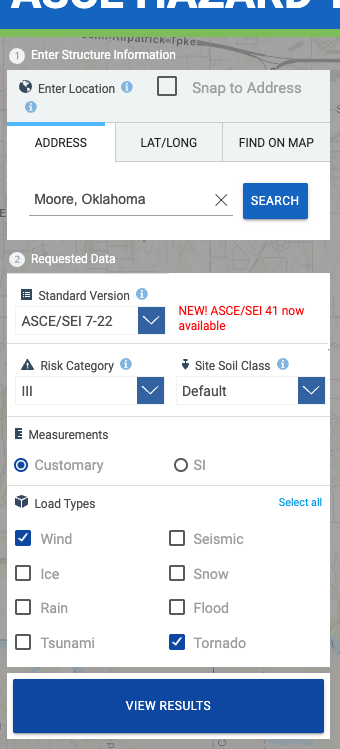
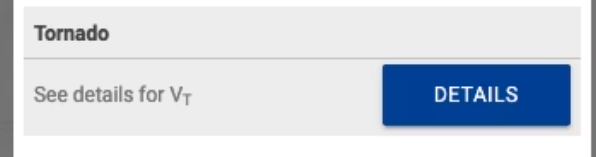
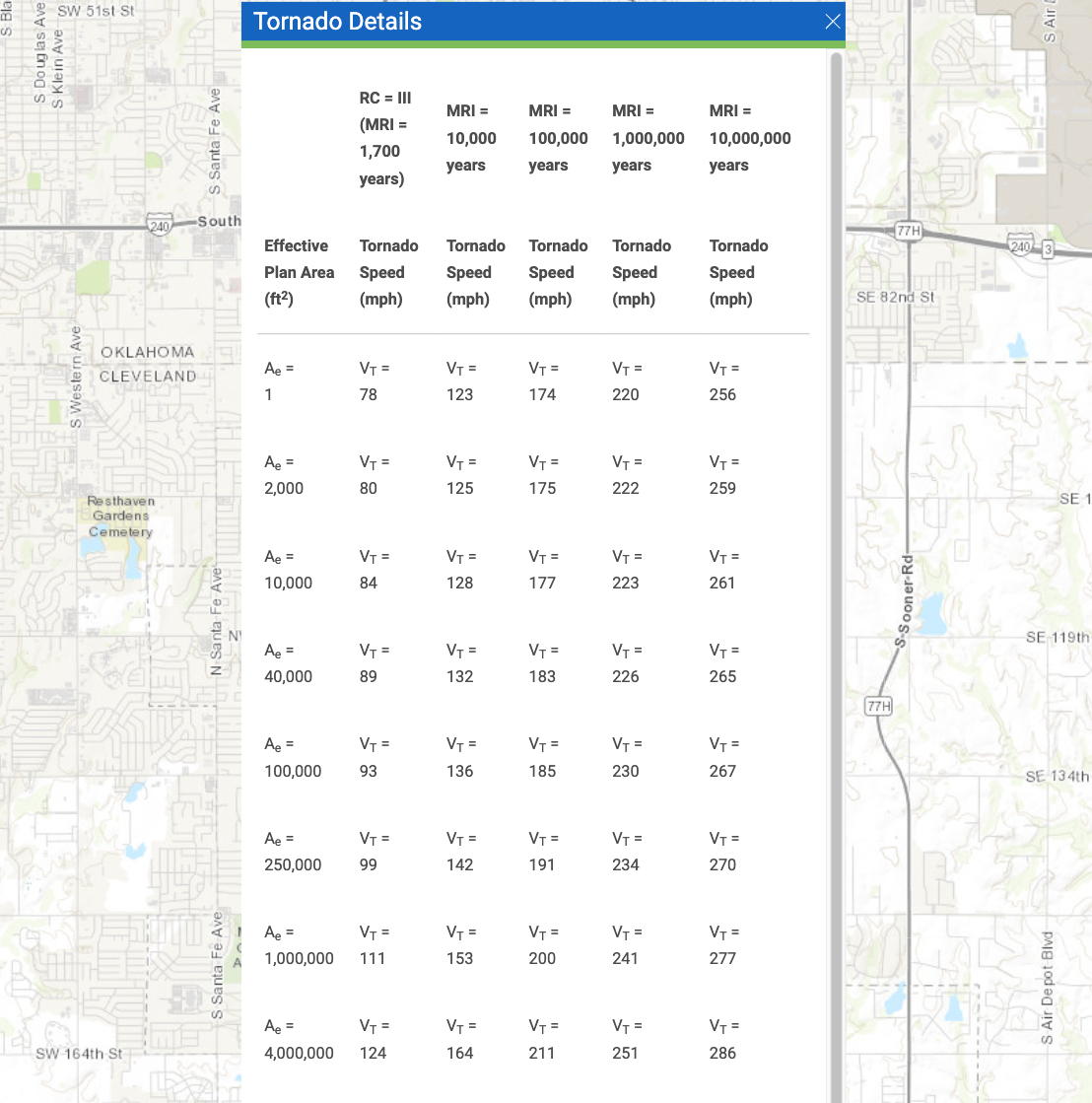
- Search by Location: Enter “Moore, Oklahoma”.
- Select Standard: Choose ASCE/SEI 7-22 from the “Standard Version” dropdown.
- Risk Category: Select III.
- Select Load Types: Under the “Load Types” menu, ensure both the Wind and Tornado checkboxes are selected.
- Click the VIEW RESULTS button.
- Review Location Results: Note the Basic Wind Speed () is 115 mph.
- Select Tornado Speed (): Click Details next to the Tornado section to view the table. Select the speed corresponding to your building’s Effective Plan Area (footprint).
- Example: For a school with a 40,000 footprint, the table indicates = 89 mph.
2
Configure Project Defaults
In Calcs.com, navigate to the Project Defaults tab on the sidebar to apply these environmental parameters globally.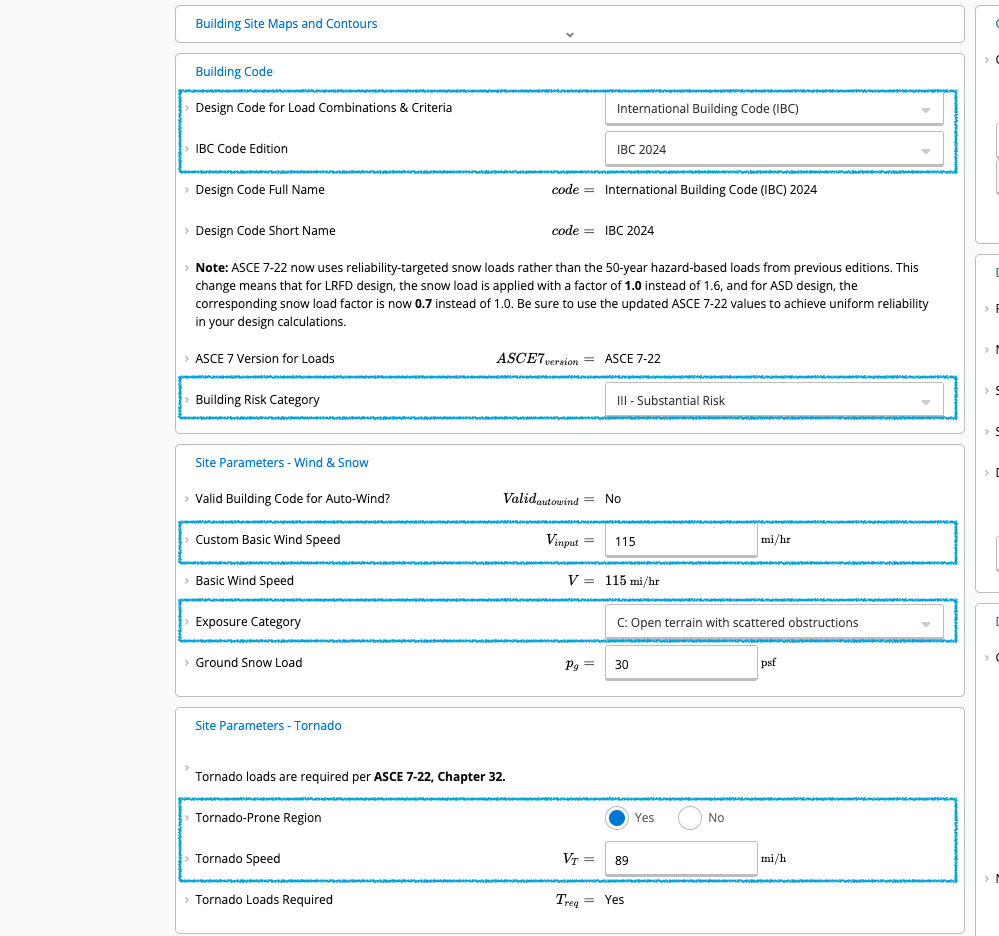
- Code: Select International Building Code (IBC) 2024 (references ASCE 7-22).
- Building Risk Category: Select III (Substantial Risk).
- Exposure Category: Select C (Standard for open terrain).
- Basic Wind Speed (): Enter 115 mph.
- Tornado Speed (): Enter 89 mph (Based on 40,000 plan area).
3
Create Calculation
You can add the calculator instantly using the direct link or select it manually.Option A: Quick Start (Direct Link)Option B: Manual Selection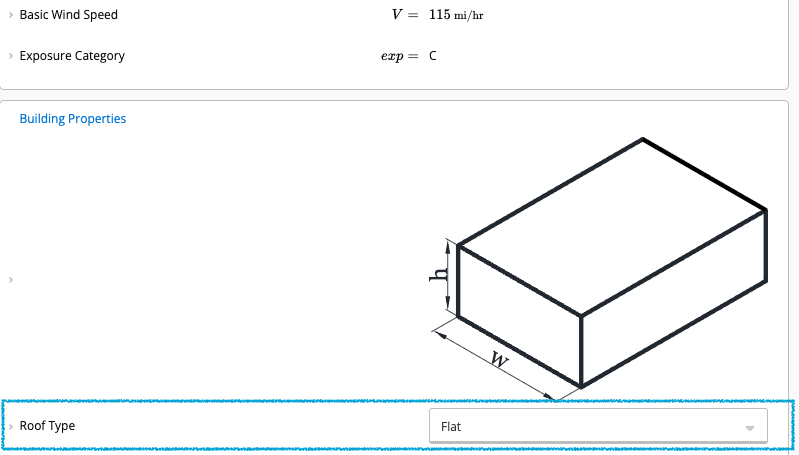
- Click Add New Calculation in the sidebar.
- Select Wind Loads (ASCE 7-22).
- Once inside the calculator, locate the Roof Type dropdown and select Flat.
4
Verification
Scroll down to the Tornado Load Parameters (ASCE 7-22, Ch 32) section within the calculator.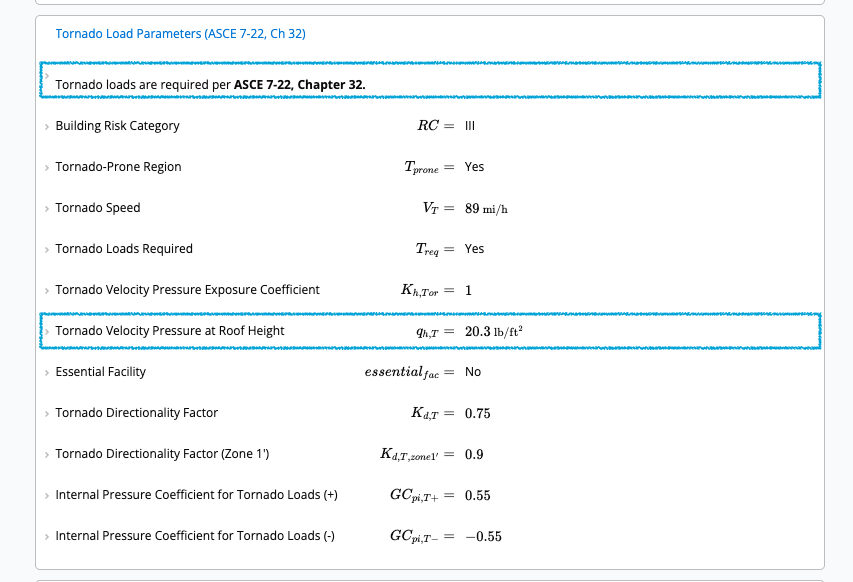
- The Tornado Loads Required field should read “Yes”.
- Reasoning: (89 mph) 60% of (which is 69 mph for 115 mph wind speed).
- The calculator determines the Tornado Velocity Pressure (), accounting for the Tornado Pressure Exposure Coefficient ().
5
Reviewing Pressures
Navigate to the Summary section on the right side of the calculator and look for the Design Tornado Pressures table.The calculator automatically applies the specific Directionality Factor () and Internal Pressure Coefficients () required for tornado loading to output the final design values: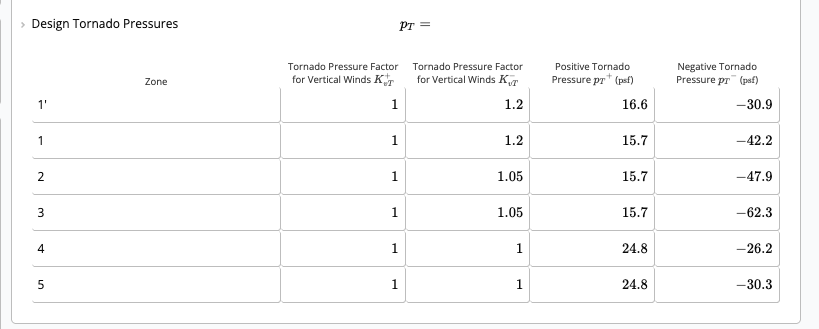
- Tornado Pressure Factor for Vertical Winds ( and )
- Positive Tornado Pressure () in psf
- Negative Tornado Pressure () in psf