
Tedds produces calc sheets. Calcs.com manages the whole design.
When a load changes, Calcs.com propagates reactions through the full load path automatically. Tedds requires you to open each sheet and update it manually. See the full comparison.
No credit card required · Trusted by 3,500+ structural engineers
Why engineers switch from Tekla Tedds
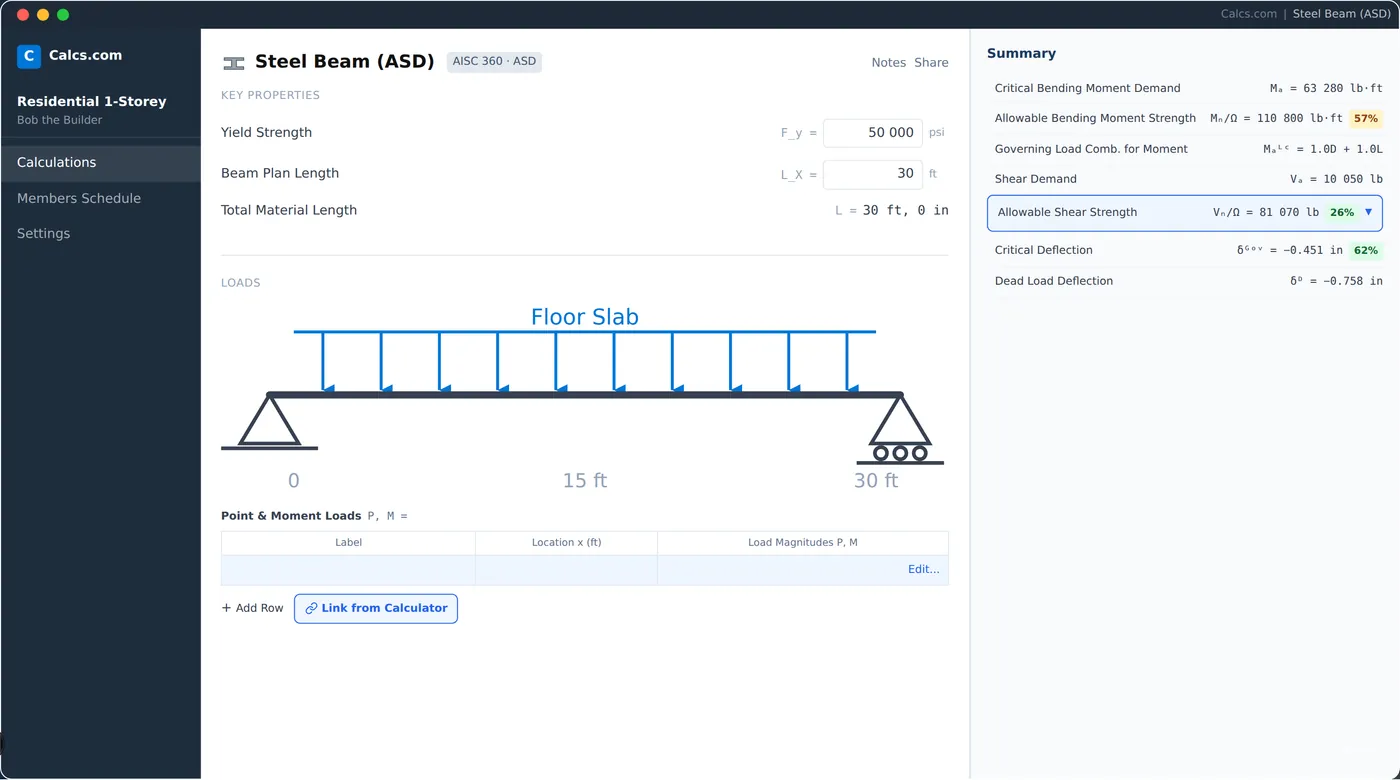
Load path updates automatically
From roof to foundation - when an input changes, every connected calc updates. No manual re-entry.
Cloud-based, any device
Your whole team accesses the same live project from any browser. No sync needed.
Reviewer-ready reports
Calculation reports are polished and formatted for sign-off without extra work.
No install, no conflicts
No desktop install, no license file, no version conflicts across the team.
How Calcs.com compares to Tekla Tedds
| Feature | Calcs.com | Tekla Tedds |
|---|---|---|
| Automatic load propagation across the structure | ||
| Cloud-based, no desktop install | ||
| Shared team workspace with project defaults | ||
| Project-level organization (members, loads, reports) | ||
| Structural calculations (beams, columns, footings) | ||
| Export calculation reports | ||
| Inline code clause references | Partial | |
| Change-material comparison across members | ||
| AU / NZ code coverage | Limited | |
| Per-team subscription (not per-seat license) |
Seen enough? Try Calcs.com on a real project.
14-day free trial. No credit card required.
Tedds produces calc sheets. Calcs.com manages the whole design.
In Tedds, each calculation is its own document. When a load changes, you open every affected sheet and update it manually. Calcs.com connects members through a live load path - change a roof load and every linked beam, column, and footing recalculates. Engineers who move from Tedds typically run the same project in half the time once they stop managing individual files.
The software has made us a minimum of 30% more productive. It's eliminated at least 30% of the workload.
Calculation reports reviewers actually want to read
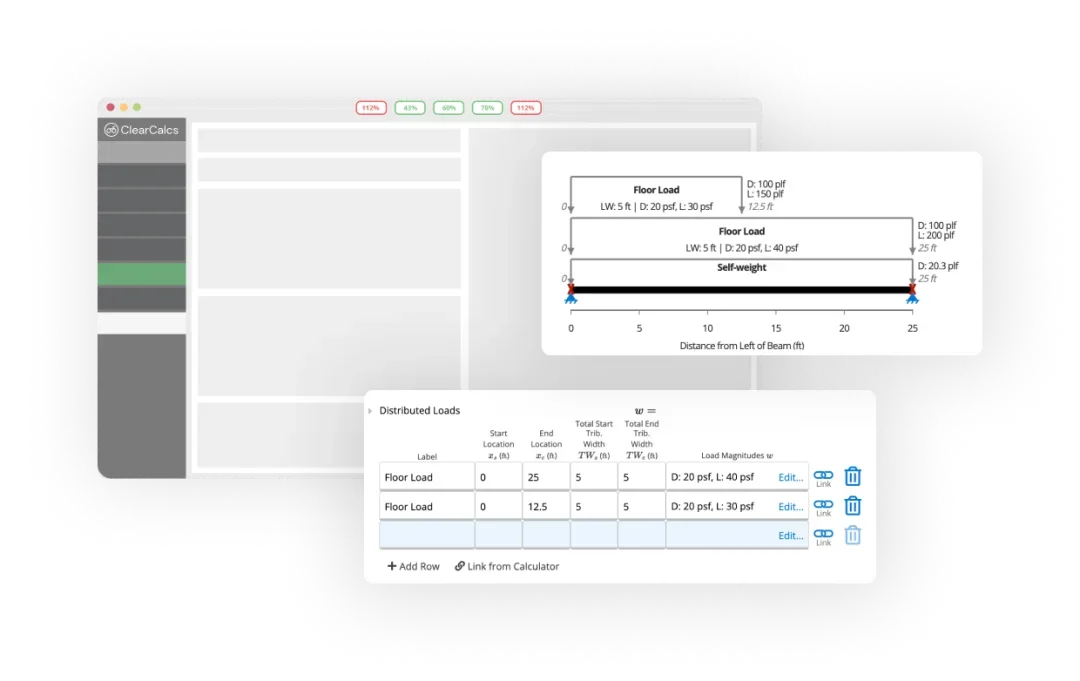
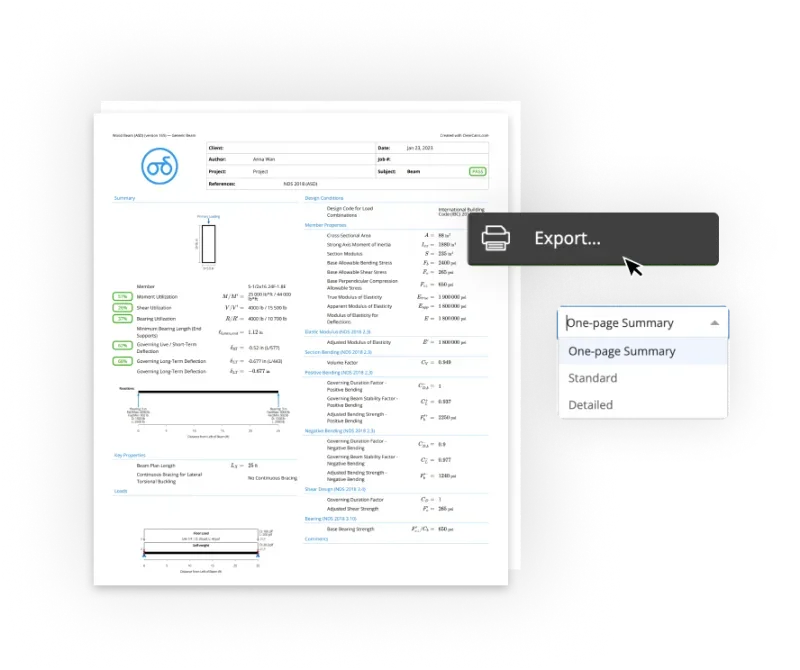
Tedds outputs Word documents that need formatting before they go to a client or AHJ. Calcs.com exports clean, structured PDF calc packs that include project metadata, code references, and member summaries. Reviewers can follow the logic from first principles without a formatting pass from the engineer who ran the calc.
Doing the design in Calcs.com and being able to export the printout means our calculations are legible and easy to follow for reviewers.
Ready to run a real project in Calcs.com?
Try it alongside Tedds - free for 14 days, no credit card required.
One workspace for the whole team, on any device
Tedds is a Windows desktop tool. Calcs.com runs in a browser on any machine - no IT ticket, no install, no license provisioning. An engineer can start a trial on their own and run a real project before raising it with their principal or IT team. Once the firm adopts it, project defaults are set once and shared across the team, so junior engineers work from the same code editions and load assumptions as principals, with no stale template files circulating by email.
How to switch from Tekla Tedds
Most engineers run Calcs.com alongside Tedds on a new project first. Full adoption typically happens within a few weeks.
Start your trial - no IT required
Sign up at app.calcs.com from any browser. No install, no license request, no IT ticket. Run a real project alongside Tedds. Most engineers pick a current job rather than a completed one.
~5 min
Set up your project defaults
Enter your standard code editions, load parameters, and material preferences. These apply to every calculation in the project automatically.
~15 min
Rebuild your most-used calc templates
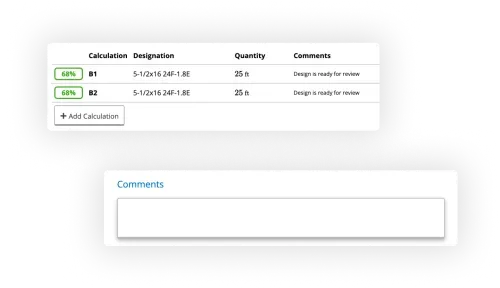
Identify the 3-5 calculation types you run most often and set them up in Calcs.com. Connect them with load links so the load path is live from day one.
~2 hrs
Invite your team
Add colleagues to the workspace. They inherit the project defaults and can review or run calculations immediately, from their own machines.
~10 min
No credit card required
What engineers say

Yes, it costs money, but you spend money to make money, and the money you make is based on the time you save.
Matt Ward
Principal Engineer, Ward Engineering

I like that Calcs.com shows the code reference section for each calculation and function. That means every time I use it, there's a potential for me to learn something.
Jim Fanjoy
Project Architect, Brittell Architecture
Also evaluating?
Frequently asked questions
Can I migrate my Tedds calc library to Calcs.com?▾
Does Calcs.com cover the same codes as Tedds?▾
How does pricing compare to Tekla Tedds?▾
Can Calcs.com export Word documents like Tedds?▾
Is Calcs.com the same as ClearCalcs?▾
Ready to switch from Tekla Tedds?
Start a free 14-day trial. No credit card required. See load linking, Reference Mode, and collaborative workflows in under 30 minutes.