
Reviews slow down when logic is hidden
As engineering teams grow, decisions become harder to check. Calcs.com brings calculations, standards, and assumptions into one shared environment - so teams can review and defend work without rebuilding it.

Engineering teams lose time to reconstruction, not calculation
Engineering teams do not lose time because calculations are slow. They lose time because decisions cannot be checked quickly.
Review becomes reconstruction
Reviewers recreate calculations to understand them, crowding out actual judgment. Quality review gets squeezed under deadline pressure.
Disconnected decisions
Inputs are scattered across tabs. References live in PDFs. Assumptions are implicit. There is no connected view of the work.
Inconsistency across projects
Quality depends on who wrote the calc and who reviewed it, not on a consistent shared process that scales with the team.
Rebuilding instead of reusing
Firms estimate 15-20% of project work repeats previous designs. Without a shared system, teams rebuild it every time.
One shared environment where decisions stay connected
Calcs.com brings calculations, standards, and decision context into one place so teams can review work without rebuilding it.
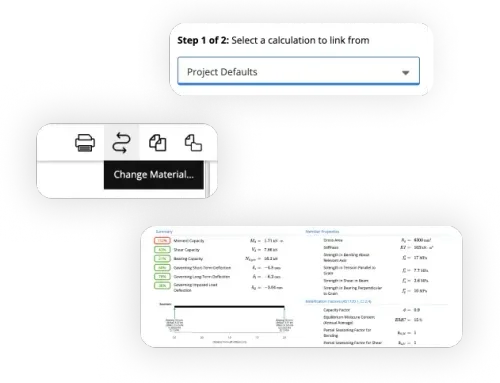
Reduce hidden rework
Reuse verified work instead of rebuilding it. Carry forward the actual inputs, assumptions, units, and referenced standards, not just a copied result.
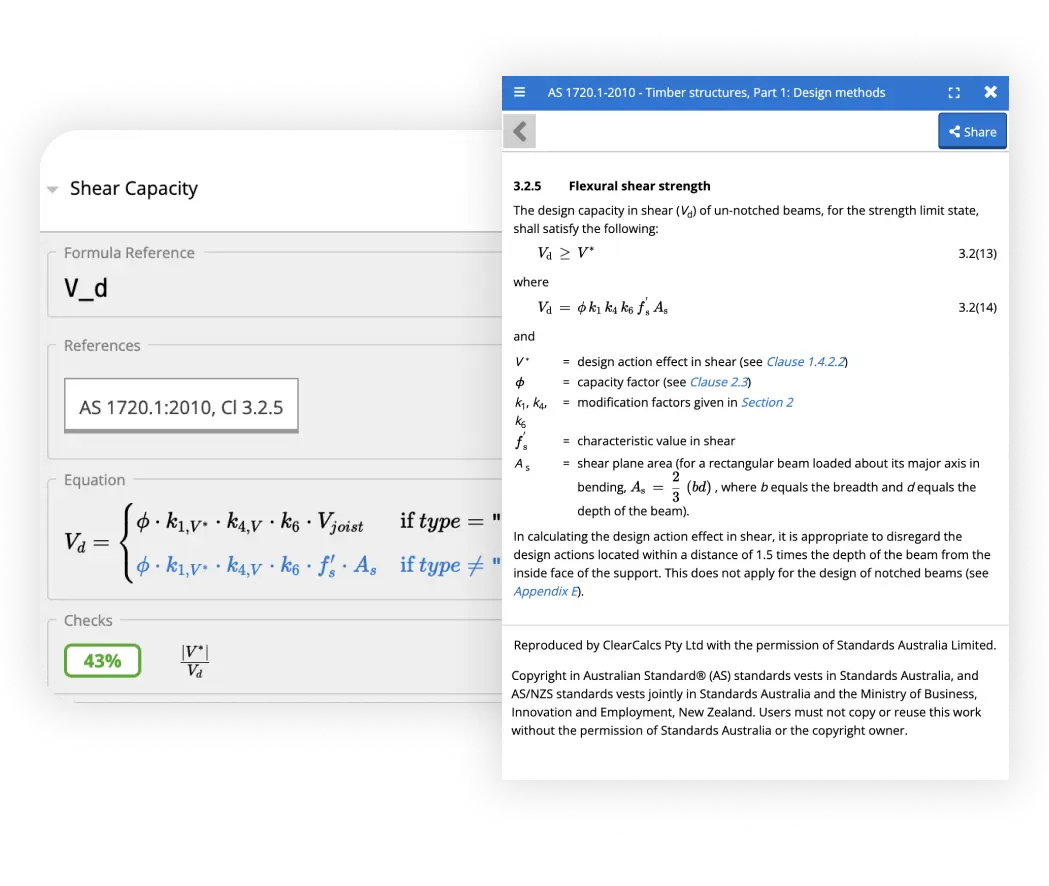
Reviews without reconstruction
Review decisions faster, because the reasoning is attached to the number. Trace any output back to inputs, formulas, units, and code references in one view.
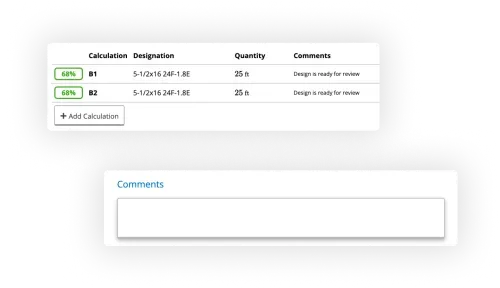
Consistency without constraining judgment
Reduce drift across projects while keeping professional judgment intact. Teams align on how inputs are defined and referenced, without locking down how engineers approach the work.
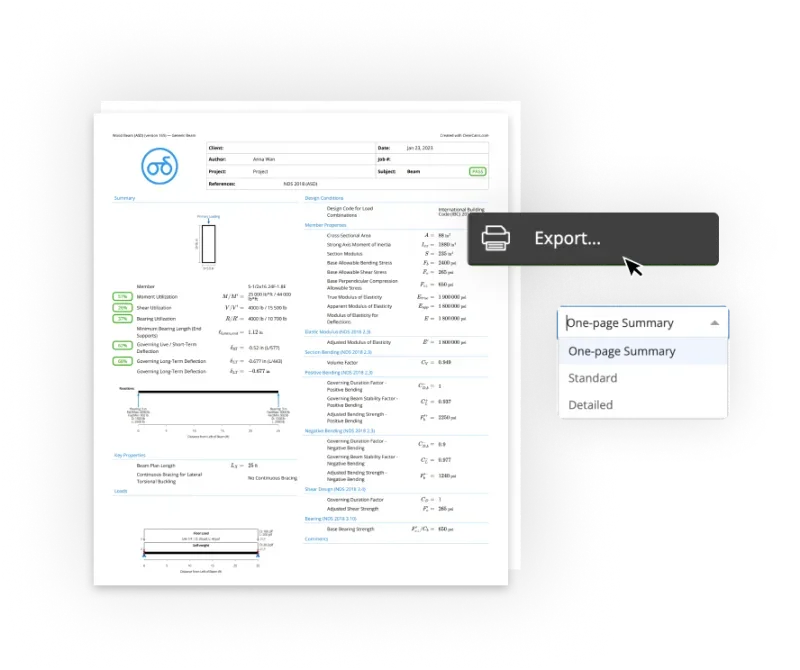
Faster onboarding
Bring junior engineers up to speed without tribal knowledge. They can see how assumptions were chosen and how standards were applied, not just which boxes to fill.
What engineering teams say

The software has made us a minimum of 30% more productive. It's eliminated at least 30% of the workload.
Donovan Rae
Senior Project Manager, Lumos & Associates

The majority of our calculations, unless it's something very odd, are done in Calcs.com.
Nate Powelson
Project Engineer, Criterium Engineers

The load linking feature is huge for us. Before, we had to use separate calculators and manually input everything.
Noah Diaz
Engineering Design Coordinator, PWI

We've seen a big improvement in efficiency, saving 10-20% of the time on calculations.
Richard Faulkner
Senior Structural Engineer, Kusch Consulting Engineers
Adopt without disrupting active work
01
Create a pilot project
Set project details - standard, unit system, status, team. Keep it scoped to a live job your team already understands.
02
Set Project Defaults
Define address, codes, site parameters, and custom loads once. Inputs stay consistent across every calculation in the project.
03
Add and link calculations
Build calculations and link them to Project Defaults. When a code or site parameter changes, the update flows through automatically.
04
Organize as you grow
Use folders, groups, member schedules, and preferred sections to keep the project structured as the team scales.
05
Standardize across new jobs
Roll the workflow out to new projects. As teams reuse verified work, reliance on spreadsheets drops naturally.
Trust & quality
Built for accountability
Engineers rely on tools they can inspect, verify, and defend.
Transparent by design
Every formula, variable, and standards reference can be inspected before anyone relies on the result.
Standards embedded, not referenced
Codes are applied in the workflow, not checked later in a separate document.
Maintained when standards change
When codes update, affected calculators are updated so teams stay current without rework.
Built and supported by engineers
Tools are built and supported by qualified engineers, with engineer-to-engineer support when questions arise.
Frequently asked questions
Can we run Calcs.com alongside our existing spreadsheets and software?
How does the review and sign-off process work in Calcs.com?
What happens to our calculations when an engineering standard or code updates?
Can we build calculators for our firm's own specific methods and workflows?
Stop rebuilding decisions your team has already made
See how Calcs.com helps engineering teams keep calculations, standards, and reasoning in one place - so review is faster and work holds up under scrutiny.
Set up from your existing design spec in minutes
Talk to an engineer and see Calcs.com applied to your workflow