
We use analytics cookies to understand how you use this site and improve our content. See our privacy policy and cookie policy for details.

Calcs.com

Ask your calculations why they fail

CalcsAI is a natural-language layer on the calculators your team already trusts. It never does the math itself. Every number runs through your verified, deterministic calculators, and it shows the logic behind the answer.
Your review runs on reconstruction, not judgment

A junior hands over a sheet nobody can quickly verify. The reviewer reopens it and rebuilds the logic before they can sign off. Multiply that across every project you no longer personally check, and quality starts depending on someone reconstructing the work, again and again. The repeatable parts, setting up calcs, sizing members, swapping materials, quietly eat the hours you would rather spend on judgment.

Plain English in. A traceable answer out.
  1. Step 1

    Ask

    Describe what you want, the way you would tell a junior. "Why is this beam failing?" "Convert these to HSS." "Size these members."

  2. Step 2

    It runs your calculator

    CalcsAI interprets the request and runs your verified, deterministic calculator. It doesn't compute the answer. It drives the calculator that does.

  3. Step 3

    You see the working

    You get the result, the check behind it, and a reasoning view you can open to follow every step.

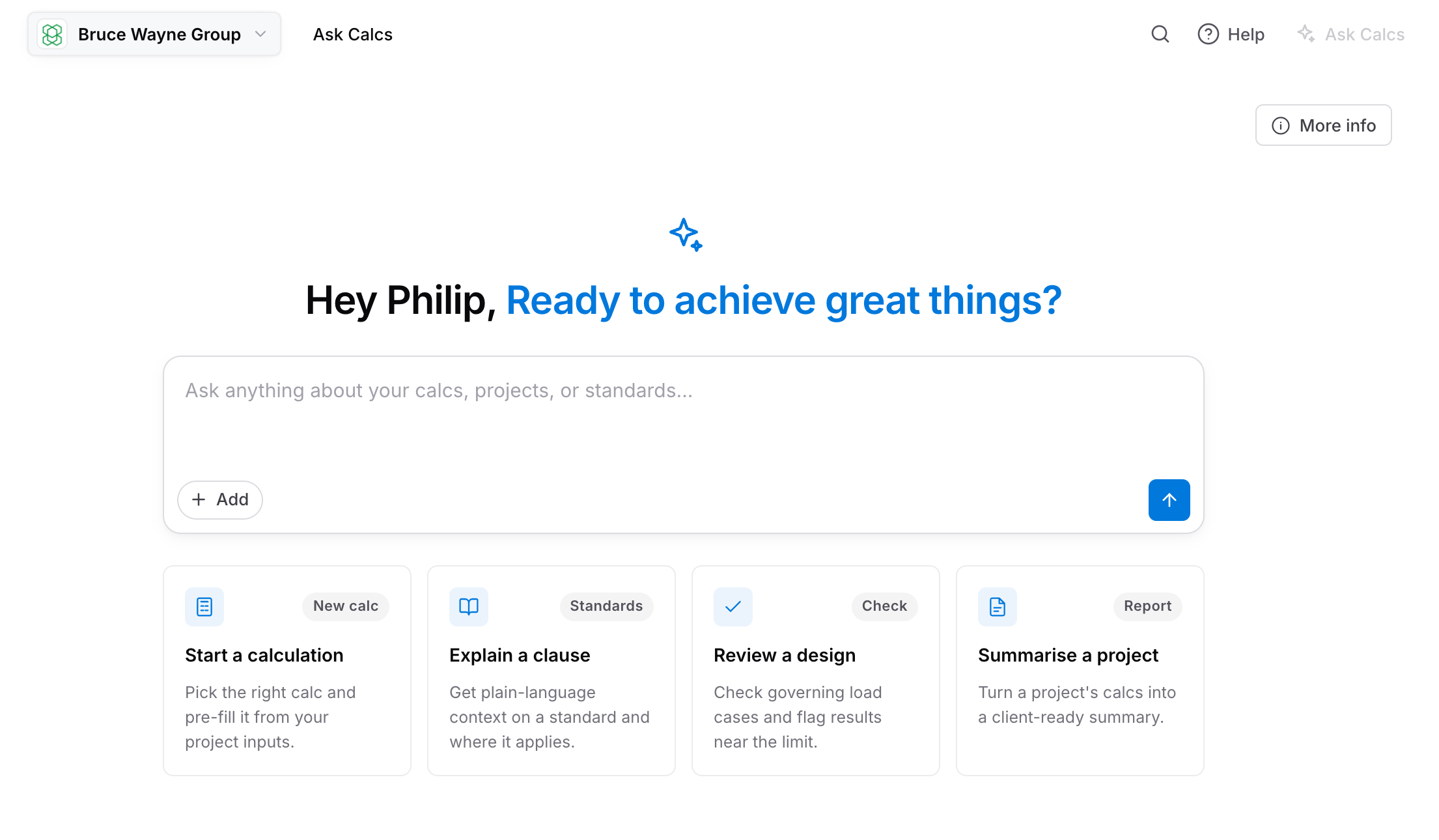
The Ask Calcs landing screen with a prompt box and starting points for a new calculation, a clause explanation, a design review and a project summary

Three jobs it does today

Describe what you want in plain English. CalcsAI does what you can already do in Calcs.com, without clicking through the interface by hand.
  1. Step 1

    Understand it

    Ask why a member is failing and what to change, or trace the logic behind a calculation. CalcsAI reads your calculator's real logic and answers from your actual numbers.

  2. Step 2

    Choose between options

    Convert a design, such as a wood beam to its steel equivalent, and see the weight saved. Or size several members in one pass.

  3. Step 3

    Kickstart a project

    Describe a project and get a starting point you can refine. It is a starting point, not a checked design, so verify the defaults it picks.

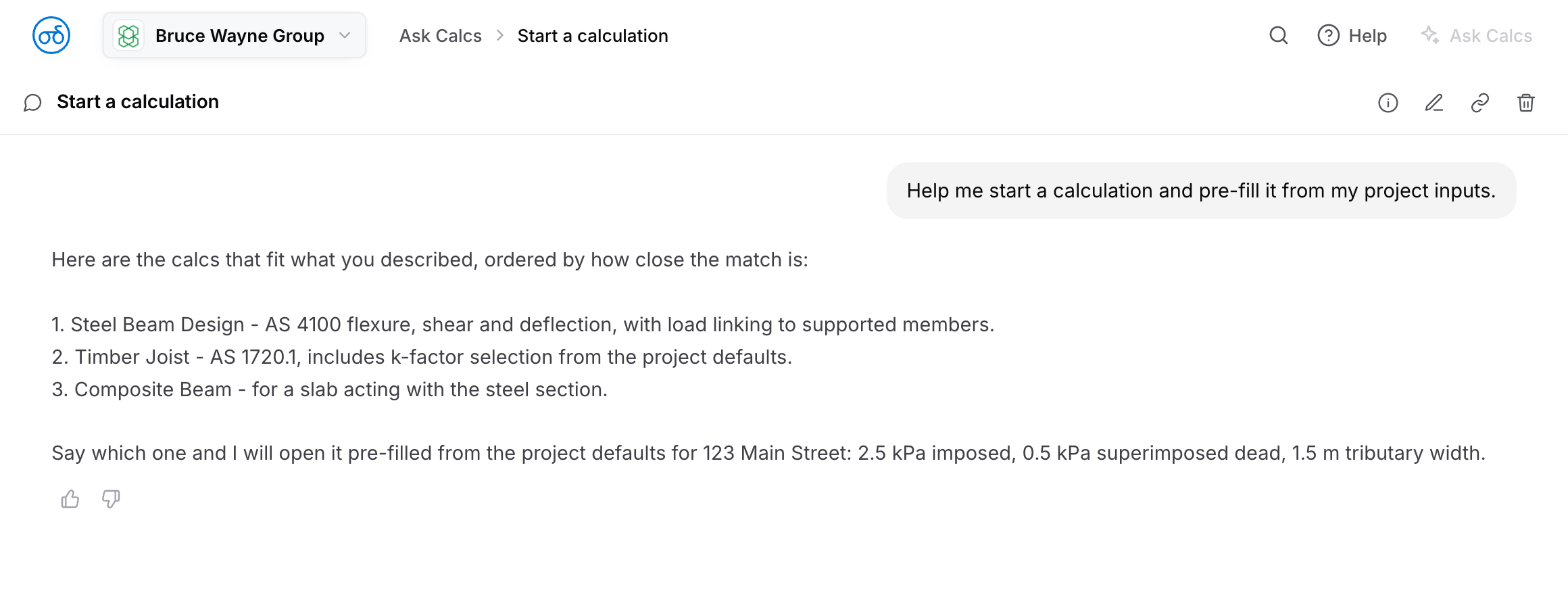
An Ask Calcs conversation reasoning through which calculation fits the request and what it would pre-fill from the project defaults

Grounded in your real calculators, not just code lookup

Looking up a clause is table stakes; plenty of tools do it. CalcsAI reads and writes the calculators your team already uses, so it can explain a failure from the real logic behind the sheet and tell you exactly what to change. That grounding is the part general AI cannot reach.

General AI guesses, then sounds confident. CalcsAI runs a real calculation, shows what it checked, and says "I don't have that" instead of making something up.
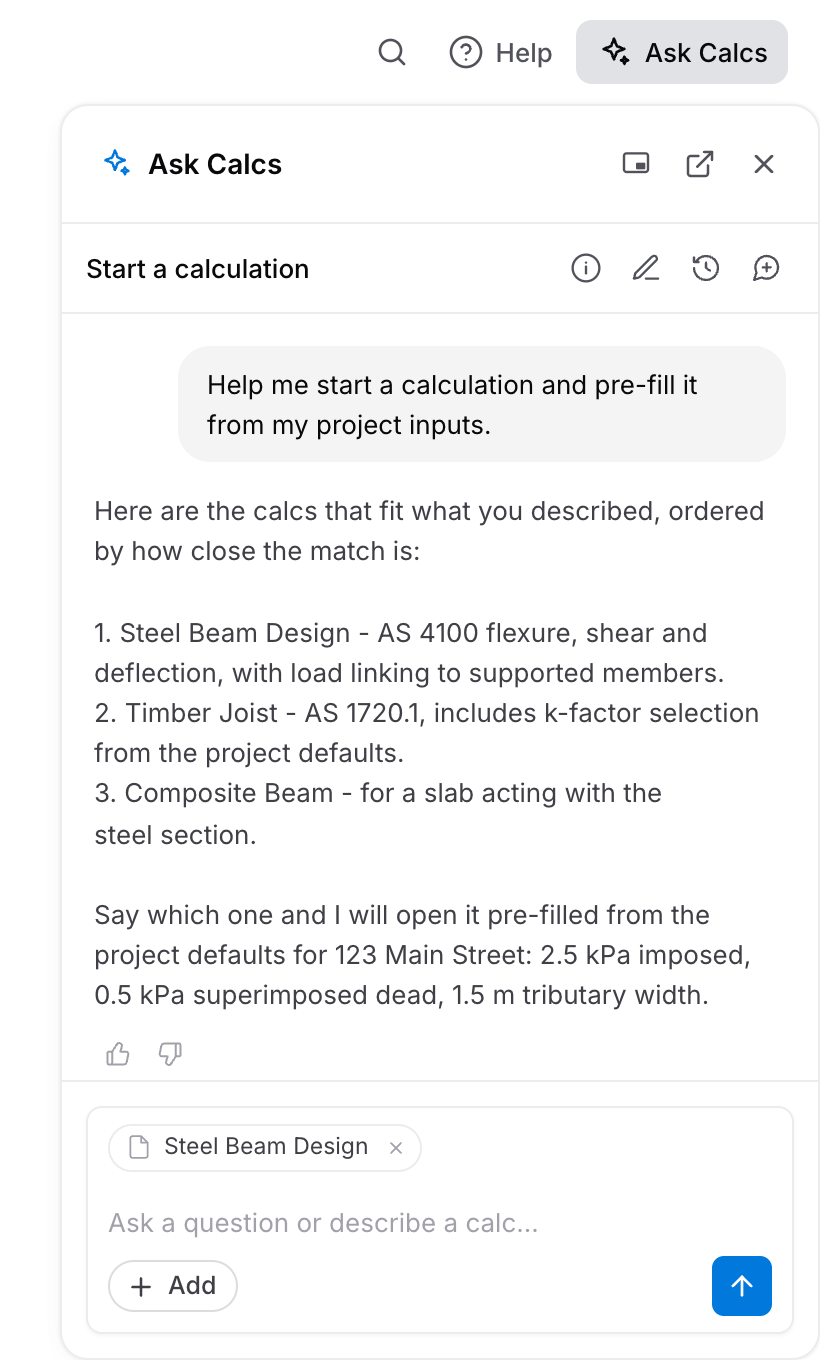
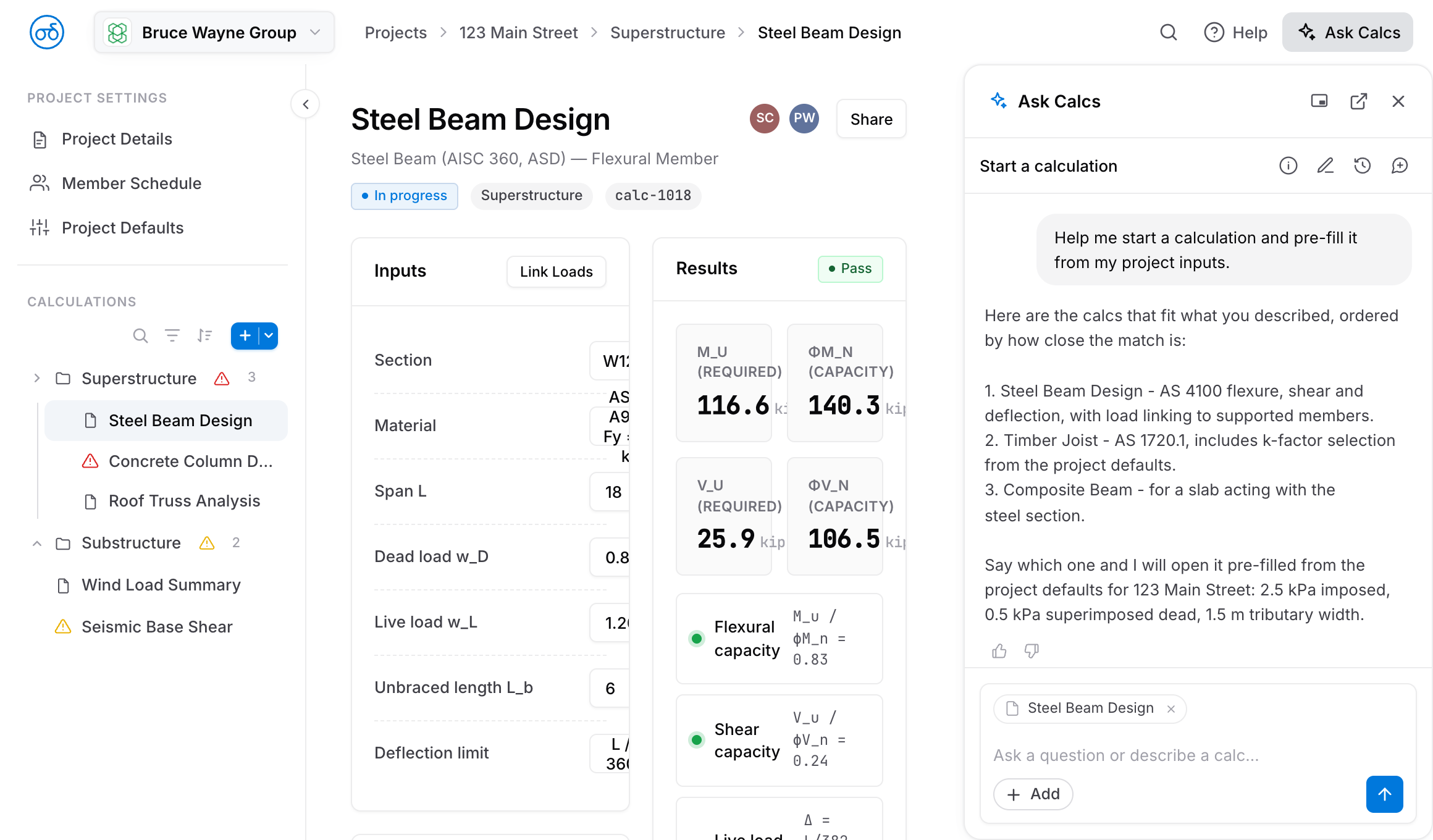
The Ask Calcs panel answering inside a live calculation, with the Steel Beam Design calc attached as context
Calcs.com with the Ask Calcs panel open beside a Steel Beam Design calculation, answering from the project's own calculators and results

The stamp stays yours

CalcsAI handles the repeatable parts of the work. The calculation, the check, and the stamp stay with the engineer.

Every answer links back to the specific calculator it ran, so a reviewer can open the trace instead of rebuilding the logic, and it is there when QA or your insurer asks.

Frequently asked questions

About CalcsAI

What is CalcsAI?
CalcsAI is a natural-language layer on top of Calcs.com. You describe what you want in plain English: build a calculation, size a member, look up a code clause, or convert a design from wood to steel. CalcsAI does the things you can already do in Calcs.com, without clicking through the interface by hand.
How is this different from ChatGPT or another AI tool?
CalcsAI never does the math itself. It interprets your request and runs Calcs.com's existing, verified, deterministic calculators, so every number comes from a real calculation, not a language model's guess. For code questions it reads a structured, machine-readable version of the standard and links back to the exact clause, instead of answering from memory. Think of it as a well-trained junior engineer: it cites its source, shows its work, and says "I don't have that" instead of guessing.
Can I trust its answers?
Treat it the way you would treat a capable junior engineer's first pass: a strong starting point, not a stamped answer. In current evaluation testing, CalcsAI cites the correct standards clause in the large majority of cases, and it is designed to decline rather than guess when it cannot find a grounded answer. It will still get things wrong sometimes, so it is a beta and you should verify its work. Rate every answer with the thumbs up or thumbs down: that is how we find and close the gaps.
Does someone still need to check its work?
Yes, always. CalcsAI is not a replacement for engineering judgment, expert review, approval workflows, or your stamp. It speeds up the repeatable parts of your workflow so you can spend more time on the parts that need your judgment.See how Calcs.com works for engineering teams
Does using CalcsAI change my liability if something goes wrong?
No. The calculation, the check, and the stamp are still yours. Every answer traces back to a specific Calcs.com calculator and, for code questions, the exact standards clause it read. That is the same audit trail you would build by hand today, attached automatically. If your insurer or QA process asks whether AI was used, this is the record that shows a verified, deterministic calculation sits behind the number.

What it can do today

What can I actually use it for right now?
Three things today, in order of how well they work now. First, understand a calculation. Ask why a member is failing and what to change, or trace the logic behind a result, and CalcsAI answers from your calculator's real logic and your actual numbers. Second, choose between options. Convert a design, such as a wood beam to its steel equivalent, and see the material saved, or size several members in one pass. Third, set up a project. Describe it in plain language and get a starting point you can refine.
What can't it do yet?
A few honest limits are worth knowing first. CalcsAI does not yet handle billing or account questions, and it does not pull from support articles. Project setup from a description is a starting point, not a checked design, so always verify the defaults it picks. It is not built for speed yet, so some requests take a noticeable moment.

Data, privacy & security

Is my project data safe?
CalcsAI only sees the projects and organization you are logged into. It cannot see data from other accounts or organizations. Each conversation starts fresh, so nothing you tell it in one session carries over into another user's answers.
Do you tell me when I am talking to an AI?
Yes. Under transparency rules taking effect in some regions from August 2026 (the EU AI Act, Article 50), the panel is labeled "AI Chat" throughout the product, so the name itself makes clear you are talking to an AI system.
How long do you keep my conversations, and can I delete them?
Conversations are kept so you can refer back to them, with no fixed auto-expiry today. We are adding a self-serve delete button so you can remove any conversation whenever you want. For now, to delete your history, email support and we will remove it.
Who at Calcs.com can see my conversations?
Access is limited to a small number of people with the right internal credentials. Support and engineering can look at a specific conversation to investigate a reported issue, the same way we would look at a support ticket today. We also run automated accuracy checks across conversations, and our team periodically reviews samples to catch and fix problems.
Do you use my data to train your models?
No. We do not do any classic model training on your data. Our AI providers are configured for zero data retention on your inputs, apart from the embeddings CalcsAI needs to search the standards, so no provider uses your conversations to train or improve their models. What we do run is prompt tuning, context tuning, and our own internal accuracy evaluations, none of which train a model on your specific data.
What AI models power CalcsAI?
CalcsAI runs on established foundational model providers, accessed through a routing layer that picks the best model for each task and fails over to another provider if one goes down. We do not host or train our own foundational models.

Access & pricing

Who gets access first?
The beta is expanding to roughly 100 users, starting with US-based accounts first, because our standards coverage is currently strongest there. Other regions follow as we expand that coverage.
What does it cost?
CalcsAI is free during the beta. Long-term pricing, whether free or a paid tier, is not finalized yet. We will tell you well ahead of any change.
Can my organization turn CalcsAI off?
Not today. Users who would rather not use CalcsAI simply do not have to. An org-admin toggle is being considered for the future, so if your organization needs one before enabling CalcsAI broadly, tell us and we will factor it into prioritization.
What happens to my projects and chat history when the beta ends?
Nothing changes automatically. Everything you have built with CalcsAI stays exactly where it is. If pricing changes after the beta, you will hear about it before it takes effect.

Getting started & feedback

Where do I find it?
CalcsAI is available two ways: a dedicated chat panel in the left sidebar, and a chat inside any calculator that already knows the context of what you are working on.
How do I give feedback?
Rate every answer with a thumbs up or thumbs down. For a wrong or incomplete answer, add a quick note on what you expected versus what you got. That is what drives the next round of fixes.
What do I do if CalcsAI gives me a wrong or unsafe answer?
Flag it with a thumbs down and a note, the same as any other feedback. If the answer affected a decision you are not confident in, contact support directly rather than waiting for the next review cycle. We treat a safety-relevant miss differently from a routine one.
How do I know feedback is doing something?
We run automated accuracy and hallucination checks across all CalcsAI conversations, not just recent ones, and our team reviews flagged answers to improve the product.

Part of the Calcs product family

One platform for structural calculations, connected data, and built-in AI.

CalcsPlatform

The core of Calcs.com: a standards-aligned calculator library and project organization, with every step visible.

Learn more →

CalcsConnect

Our API engine: run code-checked calculations, site design data, and signed-off reports inside your own product.

Learn more →

CalcsAI

A natural-language layer on Calcs.com that never does the math itself: every number runs through your verified calculators.

You are here

CalcsBuilder

The internal engine our structural engineers use to build, verify, and maintain every Calcs.com calculator.

Put it on your calculations

See how CalcsAI runs your verified calculators and shows the logic behind every answer.

Free during the beta. Expanding to a limited group.