
Deck beam span calculator for wood
Design a wood deck beam in Calcs.com. Start from the Deck Beam preset, set your size and span, and check bending, shear, bearing and deflection to NDS 2024.
14-day free trial • No credit card required
How deck beam design works in Calcs.com
The Deck Beam preset sets up the Wood Beam (ASD, NDS 2024) calculator in Calcs.com, a standards-aligned calculation platform for structural engineers.
[ 01 ]
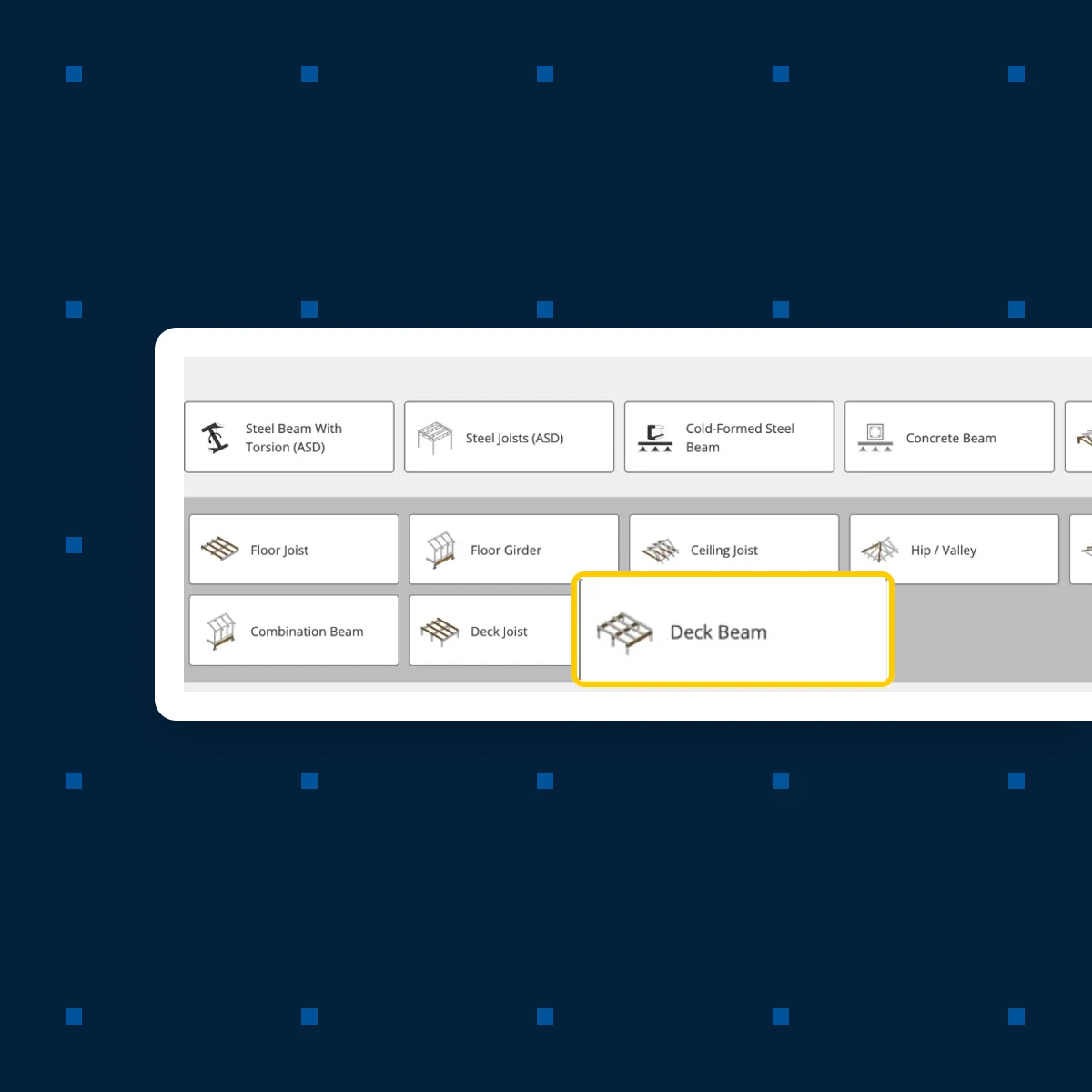
Start from the Deck Beam preset
Choose Wood Beam (ASD), then Deck Beam. You start from the member you're designing, with its loads and limits in place, rather than a blank beam. Deck Beam is the built-up member that carries the deck joists, in wet service with the calculator's Minimum Balcony/Deck Live Load. Each value below is where the preset starts. You can change any of them.
Loads
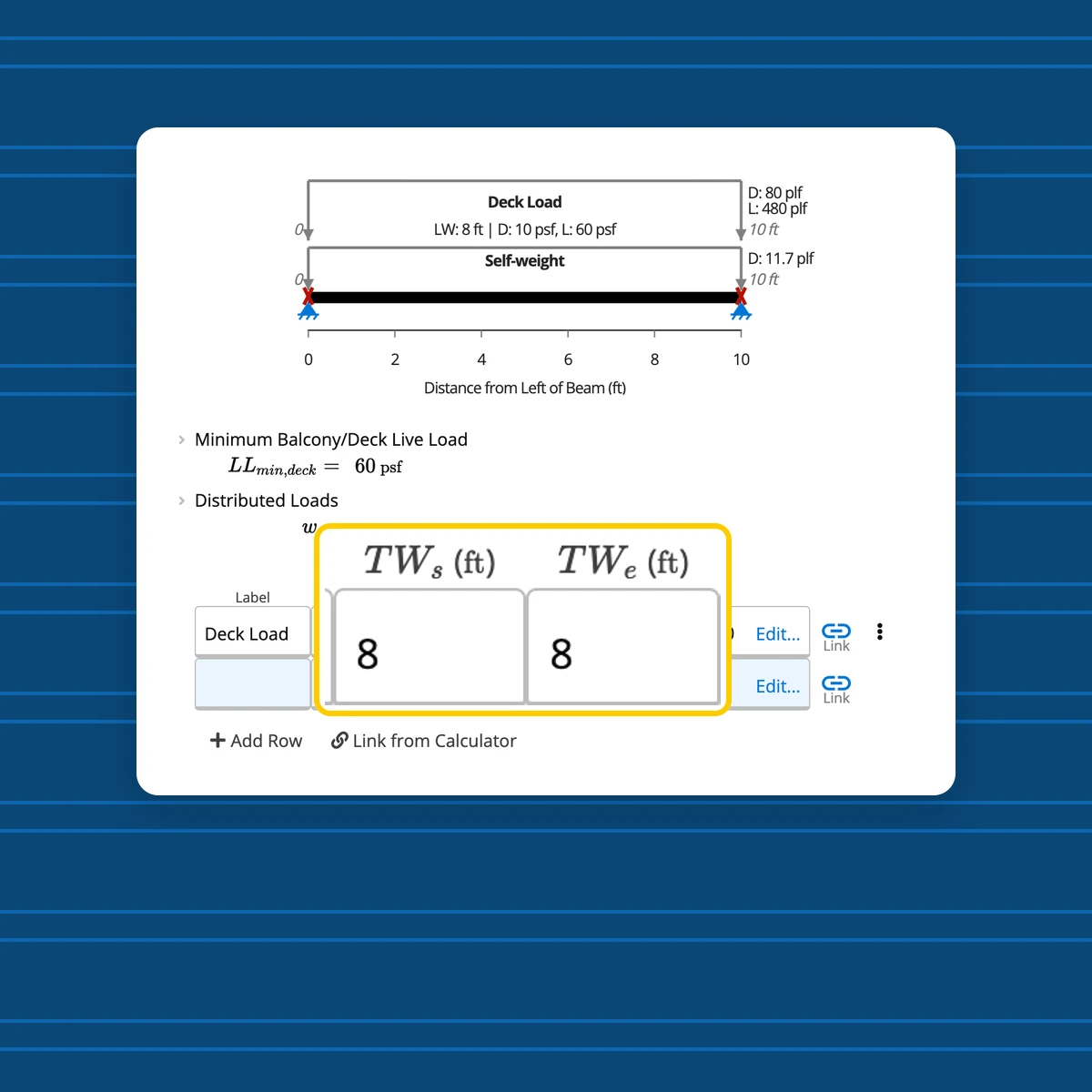
Starts with Deck Load: dead 10 psf, live 60 psf over 8 ft. Change any value or width, or add line, point and moment loads.
Deflection limits
Starts at L/360 for live load and L/240 long term. Set the limits your project calls for.
Service condition
Starts wet, for an exterior member. Set it to dry for a member kept dry in service.
Member and bracing
Starts as 3 plies, a repeating member, top braced for lateral torsional buckling. Change the plies or the bracing to match your framing.
[ 02 ]
Change it to your deck beam
Pick a size and grade from the standard sections database, enter a custom section, or let Autosize choose one. Then set the plies, span, supports and bracing.
Size and grade
Standard lumber, glulam, LVL, PSL and LSL sections, or a custom section, with Autosize beside the size field.
Span and supports
Plan length, support type, position and bearing length for each support.
Bracing and flitch plates
Continuous bracing for lateral torsional buckling, and optional flitch plates.
[ 03 ]
See every check as you design
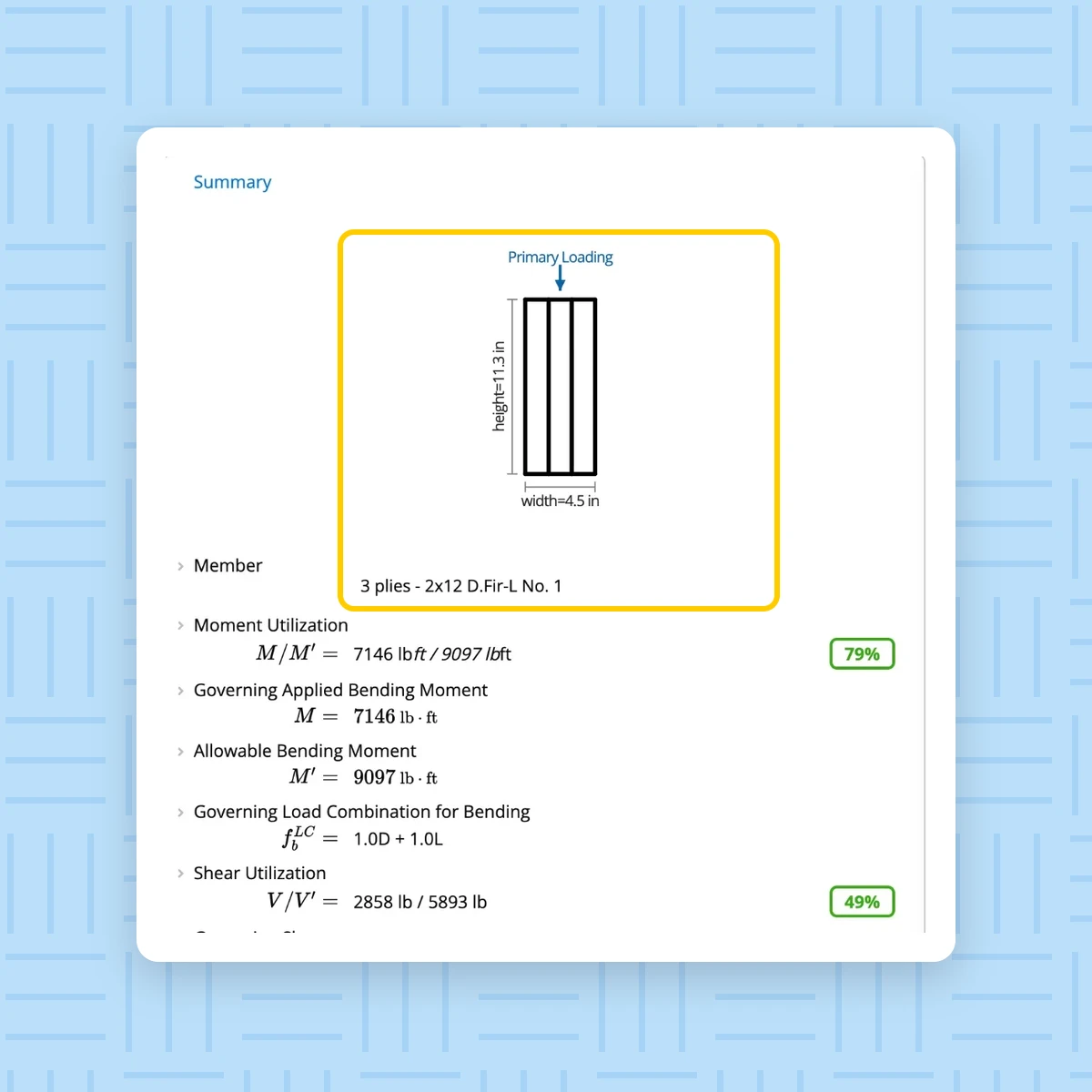
Bending, shear and bearing utilization sit at the top of the sheet. Deflection is checked against the limits the preset sets.
Try the deck beam preset: change the size and span
Pick a size and a span. The sheet shows what the Wood Beam (ASD, NDS 2024) calculator returned for that deck beam.
Utilization at a glance
Bending, shear and bearing as percentages at the top of the sheet, as in the calculator.
Deflection against the preset's limits
Live load and long-term deflection checked against L/360 and L/240.
Every check, as the calculator prints it
Moment, shear and bearing utilization and both deflections, with the value behind each percentage.
14-day free trial • No credit card required
 Wood Beam (ASD, NDS 2024) - Deck BeamSavedJ1
Key Properties
Checks
Plies, spacing, loads and bracing are as the Deck Beam preset sets them. Every input is editable in the calculator. This sheet replays 12 solves by the Calcs.com engine on 2026-11-12: 3 sizes by 4 spans. In the calculator, any size, span, spacing or load is solved the same way.
Deck beam span table: 2x8 to 2x12
Each cell is the Deck Beam preset solved in the Wood Beam (ASD, NDS 2024) calculator at that size and span, with every other input as the preset sets it. It shows the governing check's ratio. Above 1.00 fails.
| Member | 6 ft | 8 ft | 10 ft | 12 ft |
|---|---|---|---|---|
| 2x8 x 3 | 0.66BendingPasses | 1.18BendingFails | 1.84BendingFails | 2.65BendingFails |
| 2x10 x 3 | 0.38BendingPasses | 0.67BendingPasses | 1.05BendingFails | 1.52BendingFails |
| 2x12 x 3 | 0.30BearingPasses | 0.50BendingPasses | 0.79BendingPasses | 1.13BendingFails |
13 presets on one wood beam calculator
Each member preset, from Floor Joist to Deck Beam, sets up the same calculator with its own loads and deflection limits. Rafter and Hip / Valley put the member on a slope. Deck Joist and Deck Beam set wet service.
Generic Beam
Generic Flitch Beam
Floor Joist
Floor Girder
Ceiling Joist
Hip / Valley
Rafter
Ridge Beam
Roof Header
Floor Header
Combination Beam
Deck Joist
Open the Deck Beam preset in the calculator
- [ 01 ]Start your free trial. You land on the app's home page.
- [ 02 ]Open the Wood Beam (ASD) calculator for the edition you design to.
- [ 03 ]Choose Deck Beam from its presets. Its values load in, ready to change.
14-day free trial • No credit card required
Pick the edition you design to. The sheet and the steps above follow it, and each edition has a Deck Beam preset.
These results use the preset's loads and limits. Check every input against your project before you rely on a result. The engineer of record stays responsible for the design.
Frequently asked questions
Design your deck beam in Calcs.com
Start from the Deck Beam preset and check your size and span to NDS 2024.
We use analytics cookies to understand how you use this site and improve our content. See our privacy policy and cookie policy for details.