What it calculates
Populates the cross-section and material properties such as weight, area, moment of inertia / second moment of area, elastic and plastic section moduli, material strength, centroid location and more. Covers Australian steel, timber, and cold-formed steel; US steel, wood, and cold-formed steel; and Eurocode steel and timber databases. Use it as a standalone reference or link its outputs directly into beam, column, and member design calculations.
Who uses this calculator
Structural engineers who need accurate section properties without hunting through code tables. Select a section from AU, US, or EU databases and all geometric and material properties populate immediately - ready to link into beam, column, or member design calculations.
How it calculates
The Cross-Section Database is a reference calculator that reads geometric and material properties directly from Calcs.com's built-in section tables and derives any quantities not stored explicitly. There are no design checks - the calculator is purely a data retrieval and property computation tool, intended to feed values into downstream beam, column, or member design calculations.
Section database lookup
When you select a section database (e.g. Australian Steel, USA Steel, Eurocode Timber) and then a specific section within it, the calculator reads a row of tabulated data from the corresponding shared section table. For steel databases, the raw tabulated values come from the relevant source standard:
- AU steel: OneSteel/Infrabuild section tables
- US steel: AISC Steel Construction Manual (2016)
- US wood: AWC/ANSI NDS 2018 and Supplement 2018
- US cold-formed steel: SFIA Technical Guide 2015 (rev. 2017)
- Eurocode steel: manufacturer section tables per EN 10210/10219 and hot-rolled series
- Eurocode timber: EN 338 strength class data
The cold-formed steel databases (AU and US) carry section-specific finite strip method (FSM) signature curves in addition to basic properties, which are consumed by the companion CFS beam and column design calculators.
Geometric properties
For sections where the geometry is defined by standard shapes (I, H, C, SHS, RHS, CHS, angle, rectangle), the calculator also computes a cross-section diagram using parametric drawing tables. The section outline is drawn from stored profile parameters (depth d, flange width b, flange thickness t_f, web thickness t_w, root radius r) and rendered in the calculator as a scaled cross-section view.
Derived quantities
The following properties are derived rather than read directly from the database:
Second moment of area (I): Retrieved from the table for principal axes. The polar second moment I_zz is computed as:
I_zz = I_xx + I_yy
Elastic section modulus (Z): Where not stored directly, Z is the second moment of area divided by the distance from the centroid to the relevant extreme fibre:
Z = I / y_extreme
For symmetric sections this gives equal positive and negative values. For asymmetric sections (e.g. angles, T-sections, custom CFS) the calculator stores separate positive and negative extreme fibre distances, yielding distinct Z+ and Z-.
Plastic section modulus (S) and shape factor (k): S is retrieved from the table for steel sections that carry it (I-sections, channels, SHS, RHS). The shape factor k is defined as:
k = S / Z
Self-weight (w): Self-weight in force per unit length is derived from the mass per unit length m via:
w = m × g
where g = 9.81 m/s². For timber sections the mass per unit length is derived from the section area A and the nominal density from the database.
Shear modulus (G): For steel and cold-formed steel sections, G is computed from elastic modulus E and Poisson's ratio v:
G = E / (2(1 + v))
For structural steel, E = 200,000 MPa (AU/EU) or 29,000 ksi (US), v = 0.3, giving G ≈ 76,900 MPa (AU/EU) or 11,200 ksi (US). Timber databases store G directly as a tabulated value per strength class or species combination.
Material strength properties
For steel sections, yield strength F_y and ultimate tensile strength F_u are read from the database for the selected grade (e.g. Gr.300, Gr.350, A992, S275, S355). Australian steel sections allow manual override of F_y where a specific test value or alternative grade is needed.
For timber sections, the following characteristic design strengths are reported depending on the database:
- Australian timber (AS 1720.1): Characteristic strengths in bending (f'_b), shear (f'_s), tension parallel (f'_t), compression parallel (f'_c), and bearing perpendicular (f'_p), along with strength group, joint group, elastic modulus E and shear modulus G.
- US wood (NDS 2018): Reference design values in bending (F_b), tension (F_t), shear (F_v), compression parallel (F_c), compression perpendicular (F_c,⊥), and moduli of elasticity E and E_min.
- Eurocode timber (EN 338): Characteristic strengths f_m,k (bending), f_v,k (shear), f_c,90,k (compression perpendicular), f_t,0,k (tension parallel), mean and 5th-percentile moduli E_0,mean and E_0.05, E_90,mean, G_mean, characteristic density ρ_k, and mean density ρ_mean.
Integration with design calculators
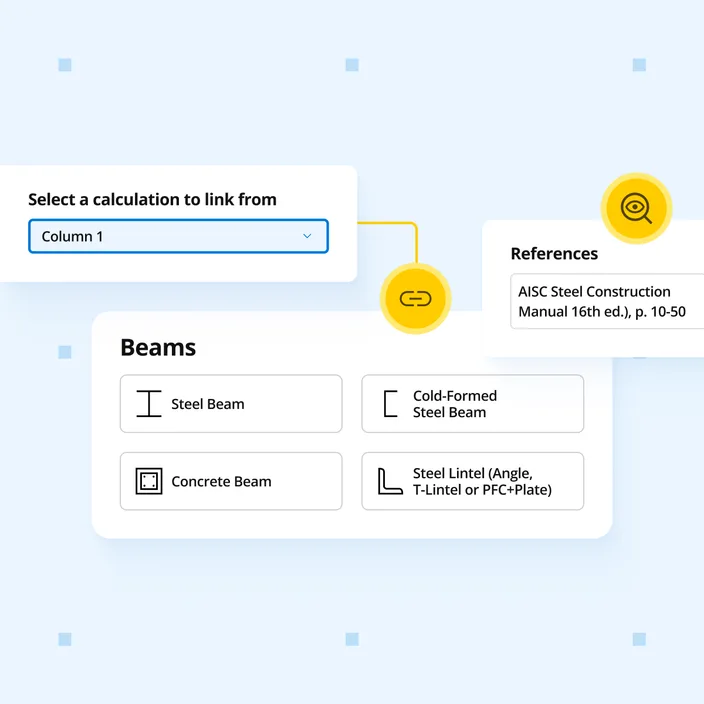
All output quantities from the Cross-Section Database are accessible as linkable values in the Calcs.com load-linking system. When a beam, column, or member design calculator references a linked Cross-Section Database calculation, it reads A, I_xx, I_yy, E, G, and strength values directly. Changing the section selection in the database calculator propagates updated properties through every linked downstream calculation automatically.