
Free course for structural engineers
AI in structural engineering, in plain English
Write one good prompt, check one AI answer and bring AI to your team in four weeks. Free, with one short email a week.
See what each week coversAI predicts. Calculators check.
A chat AI writes by predicting likely words, so it's good with text and unreliable with numbers. Calculation software checks the numbers. That one idea covers most of what you need to know. This course is from Calcs.com, a standards-aligned calculation platform built to US, AU, EU, CA, and NZ codes.
How the course works
Four short weeks and eight short lessons. Each week brings one email and one free tool.
- [ 01 ]
Ask a good question
- [ 02 ]
Check the answer
- [ 03 ]
Put it to work
- [ 04 ]
Bring AI to your team
Week 1:Ask a good question
Free tool
Prompt pack, Part 1
In your week 1 email
Ten prompts for everyday structural work, each with what to check.
Get the prompt packWhat should I type?
Give the AI four things: the task, the code edition, the inputs you'd give a junior engineer, and what you want back, including its assumptions. Each part you leave out is a gap the AI fills with a guess. Naming the edition doesn't give the AI the code, so paste in any clause the answer depends on.
Can I trust the numbers?
Not on its own. A chat AI can sound certain and still be wrong without telling you it guessed.
Why two different answers?
Chat AI picks each word from a range of likely options, so the same question can return a different answer. A calculator gives the same result for the same inputs every time.
Free tool
Prompt pack, Part 1
In your week 1 email
Ten prompts for everyday structural work, each with what to check.
Get the prompt packWeek 2:Check the answer
Free tool
AI self-assessment
In your week 2 email
Check one AI answer line by line, then compare your work with a model answer.
Get it in the free courseHow do I check an AI answer?
Ask four questions before you use it. Did it work from code text I gave it, or from memory? Are these my inputs? Would I accept every assumption? Did it add anything I didn't ask for?
Does AI know my code edition?
Not reliably, and most general AI tools don't have the code text unless you give it to them.
Checks to run: bending, shear, deflection and bearing.
Inputs: 14 ft span, joists at 16 in. centers, 40 psf live, 10 psf dead.
Assumptions: normal load duration, dry service, Southern pine No. 2, top edge braced by the subfloor.
Can you spot the wrong default?
This one is easy. Week 2 shows you how to catch the harder ones.
Free tool
AI self-assessment
In your week 2 email
Check one AI answer line by line, then compare your work with a model answer.
Get it in the free courseWeek 3:Put it to work
Free tool
Prompt pack, Part 2
In your week 3 email
Prompts for three everyday workflows, three to try in CalcsAI, and the full map of where AI helps and where it needs a calculator.
Get it in the free courseWhere does AI help today?
AI helps most with the work around design, such as drafting an RFI response, summarizing a report or turning meeting notes into action items.
Which kind of AI tool?
Use a general chat tool for words, and calculation software with AI built in for numbers you need to check.
Free tool
Prompt pack, Part 2
In your week 3 email
Prompts for three everyday workflows, three to try in CalcsAI, and the full map of where AI helps and where it needs a calculator.
Get it in the free courseHow does CalcsAI handle the math?
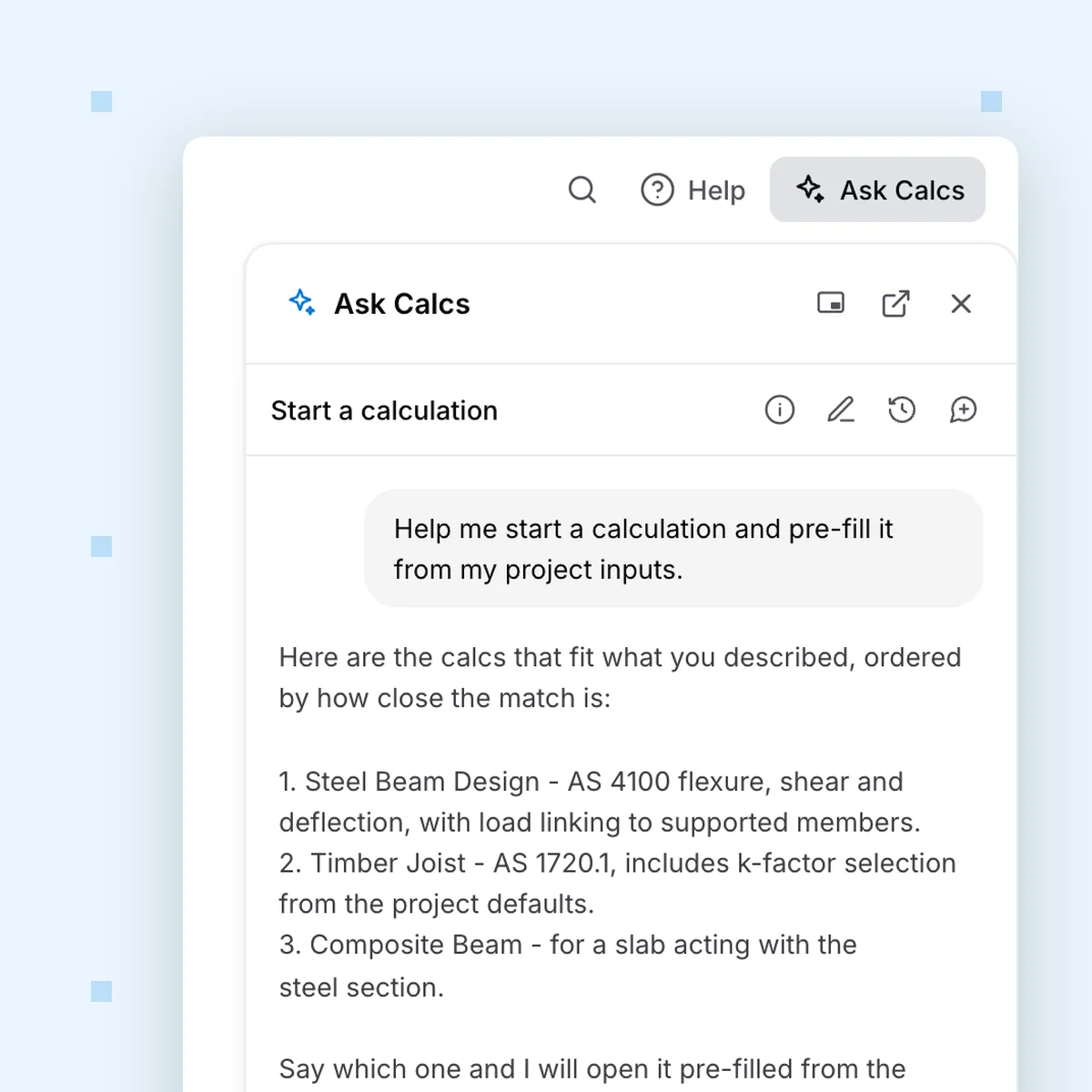
CalcsAI doesn't compute the answer. It drives the calculator that does. Every number runs through Calcs.com's verified calculators, and when CalcsAI can't check something, it says "I don't have that." It's in beta and will still get things wrong sometimes, so check its work.
Week 4:Bring AI to your team
Free tool
Team session kit
In your week 4 email
A one-hour session plan for your team, with a shared exercise and a facilitator script so you can lead it yourself.
Get it in the free courseHow do I get my team started?
Agree on a short list of approved AI tools, teach juniors to check before they trust, and practice on the same AI answer together.
Want Calcs.com to run it with your firm? Book an AI workshop or hackathon for your team.
Book a firm AI workshopFree tool
Team session kit
In your week 4 email
A one-hour session plan for your team, with a shared exercise and a facilitator script so you can lead it yourself.
Get it in the free courseAI in structural engineering FAQ
We use analytics cookies to understand how you use this site and improve our content. See our privacy policy and cookie policy for details.