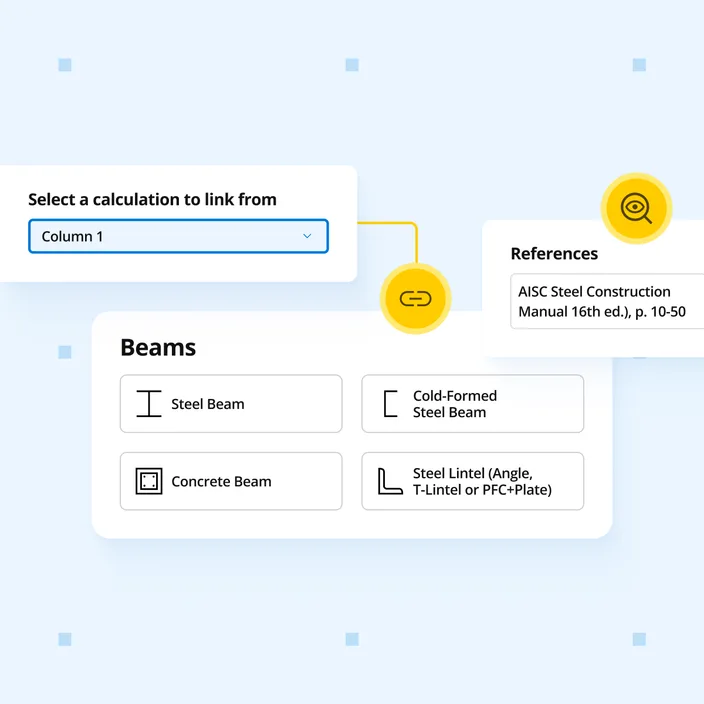
April and May brought a new foundation calculator for two closely spaced columns, plus more realistic stud layouts in composite beam design.
Design a combined footing for two close columns in one sheet
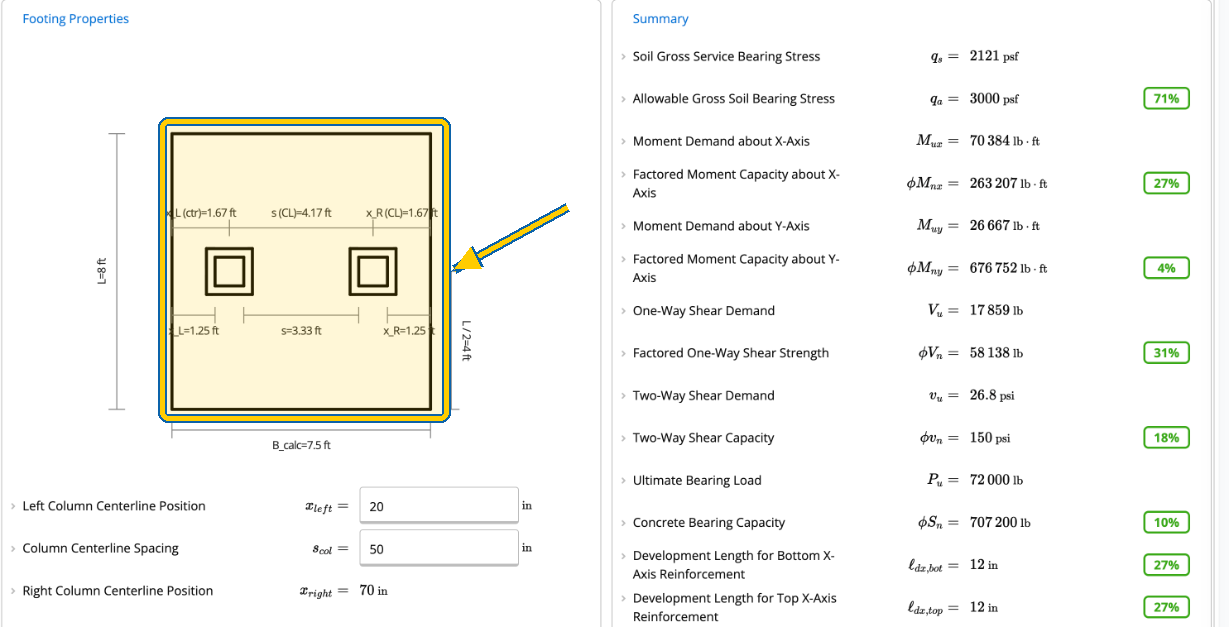
When two columns sit too close for separate spread footings, they share one footing. That happens at property lines, next to existing structures, and wherever two footprints would overlap. By hand, it adds eccentric bearing, two punching shear checks, negative bending between the columns, and development checks. All of that sits on top of the usual spread footing checks. Most structural engineers fall back to hand calcs or a one-off spreadsheet.
The new Combined Footing calculator sizes and checks a rectangular footing supporting two columns to IBC 2024. Concrete design follows ACI 318-19, and load combinations follow ASCE 7-22.
Region and standards: US, IBC 2024, ACI 318-19 and ASCE 7-22. Plan: Included in the Pro plan and every plan above it.
What it checks in one sheet:
- Service soil bearing, plus overturning and sliding stability
- One-way (beam) shear, and two-way (punching) shear at each column
- Flexural capacity about both axes, for positive bending and negative bending between the columns
- Development length of top and bottom reinforcement, with a plain concrete design used automatically where development is insufficient
You set the column positions, footing geometry, soil properties, and dead, live, wind, and seismic load cases. It sits alongside the Spread Footing (IBC 2024) calculator for single columns.
Watch the Combined Footing walkthrough
Model varying stud spacing along a composite beam
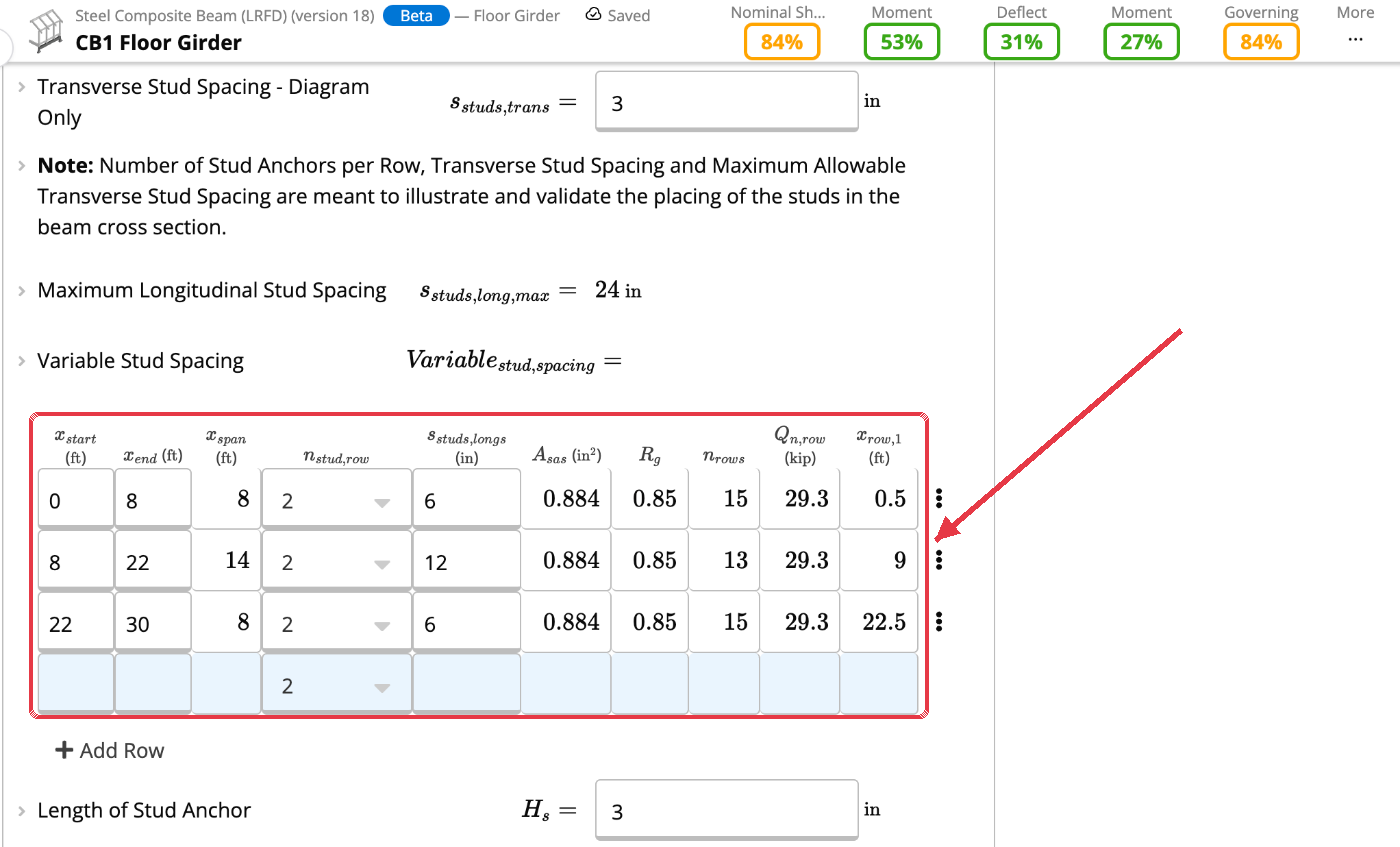
Real composite beams rarely use one uniform stud layout end to end. Until now, representing varying stud spacing meant approximating it, or splitting the beam into several calculations.
The Steel Composite Beam (LRFD) calculator now models this in one beam calculation.
Region and standards: US, AISC 360-22 (LRFD). Plan: Included in the Pro plan and every plan above it, as a beta.
The Steel Composite Beam calculator is in beta while it completes our quality assurance process. Use it to explore and check designs, not for production jobs, until the beta label comes off.
What is new:
- Variable stud spacings along the beam length
- Different stud arrangements along the same beam
- Zones are set in the Variable Stud Spacing table, shown when the sheet is switched to its Detailed view
Watch the Steel Composite Beam stud spacing walkthrough
Tell us how these calculators work on your projects.
Put your calculations in an environment that holds up under review
Calcs.com shows the standard edition, clause reference, and applied formula at every check, so a reviewer can evaluate the work without reconstructing it.
Start a 14-day free trial