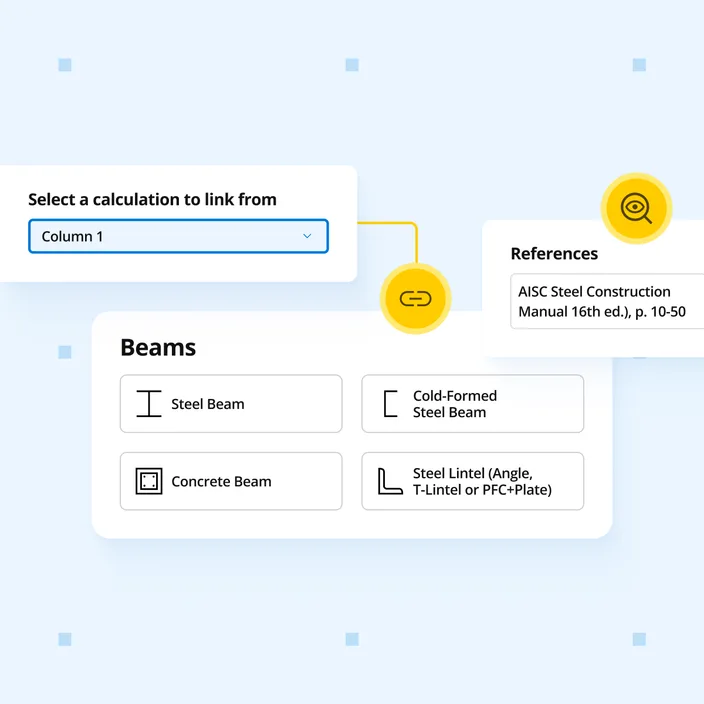
From August to October 2026, the TMS 402/602-22 masonry gravity wall calculators came out of beta in ASD and LRFD. Every Calcs.com account also got a new home page and project list.
Design masonry gravity walls to TMS 402/602-22 in ASD or LRFD
Checking a reinforced CMU wall for axial load, out-of-plane bending and shear usually means several manual checks across every load combination. Change the grouting or bar spacing and the whole set starts again.
The Masonry Gravity Wall calculators for TMS 402/602-22 are now out of beta, in both ASD and LRFD editions.
Region and standards: US, TMS 402/602-22. Plan: Pro
What's new:
- Partially and fully grouted reinforced CMU walls
- Factored load combinations evaluated to find the governing demand
- Moment-axial interaction diagrams, so you can see how close the design sits to its capacity
- Moment, axial and out-of-plane shear capacity checks against the TMS 402 limits
- Inputs for wall geometry, reinforcement configuration, load eccentricity and distributed loads
You can test reinforcement spacing and grouting options in one sheet, with every check visible for review.
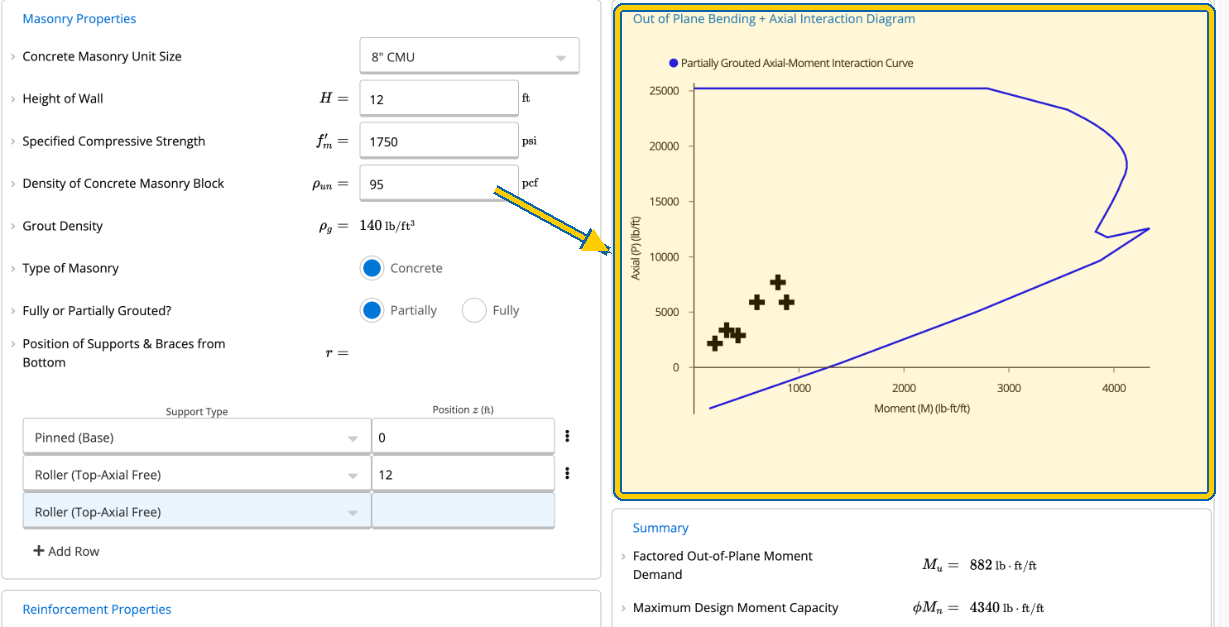
Watch the Masonry Gravity Wall walkthrough
Find your work faster with the new home page and project list
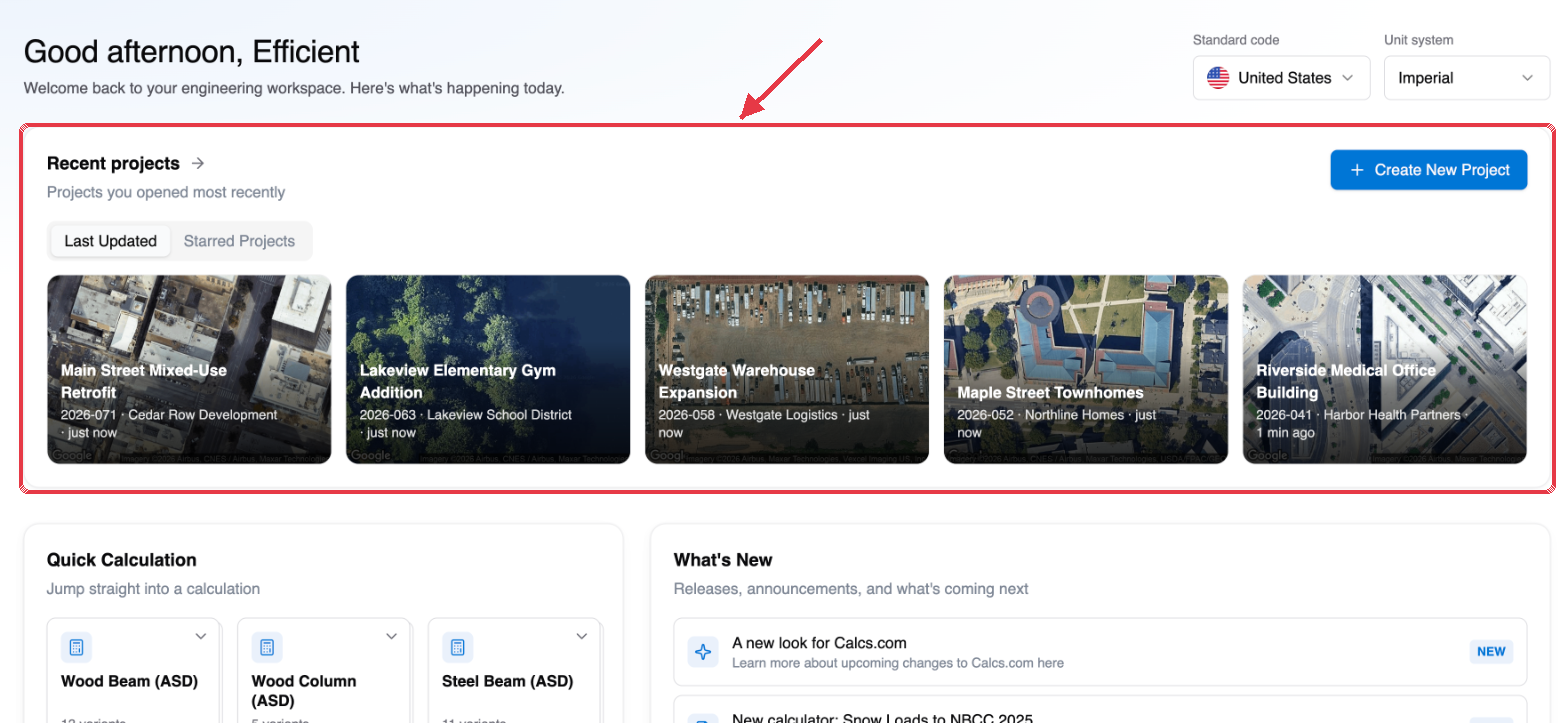
The new Calcs.com home page and project list are now on for every account. Your recent projects sit on the home page, laid out the same way as the project list and the rest of Calcs.com.
Region and standards: Every region, not tied to a design standard. Plan: Available on every plan.
What's new:
- Recent projects on the home page, sorted by last updated or by the projects you have starred
- Each recent project shows an aerial map of its site, taken from the project address
- A Create New Project button on the home page
- A project list that switches between your own projects and every project in your company
- Starred projects, archiving and a Deleted Projects view in the project list, so finished and removed work stays easy to find
Tell us how these work on your projects, and what you'd like to see next.
Put your calculations in an environment that holds up under review
Calcs.com shows the standard edition, clause reference, and applied formula at every check, so a reviewer can evaluate the work without reconstructing it.
Start a 14-day free trial