

What it calculates
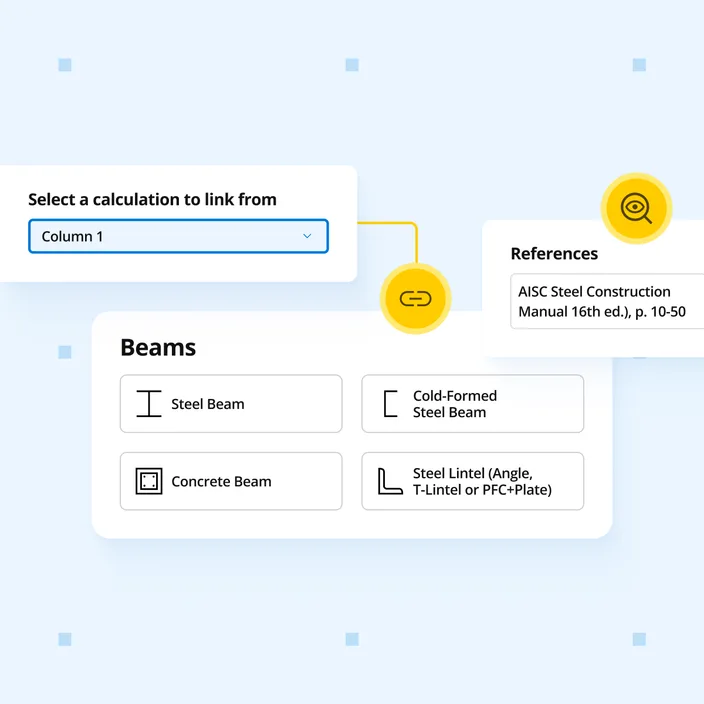
Get the properties no section table lists for a custom or built-up steel section: area, second moments of area, elastic and plastic section moduli, shear center, torsion constant J and warping constant Iw (Cw in AISC 360). Start from one of 20 shape types, a steel database section or a built-up preset such as a channel and plate. The section stays in your Calcs.com project with the rest of the job, and a custom I-section links into steel beam design calculators with no re-entry.
Who uses this calculator
For engineers who design fabricated or built-up steel members that no section table lists. Typical jobs are a lintel made from a channel and plate, back-to-back channels, or an I-section with a cover plate. Enter the geometry once and read off the full property set, including J and Iw, for your buckling and torsion checks. If the member is a plate girder or another custom I-section, link it into a steel beam calculator and the check updates when you change a plate.
Lateral-torsional buckling checks depend on J and the warping constant. In AISC 360-22 they set the buckling strength in Chapter F, and AS 4100-2020 Clause 5.6.1.1 uses J and Iw in the reference buckling moment. For a built-up or asymmetric section, no table gives these values. This calculator solves torsion and warping on a mesh of the actual shape.
When to use this calculator
Use this calculator when a custom or built-up steel section belongs to a job. For a quicker need, a free tool may fit better:
- Catalogue shape: if your member is a W-section, HSS, UB or SHS, the free section properties library already lists its properties.
- One-off check with nothing to keep: the free moment of inertia calculator returns a property set, including J and Iw, in your browser.
- Section that belongs to a job: use this calculator. It saves the section in your Calcs.com project, starts from a steel database section or a built-up preset, and can apply a corrosion allowance to the outline.
- Custom I-section in a steel beam check: use this calculator with the Full analysis type, then link the section into the steel beam calculator.
How it calculates
The Custom Cross-Section Properties calculator uses numerical mesh analysis to compute the full set of section properties for any planar cross-section. You pick one of 20 section types or enter a custom outline as a table of lines. The calculator assembles the section, meshes it, and solves for properties that range from simple area integrals through to the torsion and warping problems that require a boundary-value solver.
Geometry input and composite sections
The calculator has 20 section types:
- Solid shapes: rectangular, circular and elliptical
- Hollow sections: rectangular, square, circular, elliptical and polygonal
- I-sections: I-section, monosymmetric I-section and tapered flange I-section
- Channels: parallel flange channel and tapered flange channel
- Other open sections: T-section, angle, cruciform, Cee and Zed
- Custom outlines: arbitrary closed section and arbitrary thin-walled section
An arbitrary closed section is defined by straight lines with corner radii, so the calculator can analyze any closed outline.
A composite section combines two shapes, such as a channel plus a plate, or back-to-back channels. Either shape can be a steel database section (Australian and New Zealand, US or European) or a custom shape such as a plate.
Area properties
First-order and second-order area properties are integrated over the meshed section:
- Gross area: A = integral of dA over the section
- Centroid: x̄ = (integral of x dA) / A, ȳ = (integral of y dA) / A
- Second moments of area: Ixx and Iyy about centroidal axes
- Product moment of area: Ixy (non-zero for asymmetric sections such as angles and Z-sections)
- Principal axes: rotation angle theta_p where Ixy = 0, and principal second moments I1, I2
- Elastic section moduli: Ixx / y_max and Iyy / x_max, reported for positive and negative bending
- Plastic section moduli: computed by locating the plastic neutral axis where equal areas lie above and below
- Radii of gyration: rx = sqrt(Ixx / A), ry = sqrt(Iyy / A)
The section modulus letters follow your project. US and Canadian projects show S for elastic and Z for plastic. Other projects show Z for elastic and S for plastic.
Shear center
The shear center is the point through which a transverse shear force produces bending without twist. For doubly-symmetric sections it coincides with the centroid; for asymmetric open sections (angles, channels, Z-sections) it lies off the centroid and must be computed from the shear flow distribution.
The calculator solves for the shear center on the mesh for every shape. It reports the distance from the centroid to the shear center along the geometric and principal axes.
Torsion constant (J)
The St Venant torsion constant J resists uniform torsion. The calculator solves the Saint-Venant torsion boundary-value problem on the mesh for every shape, giving the result T = G J (d theta / dz).
Because the mesh follows the actual shape, the result includes fillets and re-entrant corners.
Warping constant (Iw)
The warping constant Iw (Cw in AISC 360) governs non-uniform torsion and lateral-torsional buckling calculations. It is defined by:
Iw = integral of omega² dA
where omega is the normalized warping function at each point of the cross-section. The calculator solves the warping problem on the mesh to determine the warping function distribution, then integrates to get Iw. For doubly-symmetric I-sections the thin-wall closed form is:
Iw = (Iy × h_0²) / 4
where h_0 is the distance between flange centroids. In our check on a 12 x 8 in I-section with fillets, the mesh solution came out 2.5% below this formula, which ignores the fillets and flange thickness. The mesh solution also covers geometry where no closed form exists.
Mesh and accuracy
The cross-section is divided into triangular elements. The calculator displays the mesh in the diagram output so you can verify that the geometry has been interpreted correctly before accepting results. Results are only as precise as the mesh, and the calculator does not yet let you fine-tune it.
Three assumptions apply to all results:
- Entered dimensions must be physically realizable: no overlapping sub-areas within the same region
- No new enclosed areas are created by stacking shapes (each enclosed void must be explicitly modelled as a hollow)
- Properties are for the gross unreduced section: effective section properties for slender elements under compression require a separate reduction per the applicable design code